
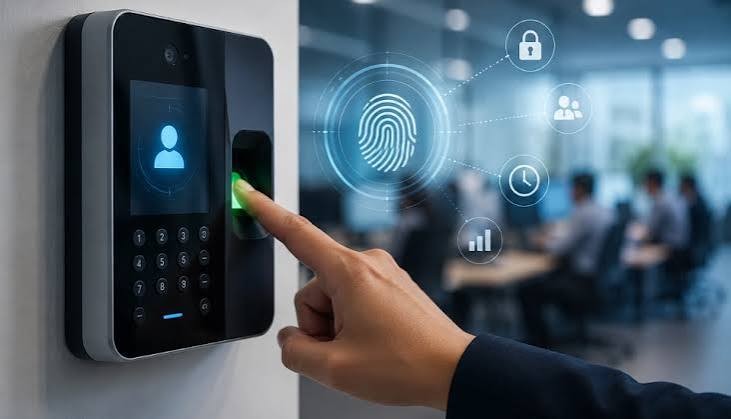
Managing employee attendance accurately is an important responsibility for every organisation. Businesses need reliable ways to record working hours, monitor punctuality, manage shifts and maintain accurate attendance records. At the same time, they must control who enters their premises and restrict access to sensitive areas.
Traditional attendance registers, paper timesheets and manual security checks can make these responsibilities difficult. Records may contain errors, attendance information can be manipulated, and security teams may struggle to coordinate employee entry with staff attendance monitoring.
Time and attendance systems integrated with employee access control provide a more organised approach. They combine electronic attendance tracking with controlled building access, allowing organisations to manage employee entry, record attendance events and improve workplace security through a coordinated system.
For businesses in Uganda, including offices, factories, warehouses, schools, hospitals and commercial facilities, integrated time and attendance technology can support better workforce administration and more effective access management.
At Daltrevco, we understand the importance of modern security and access control solutions for organisations. This guide explains how time and attendance systems work, the technologies available, the benefits of integrating employee access control, installation requirements and the factors to consider when choosing a suitable solution.
What Are Time and Attendance Systems?
A time and attendance system is an electronic solution used to record when employees start and finish work, monitor working hours and maintain attendance information.
Instead of relying entirely on handwritten registers or manual timesheets, employees use authorised credentials or identification methods to record attendance.
Depending on the system, these may include:
- Fingerprint recognition.
- Facial recognition.
- RFID employee cards.
- PIN codes.
- Smart cards.
- Mobile attendance applications.
- Other approved identification methods.
The system stores attendance events and makes the information available to authorised administrators through management software.
A basic attendance system records employee clock-in and clock-out times. A more advanced solution can connect attendance tracking to employee access control, payroll software, shift management and workforce administration platforms.
This creates a more coordinated way to manage employee attendance and access to business premises.
What Is Employee Access Control?
Employee access control is a security process that determines which individuals are authorised to enter specific buildings, rooms or restricted areas.
An electronic access control system uses credentials such as access cards, fingerprints, facial recognition or PIN codes to verify whether an employee has permission to enter.
For example, a company may allow employees to enter the main office but restrict access to server rooms, financial departments, management offices and storage facilities.
An access control system can include:
- Biometric readers.
- RFID card readers.
- Electronic door locks.
- Access control panels.
- Turnstile systems.
- Access management software.
- Door sensors and exit devices.
- Power supplies and backup equipment.
When time and attendance technology is integrated with access control, the organisation can coordinate employee attendance records with selected building access events.
However, an important distinction remains: an employee entering a building does not necessarily mean that the employee has started working. Attendance rules must be configured separately to reflect the organisation’s actual working procedures.
How Do Time and Attendance Systems Integrate with Employee Access Control?
An integrated system connects attendance recording technology with electronic access control equipment and management software.
The aim is to coordinate employee identification, attendance recording and authorised entry through a common system or compatible platforms.
A typical integrated arrangement works as follows.
1. Employee Registration
Each employee is enrolled in the system and assigned an identification method.
This may be a fingerprint template, facial recognition profile, RFID card, PIN or another approved credential.
The administrator also configures the employee’s access permissions and attendance profile.
2. Employee Arrives at the Workplace
When an employee reaches the workplace, they approach the designated attendance terminal or controlled entrance.
Depending on the system design, attendance may be recorded at a dedicated time clock, an access control reader or a device that supports both functions.
3. Identity Verification
The system checks the presented credential against the registered employee information.
For example:
- A fingerprint reader verifies an enrolled fingerprint.
- A facial recognition terminal compares the presented face with an authorised profile.
- An RFID reader checks the employee’s access card.
- A PIN terminal verifies the entered code.
If the credential is valid, the system processes the requested action according to the employee’s permissions.
4. Attendance Event Is Recorded
If the device or software is configured for attendance tracking, it records the relevant clock-in or clock-out event.
The record may include the employee identifier, date, time, terminal and event type.
The system can then use this information to calculate attendance periods according to configured work schedules.
5. Access Is Granted or Denied
The access control system checks whether the employee is authorised to enter the requested area.
If permission is valid, the electronic lock, turnstile or other access device releases.
If the employee does not have permission, access is denied.
6. Attendance and Access Records Are Managed
Authorised administrators can review attendance information and access events through the relevant software.
Depending on the platform, they may generate reports, review late arrivals, monitor attendance patterns and investigate access incidents.
7. Data Is Used for Workforce Administration
Where compatible integration is available, attendance information may be transferred to payroll or human resource management software.
This can reduce repetitive data entry and support more consistent payroll preparation.
The exact integration process depends on the equipment, software and organisation’s attendance policies.
Types of Time and Attendance Systems That Can Integrate with Access Control
Different organisations have different security requirements, employee numbers and working arrangements. The most suitable attendance technology depends on the workplace environment and the level of control required.
1. Fingerprint Time and Attendance Systems
Fingerprint attendance systems identify employees by comparing a presented fingerprint with an enrolled biometric template.
Employees place their finger on the reader to record attendance or request authorised access.
Key features may include:
- Fingerprint-based identification.
- Employee attendance records.
- Clock-in and clock-out functions.
- Shift and schedule management.
- Attendance reporting.
- Integration with compatible access control equipment.
Fingerprint systems are commonly considered for offices, factories, warehouses, schools and other workplaces where employees report to designated attendance points.
However, performance can be affected by dirty, wet, worn or damaged fingerprints and the quality of the reader. Organisations should provide an alternative credential or procedure for employees who cannot use fingerprint recognition reliably.
2. Facial Recognition Time and Attendance Systems
Facial recognition attendance systems use cameras and recognition software to verify an employee’s identity.
An employee approaches the terminal, and the system compares their face with the registered profile.
Possible features include:
- Contactless attendance recording.
- Employee identification.
- Configurable clock-in and clock-out events.
- Attendance reports.
- Access control integration.
- Optional liveness detection, depending on the device.
Facial recognition can be useful in environments where employees prefer not to touch a shared reader.
However, performance depends on lighting, camera positioning, image quality and system configuration. Organisations should also consider privacy and data protection requirements before introducing biometric identification.
3. RFID Card-Based Attendance Systems
RFID attendance systems use electronic cards or tags to identify employees.
Each employee receives an authorised card, which they present to a compatible reader when entering the workplace or recording attendance.
Key features include:
- Contactless card reading.
- Employee identification.
- Attendance event recording.
- Access permissions.
- Card replacement and cancellation.
- Integration with compatible access control systems.
RFID systems are suitable for organisations that want employees to use one credential for both attendance recording and building entry.
Card security varies according to the technology used. Older or less secure cards may be vulnerable to cloning, so organisations should select appropriate credential standards for their security requirements.
4. PIN-Based Attendance Systems
PIN-based systems require employees to enter a personal identification number at a terminal.
The system verifies the code and records the attendance event or processes an access request.
Possible applications include:
- Small offices.
- Staff entrances.
- Restricted departments.
- Workplaces with relatively simple attendance requirements.
PIN systems are straightforward to use, but codes can be shared or disclosed. Organisations should use appropriate PIN management procedures and consider stronger or additional authentication where necessary.
5. Mobile-Based Time and Attendance Systems
Some modern attendance platforms allow employees to record attendance using a mobile application.
Depending on the software, attendance may be verified using approved location controls, device credentials or other authentication methods.
Potential features include:
- Mobile clock-in and clock-out.
- Remote attendance reporting.
- Employee notifications.
- Shift management.
- Integration with workforce platforms.
- Location-based controls, where supported.
Mobile attendance can be useful for field employees, sales teams and staff who work away from a fixed office.
However, mobile attendance should be configured carefully to prevent inaccurate location records or unauthorised clock-ins. Location tracking also requires appropriate privacy safeguards.
6. Multi-Technology Attendance Systems
Some organisations require more than one employee identification method.
A multi-technology system may combine fingerprint recognition, facial recognition, RFID cards and PIN authentication.
This provides flexibility for employees working in different environments or performing different roles.
For example, an office may use RFID cards for general entry while requiring additional authentication for access to a sensitive department.
The selected devices and software must support the required combination of technologies.
Key Features of an Integrated Time and Attendance System
When selecting an attendance and access control solution, businesses should consider features that support both workforce administration and building security.
1. Employee Identification
The system should provide a reliable way to identify authorised employees.
Depending on the selected technology, identification may use fingerprints, facial recognition, RFID cards, PIN codes or mobile credentials.
2. Automatic Attendance Recording
A suitable system should record attendance events electronically and reduce dependence on manual registers.
The system should support the organisation’s clock-in, clock-out and break-recording procedures.
3. Shift and Work Schedule Management
Businesses with different employee schedules need a system that can accommodate varying work patterns.
Useful capabilities may include:
- Fixed working schedules.
- Rotating shifts.
- Night shifts.
- Weekend schedules.
- Break periods.
- Overtime recording.
- Approved leave and absence records.
The system should be configured according to the organisation’s actual employment policies.
4. Employee Access Permissions
An integrated access control platform should allow administrators to assign access rights according to employee roles.
For example, ordinary employees may access the main workplace, while authorised managers and technical staff may enter additional restricted areas.
5. Attendance Reports
The system should provide reports that help administrators review attendance information.
Depending on the software, these may include:
- Daily attendance reports.
- Late arrival records.
- Early departure reports.
- Absence records.
- Working-hour summaries.
- Overtime reports.
- Shift attendance reports.
6. Payroll Integration
Some attendance systems can transfer approved attendance information to compatible payroll software.
This can help payroll teams calculate working hours, approved overtime and other attendance-related information.
However, attendance records should not automatically be treated as final payroll instructions. Organisations still need to apply employment policies, verify exceptions and review the data before processing payroll.
7. Real-Time Access Monitoring
Where the system supports online communication, authorised administrators may be able to monitor selected access events as they occur.
This can help security teams understand who is entering or leaving controlled areas.
8. Employee Self-Service
Some platforms provide employee portals or mobile applications where staff can view selected attendance information, submit correction requests or check work schedules.
This can improve transparency and reduce routine administrative enquiries.
9. Access Event Logging
An integrated system can maintain records of selected access events, including granted and denied entry attempts.
These records can help investigate security incidents and review access permissions.
10. Backup and Data Protection
Attendance and access records are important business information.
The system should provide appropriate access controls, data backup arrangements, secure storage and retention management.
Benefits of Integrating Time and Attendance with Employee Access Control
Combining attendance tracking and access control can provide several advantages for organisations.
1. Improved Attendance Accuracy
Electronic attendance recording can reduce common errors associated with handwritten registers and manual timesheets.
When employees use authorised credentials to record their attendance, the organisation can maintain more consistent records of clock-in and clock-out events.
The system must still be configured correctly and supported by procedures for correcting genuine mistakes.
2. Better Workplace Security
Integrating attendance and access control allows organisations to coordinate employee identification with building entry permissions.
This helps ensure that employees only access the areas they are authorised to enter.
3. Reduced Time Theft and Proxy Attendance
Biometric attendance systems can make it more difficult for one employee to record attendance on behalf of another.
RFID cards and PIN systems may require additional safeguards because cards and codes can be shared.
No attendance technology completely eliminates time fraud. Effective policies, supervision and exception reviews remain important.
4. Easier Workforce Management
Centralised attendance records can help HR teams and supervisors review employee attendance patterns.
Managers can identify recurring late arrivals, absences and scheduling issues more easily.
5. More Efficient Payroll Preparation
Integrated attendance data can reduce manual transfer of working-hour information into payroll systems.
Where the software supports payroll integration, verified attendance records can help payroll teams prepare calculations more efficiently.
6. Better Access Accountability
Organisations can review selected entry and exit events alongside attendance records.
This can help establish whether an employee used a particular access point at a given time.
However, access events and working hours are not necessarily the same thing. Employees may enter the building before their shift, leave during authorised breaks or work in areas with separate attendance terminals.
7. Improved Control of Restricted Areas
Businesses can establish different access permissions for employees, managers, contractors and visitors.
This is particularly useful for server rooms, financial departments, laboratories, warehouses and other sensitive areas.
8. Easier Reporting and Administration
Digital systems can make it easier to generate attendance and access reports without manually reviewing large paper registers.
This can save administrative time and improve access to relevant information.
9. Support for Multiple Branches
Some attendance platforms allow authorised administrators to manage employees and attendance records across multiple offices or facilities.
This can be useful for organisations with branches in Kampala, Entebbe, Jinja, Mbarara and other locations in Uganda.
The availability of centralised management depends on the selected software and network configuration.
Time and Attendance Systems for Different Workplaces
Different industries have different employee schedules, security risks and attendance requirements.
An integrated system should reflect the way each organisation operates.
Offices and Corporate Buildings
Offices can use integrated attendance and access control to manage employee entry, record working hours and restrict access to selected departments.
For example, employees may use RFID cards or biometric credentials at designated entrances, while attendance software records their clock-in and clock-out events.
Factories and Manufacturing Facilities
Factories often operate multiple shifts and require controlled access to production areas.
An integrated system can help record employee attendance, manage shift schedules and restrict entry to authorised operational areas.
Additional access permissions may be required for hazardous production zones, machinery rooms and storage facilities.
Warehouses and Distribution Centres
Warehouses receive employees, contractors, suppliers and delivery personnel.
Attendance systems can help monitor employee working hours, while access control restricts entry to designated storage and operational areas.
Schools, Colleges and Universities
Educational institutions can use attendance systems to manage staff attendance and control access to administrative offices, laboratories, libraries and other restricted areas.
Student attendance systems may require different processes from employee attendance and should be configured separately where appropriate.
Hospitals and Healthcare Facilities
Healthcare facilities operate around the clock and often use complex shift schedules.
Integrated systems can help manage staff attendance and control access to restricted areas such as pharmacies, medical stores, laboratories and administrative departments.
Emergency access and patient safety must remain priorities when designing the system.
Hotels and Hospitality Facilities
Hotels can use attendance systems to manage employees working in reception, housekeeping, maintenance, food service and administration.
Access control can restrict staff entry to designated service areas, offices and storage rooms.
Construction Sites
Construction companies may use attendance and access control systems to monitor workers entering designated sites.
The system can support workforce records while helping restrict access to authorised personnel.
Site safety procedures, contractor management and emergency accountability should be considered during implementation.
Time and Attendance Systems vs Standalone Access Control Systems
Although attendance systems and access control systems can use similar technologies, they perform different functions.
| Feature | Time and attendance system | Access control system |
|---|---|---|
| Main purpose | Records employee attendance and working time | Controls entry into buildings and restricted areas |
| Clock-in and clock-out | Core function | Not always included |
| Door access permissions | May be integrated | Core function |
| Shift management | Common feature | Usually not the primary function |
| Payroll support | May integrate with payroll software | Usually requires separate integration |
| Access event records | May be available through integration | Common feature |
| Employee identification | Uses approved credentials | Uses approved access credentials |
| Reporting | Attendance and working-hour reports | Entry and exit event reports |
An integrated system combines relevant capabilities, but organisations should confirm that the selected software supports both functions rather than assuming that every access control reader automatically provides accurate attendance management.
How to Choose the Best Time and Attendance System in Uganda
Selecting the right system requires an understanding of the organisation’s workforce, premises, security needs and administrative processes.
Consider the following factors before purchasing equipment.
1. Number of Employees
The system should support the number of employees who will use it.
A small office may require only one attendance terminal, while a large factory or commercial facility may need several devices at different entrances and departments.
2. Employee Identification Technology
Choose the identification method that suits the working environment.
Fingerprint recognition, facial recognition, RFID cards and PIN-based systems each have different advantages and limitations.
Consider employee convenience, security requirements, reliability and ongoing administration.
3. Number of Access Points
Identify how many entrances and restricted areas need access control.
A building with several entrances may require multiple readers and controllers connected to a central management platform.
4. Shift and Overtime Requirements
If the organisation operates different shifts, confirm that the software can handle the relevant schedules, overnight shifts, break periods and overtime rules.
5. Payroll and HR Software Compatibility
If the business already uses payroll or HR management software, check whether the attendance platform supports integration.
Confirm the supported data formats, interfaces, licensing and approval process.
6. Network and Internet Requirements
Determine whether the system operates locally, through a cloud platform or using a combination of both.
Ask what happens when internet connectivity is interrupted and whether local attendance recording and door access continue to function.
7. Data Storage and Reporting
Confirm how attendance and access records are stored, backed up and retrieved.
The system should provide reports that meet the organisation’s administrative and security requirements.
8. Data Protection and Privacy
Fingerprint and facial recognition information can be sensitive personal data.
Before implementing biometric attendance, organisations should assess the applicable data protection requirements, establish appropriate safeguards and explain how employee information will be processed.
9. Future Expansion
Choose a solution that can accommodate additional employees, doors, attendance terminals and locations as the organisation grows.
10. Technical Support and Maintenance
Consider equipment maintenance, software updates, replacement parts, user support and the availability of qualified technicians.
Time and Attendance System Installation Process
Professional installation is important to ensure that attendance devices, access control equipment and management software operate correctly.
A typical installation involves the following stages.
Step 1: Site Assessment
The installation team evaluates the premises and identifies the organisation’s attendance and access control requirements.
The assessment should consider:
- Number of employees.
- Number of entrances.
- Number of restricted areas.
- Expected employee traffic.
- Existing access control equipment.
- Network and power infrastructure.
- Payroll and HR software requirements.
Step 2: System Selection
The appropriate attendance and access control technology is selected according to the site requirements.
This may include fingerprint terminals, facial recognition readers, RFID card systems, electronic door locks, turnstiles and compatible management software.
Step 3: Hardware Installation
The selected devices are installed at designated attendance points and entrances.
Depending on the system, installation may involve mounting readers, connecting access controllers, installing electronic locks and preparing power and network connections.
Step 4: Software Configuration
The attendance and access management software is configured.
This may include:
- Employee registration.
- Attendance schedules.
- Shift arrangements.
- Clock-in and clock-out rules.
- Access permissions.
- Department assignments.
- Reporting settings.
- Administrator accounts.
Step 5: Employee Enrolment
Employees are registered using the approved identification method.
This may involve issuing RFID cards, enrolling fingerprints, creating facial recognition profiles or assigning PIN credentials.
For biometric systems, enrolment should follow appropriate privacy and security procedures.
Step 6: Attendance and Access Control Integration
The attendance system is connected to compatible access control equipment.
The installer verifies that employee identification, attendance recording and access permissions operate as intended.
Step 7: System Testing
The system is tested to confirm that:
- Employee credentials are recognised correctly.
- Attendance events are recorded accurately.
- Unauthorised access is denied.
- Approved employees can enter permitted areas.
- Shift and schedule rules work correctly.
- Reports can be generated.
- Backup and emergency arrangements operate as designed.
Step 8: Staff Training and Handover
HR administrators, security personnel and relevant managers are trained to use the system.
Training should cover employee enrolment, attendance corrections, permission management, report generation and common troubleshooting procedures.
How Much Do Time and Attendance Systems Cost in Uganda?
The cost of installing an integrated time and attendance system in Uganda depends on the number of employees, selected technology, number of access points and complexity of the installation.
A small office requiring one attendance terminal will have different requirements from a large factory needing multiple biometric readers, electronic door locks and centralised management software.
The main factors that influence the cost include:
1. Number of employees: Larger workforces may require more enrolment capacity, devices and software resources.
2. Attendance technology: Fingerprint, facial recognition, RFID and mobile attendance solutions have different equipment and licensing requirements.
3. Number of access points: Each additional controlled entrance may require readers, controllers, locks and associated installation work.
4. Software features: Shift management, overtime calculations, attendance reporting and employee self-service can affect software requirements.
5. Payroll integration: Connecting attendance records to existing payroll or HR platforms may involve additional development, configuration or licensing.
6. Network and power infrastructure: Cabling, network equipment, power supplies and backup arrangements may influence the total project cost.
7. Installation complexity: Existing doors, building layout and integration with current security systems can affect labour and installation requirements.
8. Data storage and licensing: Cloud subscriptions, local servers, software licences and database requirements may contribute to ongoing expenses.
9. Maintenance and technical support: Organisations should budget for servicing, replacement equipment, software updates and technical assistance.
For an accurate quotation, the organisation should arrange a site assessment to identify the required equipment, number of users, integration needs and installation work.
Contact Daltrevco to discuss time and attendance solutions integrated with employee access control for your organisation in Uganda.
Common Time and Attendance System Problems and Solutions
Like other electronic security and workforce management technologies, time and attendance systems may occasionally experience operational problems.
Understanding common faults can help organisations maintain reliable attendance records.
1. Fingerprint Reader Fails to Recognise Employees
Possible causes:
- Dirty or damaged fingerprint sensor.
- Wet, dirty or worn fingerprints.
- Poor enrolment quality.
- Incorrect employee registration.
- Device malfunction.
Recommended solution: Clean the sensor according to manufacturer instructions, review the employee’s enrolment and provide an alternative approved identification method where necessary.
2. RFID Cards Are Not Recognised
Possible causes:
- Damaged or expired cards.
- Incorrect card enrolment.
- Reader compatibility problems.
- Card technology not supported by the device.
Recommended solution: Verify the card’s registration and compatibility. Test with an authorised working card and replace damaged credentials.
3. Attendance Records Are Missing
Possible causes:
- Device communication interruptions.
- Incorrect attendance configuration.
- Unsuccessful clock-in or clock-out attempts.
- Software synchronisation problems.
Recommended solution: Review device records, system configuration and communication settings. Establish a documented correction procedure for genuine attendance omissions.
4. Access Is Denied to an Authorised Employee
Possible causes:
- Expired credentials.
- Incorrect access permissions.
- Employee record not synchronised.
- Controller or reader communication faults.
Recommended solution: Confirm the employee’s access rights and credential status, then inspect the communication between the reader and access controller.
5. Attendance Data Does Not Match Payroll Records
Possible causes:
- Incorrect shift rules.
- Unapproved attendance corrections.
- Overtime configuration errors.
- Incomplete data transfer.
- Different calculation rules between systems.
Recommended solution: Review attendance policies, shift settings and payroll integration procedures. Verify records before approving payroll calculations.
6. System Stops Communicating with the Network
Possible causes:
- Network failure.
- Incorrect IP configuration.
- Power interruption.
- Damaged network cabling.
- Software or communication errors.
Recommended solution: Check the power supply and network connection. Confirm the device configuration and arrange technical support if communication does not resume.
Data Protection and Privacy in Employee Attendance Systems
Time and attendance systems process information about employees, including identification details, working hours, attendance history and, in some cases, biometric information.
Businesses in Uganda should consider the requirements of the Data Protection and Privacy Act, 2019, together with applicable regulations and guidance.
Important practices include:
- Informing employees about the attendance system and the information being collected.
- Establishing an appropriate lawful basis for processing employee information.
- Collecting only information necessary for the stated purpose.
- Restricting access to attendance records to authorised personnel.
- Protecting stored information against unauthorised access.
- Establishing appropriate retention and deletion procedures.
- Securing biometric templates and related credentials.
- Reviewing how third-party software providers store and process employee information.
- Providing a suitable alternative procedure where biometric identification is not practical.
Biometric information requires particular care. Organisations should assess whether biometric processing is necessary and proportionate, identify the applicable legal requirements and implement appropriate safeguards.
Employees should also understand how attendance and access records are used, who can access them and how long they are retained.
Best Practices for Managing an Integrated Attendance and Access Control System
Installing the equipment is only one part of an effective workforce management solution. Organisations also need clear procedures for using and maintaining the system.
Recommended practices include:
- Maintain accurate employee records: Ensure that employee details, departments and identification credentials are updated.
- Review access permissions: Remove or change permissions when employees change roles or leave the organisation.
- Configure attendance rules correctly: Set up shifts, breaks, overtime and approved absence procedures according to organisational policies.
- Monitor exceptions: Review missing clock-ins, unusual attendance records and denied access attempts.
- Protect administrator accounts: Use strong authentication and restrict system administration to authorised personnel.
- Back up important records: Establish appropriate backup and recovery procedures.
- Maintain attendance devices: Clean, inspect and service readers according to manufacturer guidance.
- Train employees and administrators: Explain how to record attendance and report genuine errors.
- Review system performance: Periodically check that attendance calculations and access permissions remain accurate.
- Maintain emergency procedures: Ensure that electronic access controls do not interfere with safe evacuation or emergency entry.
Why Choose Daltrevco for Time and Attendance and Access Control Solutions?
An effective employee attendance and access control installation should match the organisation’s workforce size, building layout, security requirements and administrative processes.
The right solution is not simply a fingerprint machine or access card reader. It is a coordinated arrangement of suitable devices, software, access permissions and operating procedures.
Daltrevco provides a point of contact for organisations exploring modern security and access management solutions in Uganda.
When planning an integrated time and attendance project, consider:
- The most appropriate employee identification technology.
- The number of attendance terminals and controlled entrances.
- Employee numbers and shift arrangements.
- Compatibility with existing access control equipment.
- Payroll and HR software integration requirements.
- Employee information security and privacy.
- Future expansion and maintenance requirements.
Whether you manage an office, factory, warehouse, school, hospital or commercial building, contact Daltrevco to discuss suitable employee access control and attendance management solutions for your premises.
Frequently Asked Questions About Time and Attendance Systems
1. What is a time and attendance system?
A time and attendance system is an electronic solution that records when employees start and finish work. It helps organisations monitor working hours, manage shifts and maintain attendance records.
2. What is an integrated employee access control system?
It is a solution that combines employee attendance tracking with electronic building access management. Employees use authorised credentials to record attendance and, where permitted, enter designated areas.
3. What is the difference between attendance tracking and access control?
Attendance tracking records employee working-time events, such as clock-in and clock-out. Access control determines whether an employee is authorised to enter a particular building or area.
4. Can fingerprint attendance systems control office doors?
Yes. Compatible fingerprint terminals can be integrated with electronic door locks and access control controllers to manage employee identification and authorised entry.
5. Can RFID cards be used for both attendance and door access?
Yes. Where the hardware and software are compatible, employees can use one RFID card to record attendance and access designated entrances.
6. Are facial recognition attendance systems suitable for businesses?
They can be suitable for businesses that need contactless employee identification. Performance depends on camera quality, lighting, system configuration and appropriate enrolment.
7. Can time and attendance systems integrate with payroll software?
Yes. Some platforms support payroll integration, allowing approved attendance data to be transferred to compatible payroll systems. Integration capabilities vary by software.
8. Can attendance systems manage different employee shifts?
Yes. Many systems support different work schedules, rotating shifts, night shifts, break periods and overtime rules.
9. Can an integrated attendance system monitor employee entry and exit?
It can record attendance events and selected access events, depending on the system configuration. These records should be interpreted according to the organisation’s working procedures.
10. What happens when the internet goes off?
This depends on the system architecture. Some devices can continue recording attendance and controlling local access during internet interruptions, while cloud-dependent features may become unavailable. Confirm offline capabilities before installation.
11. Can the system manage employees at multiple branches?
Yes. Some attendance platforms support centralised administration across multiple branches or facilities. The number of supported locations depends on the software and licence.
12. Are biometric attendance systems secure?
They can provide useful employee identification, but security depends on the device, biometric technology, enrolment quality, liveness detection and information protection. Biometric data must be handled with appropriate privacy safeguards.
13. Can attendance systems prevent employees from recording attendance for one another?
Biometric identification can reduce proxy attendance because employees are verified using their registered biometric credentials. Card and PIN systems require additional safeguards because credentials can be shared.
14. How often should attendance systems be maintained?
Maintenance frequency depends on the equipment and daily usage. Organisations should follow manufacturer recommendations and regularly inspect readers, power supplies, network connections and software performance.
15. How much does an integrated time and attendance system cost in Uganda?
The cost depends on employee numbers, attendance technology, number of access points, software features, installation complexity and payroll integration requirements. A site assessment is recommended for an accurate quotation.
Conclusion: Improve Workforce Management with Integrated Time and Attendance Systems
Time and attendance systems integrated with employee access control provide organisations with a coordinated way to manage employee identification, attendance records and building security.
From fingerprint and facial recognition terminals to RFID card readers and mobile attendance platforms, different technologies can support different workforce and security requirements.
By selecting the right solution, organisations can improve attendance accuracy, manage employee access permissions, support payroll preparation and maintain better visibility over workplace entry and exit activity.
For businesses and institutions in Uganda looking to modernise employee attendance and access management, Daltrevco can help you explore suitable security solutions.
Contact Daltrevco today to discuss time and attendance systems integrated with employee access control for your office, factory, warehouse or commercial facility in Uganda.

