
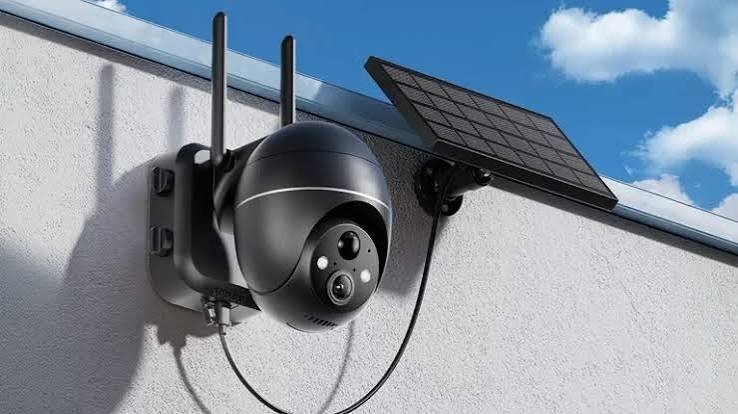
CCTV cameras are an important part of modern security systems. They help homeowners, businesses, schools, hotels, warehouses, factories and other institutions monitor their properties, record activities and review footage when security incidents occur. However, installing security cameras is only the first step towards maintaining effective surveillance. To keep a CCTV system operating reliably, regular inspection, cleaning, testing and maintenance are essential.
Over time, dust, moisture, heat, unstable power supplies, damaged cables, network interruptions and equipment deterioration can affect CCTV performance. Camera lenses may become dirty, outdoor housings may develop leaks, recording devices may experience hard drive errors and network connections may become unstable. Without proper maintenance, these problems can reduce image quality, interrupt recording and create surveillance blind spots.
For property owners in Uganda, where CCTV equipment may be exposed to dust, heavy rainfall, humidity, heat and occasional electricity interruptions, a structured maintenance routine is particularly important.
Whether you have a small residential CCTV installation or a large surveillance system protecting a commercial or industrial facility, understanding how to maintain security cameras can help extend equipment service life, reduce avoidable faults and preserve reliable recording.
At Daltrevco, we recognise the importance of dependable security infrastructure for properties and businesses. This guide explains how to maintain CCTV cameras for long-term performance, the components that require attention, common maintenance mistakes and when professional servicing may be necessary.
What Is CCTV Camera Maintenance?
CCTV camera maintenance is the routine inspection, cleaning, testing and servicing of surveillance equipment to keep it operating as intended.
It involves checking the physical condition of cameras, examining connections, testing recording performance, reviewing network functionality and ensuring that important security features remain properly configured.
Maintenance is not limited to cleaning camera lenses. A complete CCTV maintenance programme should cover the entire surveillance system, including cameras, cables, power supplies, recording devices, storage equipment, network infrastructure and monitoring software.
A typical CCTV maintenance programme may include:
- Cleaning camera lenses and protective covers.
- Inspecting indoor and outdoor camera housings.
- Checking cables and connectors.
- Testing power supplies and backup power.
- Reviewing camera positioning and viewing angles.
- Checking live video and image quality.
- Testing DVR and NVR recording.
- Inspecting hard drive health and storage capacity.
- Checking network connectivity.
- Testing remote viewing and mobile applications.
- Updating supported software and firmware.
- Reviewing user accounts and cybersecurity settings.
- Documenting maintenance findings and recurring faults.
The frequency and depth of maintenance depend on the number of cameras, installation environment, equipment specifications and importance of the surveillance system.
Why Is Regular CCTV Camera Maintenance Important?
A CCTV system may continue displaying live images even when some of its important functions are not working correctly. For example, a camera may show live footage but fail to record, or an outdoor camera may have a dirty lens that significantly reduces image clarity.
Regular maintenance helps identify these problems before they create serious surveillance gaps.
1. Maintains Clear and Reliable Image Quality
The quality of recorded footage determines how useful a CCTV system will be when reviewing incidents.
Dust, fingerprints, insects, watermarks and condensation can affect camera lenses and protective covers.
Regular cleaning helps maintain clear images and improves the visibility of monitored areas.
2. Reduces Unexpected Equipment Failures
CCTV cameras operate for extended periods and may be exposed to environmental conditions that gradually affect their components.
Routine inspection can reveal damaged cables, loose connectors, moisture, overheating and other developing problems.
Identifying these issues early may reduce unexpected system interruptions.
3. Helps Extend Equipment Service Life
Proper installation, suitable environmental protection and routine maintenance can help CCTV equipment remain functional for longer.
Cleaning, ventilation checks, power inspections and timely repairs help reduce avoidable stress on system components.
Maintenance cannot prevent every failure, but it can reduce problems associated with neglect.
4. Protects Important Surveillance Footage
A CCTV system is useful only when it records and retains footage as required.
Checking the recorder, storage devices and recording schedules helps identify problems that could result in missing footage.
This is particularly important for businesses that may need to review recordings following theft, accidents, disputes or other incidents.
5. Maintains Reliable Remote Monitoring
Modern CCTV systems often allow authorised users to monitor cameras through smartphones, tablets and computers.
Maintenance helps confirm that network connections, recorder settings and supported remote access services continue functioning properly.
6. Helps Maintain Effective Security Coverage
Cameras can become misaligned because of accidental impacts, vibration, building work or changes to the surrounding environment.
Regular inspections help ensure that important entrances, parking areas, corridors, perimeter boundaries and other designated locations remain covered.
7. Supports Better Long-Term Cost Management
Ignoring minor faults may allow them to develop into more expensive equipment problems.
Routine maintenance can help identify when a component requires adjustment, repair or replacement before it affects a larger part of the system.
15 Essential CCTV Camera Maintenance Practices
A structured maintenance routine should cover both the visible cameras and the equipment responsible for transmitting, recording and storing video.
The following practices can help maintain long-term CCTV performance.
1. Clean CCTV Camera Lenses Regularly
Camera lenses are among the most important components of a surveillance system. A dirty lens can reduce image clarity and make recorded footage difficult to interpret.
Outdoor cameras are particularly exposed to dust, rainwater marks, insects, spider webs and other environmental contaminants.
Maintenance procedure:
- Confirm that the camera can be safely accessed.
- Follow the manufacturer’s cleaning instructions.
- Remove loose dust using an appropriate soft cleaning tool.
- Use a clean, lint-free microfibre cloth for the external lens cover.
- Avoid abrasive materials that may scratch the surface.
- Check the image after cleaning.
Do not apply harsh chemicals or excessive pressure to the lens or protective cover.
For cameras mounted at height or in difficult locations, use an appropriately equipped professional rather than attempting unsafe access.
2. Inspect Outdoor Camera Housings
Outdoor cameras face changing weather conditions throughout the year.
Heavy rainfall, humidity, dust and direct sunlight can affect camera housings, seals, connectors and mounting accessories.
What to inspect:
- Cracks in the camera housing.
- Damaged protective covers.
- Loose mounting brackets.
- Deteriorated seals.
- Signs of moisture inside the enclosure.
- Corrosion around exposed connections.
- Damaged cable entry points.
Outdoor CCTV cameras should have environmental protection suitable for their installation locations.
If water is suspected inside a camera, arrange professional inspection rather than opening or repairing electrical equipment without the necessary expertise.
3. Check CCTV Cable Connections
Cables carry video signals, network data or electrical power depending on the system design.
Damaged or loose connections may cause video loss, unstable images, intermittent camera disconnections and recording interruptions.
Maintenance procedure:
Inspect accessible cable routes and connections for:
- Loose connectors.
- Exposed wiring.
- Crushed cables.
- Corrosion.
- Damaged insulation.
- Poorly protected joints.
- Signs of moisture.
- Physical damage caused by construction or other activities.
Analogue CCTV systems commonly use coaxial video cables, while IP camera installations generally use network cabling such as Ethernet.
Connections should be properly terminated and protected according to the equipment requirements.
Do not attempt repairs on live electrical wiring. Suspected electrical faults should be handled by a qualified professional.
4. Check Camera Positioning and Viewing Angles
A camera may be fully functional but provide inadequate surveillance because its viewing angle has changed.
For example, an outdoor camera may have been moved by strong winds, accidental contact or maintenance activities.
Maintenance procedure:
- Confirm that important entrances remain visible.
- Check whether trees or vegetation obstruct the view.
- Inspect parking and loading areas.
- Review camera coverage around gates and perimeter boundaries.
- Check whether construction or new structures have created blind spots.
- Confirm that cameras are not pointing unnecessarily towards direct sunlight.
Adjust camera positions where necessary while preserving the intended surveillance coverage and privacy requirements.
5. Test Camera Image Quality
Do not assume that every camera is producing usable footage simply because it appears on the monitoring screen.
During maintenance, inspect live images and recorded footage from every camera.
Check for:
- Blurry images.
- Unusual colours.
- Flickering.
- Excessive glare.
- Poor contrast.
- Incorrect focus.
- Image distortion.
- Poor low-light performance.
Compare daytime and night-time performance where appropriate.
A camera that produces clear images during the day but poor footage at night may require adjustments to its infrared illumination, lighting conditions or image settings.
6. Inspect Infrared and Night Vision Performance
Infrared (IR) night vision allows compatible cameras to capture images in low-light conditions.
Outdoor security cameras may use infrared LEDs or other low-light imaging technologies to monitor properties after dark.
Maintenance procedure:
- Check whether night vision activates under suitable low-light conditions.
- Inspect the camera’s lens and protective cover.
- Check for dirt, insects and reflective surfaces near the camera.
- Review supported day/night settings.
- Examine night-time recordings for clarity.
- Investigate any camera that repeatedly produces dark or distorted images.
Reflections from nearby walls, windows or other surfaces can interfere with infrared illumination.
Where a camera cannot provide adequate night-time coverage, consider whether additional lighting or a more suitable camera is necessary.
7. Check the CCTV Power Supply
Power problems can affect cameras, recorders, network switches and other surveillance equipment.
An unstable or inadequate power supply may cause cameras to restart, disconnect or produce intermittent faults.
Maintenance procedure:
- Check the condition of accessible power connections.
- Confirm that equipment uses compatible power supplies.
- Inspect for visible damage.
- Review equipment status indicators.
- Check whether multiple cameras are affected by the same power source.
- Confirm that PoE equipment has sufficient power capacity.
Power requirements differ between CCTV devices. Never substitute an adapter without checking voltage, polarity, connector type and current requirements.
Electrical inspections and repairs should be performed by qualified personnel.
8. Test UPS and Backup Power Systems
Electricity interruptions can affect surveillance operations, particularly where cameras and recording equipment do not have backup power.
A suitable Uninterruptible Power Supply (UPS) can help maintain operation during temporary power interruptions.
However, the backup duration depends on the UPS capacity, battery condition and connected equipment load.
Maintenance procedure:
- Inspect the UPS for visible damage.
- Check its status indicators.
- Review battery condition where supported.
- Confirm that the connected load is within the UPS rating.
- Test the backup arrangement according to manufacturer guidance.
- Replace batteries when required.
- Ensure that critical cameras, recorders and network equipment receive appropriate backup power.
A backup system should be designed around the required operating duration rather than simply selecting a UPS based on the number of cameras.
9. Check DVR and NVR Recording Performance
The DVR or NVR is responsible for receiving and recording video from compatible cameras.
A system may display live footage while failing to record properly.
Regular recorder checks help identify problems before important footage is lost.
Maintenance procedure:
- Confirm that all expected camera channels are connected.
- Check recording schedules.
- Review recording status.
- Test playback from different cameras.
- Check for storage warnings.
- Review system logs where available.
- Confirm that the recorder’s date and time are correct.
For installations in Uganda, the relevant time zone is East Africa Time (EAT), UTC+3.
Where supported, automatic time synchronisation can help maintain accurate timestamps.
10. Inspect CCTV Hard Drives and Storage
Storage devices are essential because they retain recorded surveillance footage.
Hard drives used for CCTV recording may operate continuously, making storage health an important maintenance consideration.
Warning signs of storage problems include:
- Hard drive error messages.
- Missing recordings.
- Unexpected recording interruptions.
- Reduced retention periods.
- Unusual recorder behaviour.
- Storage devices not being recognised.
Maintenance procedure:
Check the recorder’s storage management section and review available health indicators.
Confirm that the recording system has adequate storage for the number of cameras and required retention period.
If an important recording may be needed, preserve available footage before attempting repairs, formatting or storage replacement.
Use storage devices that are compatible with the recorder and suitable for surveillance workloads.
11. Check Network Connections on IP CCTV Systems
IP cameras depend on network connectivity to communicate with recorders and other authorised devices.
Network problems may result in cameras going offline, delayed video, interrupted recording or unreliable remote access.
Maintenance procedure:
- Check Ethernet cable connections.
- Inspect network switches.
- Confirm that cameras are receiving adequate PoE power where applicable.
- Review IP address settings.
- Check for address conflicts.
- Inspect network performance.
- Review the condition of routers and other network equipment.
For large CCTV installations, network maintenance should consider total bandwidth, switch capacity and power requirements.
12. Test Remote CCTV Viewing
If your CCTV system supports mobile or computer-based monitoring, test remote access periodically.
Confirm that authorised users can access the required camera feeds and recordings.
Check the following:
- Mobile application functionality.
- Recorder network connectivity.
- User login credentials.
- Camera availability.
- Playback functionality.
- Remote notifications where supported.
- User permissions.
Remote viewing generally requires internet access or another suitable communication connection.
Local recording may continue during an internet outage if the equipment remains powered and is configured correctly, but remote access may be interrupted.
13. Update CCTV Firmware and Software
CCTV cameras, recorders and management applications may receive software updates from their manufacturers.
Updates can address security vulnerabilities, improve compatibility or correct technical problems.
Maintenance procedure:
- Identify the exact equipment model.
- Check official manufacturer support information.
- Confirm that the update applies to the installed device.
- Back up configurations where supported.
- Schedule updates to minimise disruption.
- Follow the manufacturer’s installation instructions.
- Confirm normal operation after updating.
Avoid installing unofficial firmware or incompatible software because it may damage equipment or create security problems.
14. Review CCTV User Accounts and Cybersecurity
CCTV systems connected to networks and the internet should be maintained with appropriate cybersecurity controls.
Weak passwords, outdated software and excessive user permissions can expose surveillance equipment to unauthorised access.
Maintenance procedure:
- Change default passwords.
- Use strong, unique passwords.
- Enable multi-factor authentication where supported.
- Remove access for former employees.
- Review administrator accounts.
- Restrict access to authorised users.
- Update supported firmware.
- Disable unnecessary services.
- Secure remote access arrangements.
- Review network exposure.
Avoid exposing DVR and NVR interfaces directly to the public internet without appropriate security controls.
15. Keep CCTV Maintenance Records
Maintenance records help property owners monitor equipment condition, identify recurring problems and plan future upgrades.
A maintenance log should include:
- Inspection date.
- Camera identification or location.
- Equipment condition.
- Cleaning performed.
- Cable and connection observations.
- Recording test results.
- Storage status.
- Network problems.
- Repairs completed.
- Components replaced.
- Outstanding recommendations.
For large installations, maintaining an equipment register with camera locations and model details can make future servicing easier.
CCTV Maintenance Checklist for Homes and Businesses
A maintenance checklist makes it easier to inspect important components consistently.
| CCTV component | What to inspect | Maintenance action |
|---|---|---|
| Camera lenses | Dust, dirt and watermarks | Clean carefully |
| Camera housing | Cracks, moisture and damage | Inspect and protect |
| Mounting brackets | Loose fittings or movement | Secure where appropriate |
| Cables | Wear, damage and exposed wiring | Repair or replace professionally |
| Connectors | Corrosion and loose connections | Inspect and correct |
| Camera angles | Blind spots and obstructions | Review coverage |
| Night vision | IR illumination and low-light images | Test and adjust |
| Power supply | Compatibility and stability | Inspect and test |
| UPS | Battery condition and backup operation | Test and service |
| DVR/NVR | Recording and system status | Test playback |
| Hard drives | Storage health and capacity | Review and replace if necessary |
| Network switches | Connectivity and PoE capacity | Inspect and test |
| Mobile applications | Remote access and playback | Test functionality |
| Firmware | Manufacturer support and updates | Update where appropriate |
| User accounts | Permissions and security | Review and update |
This checklist can be adapted to the size and complexity of the installation.
How Often Should CCTV Cameras Be Maintained?
There is no single maintenance schedule suitable for every CCTV system.
Inspection frequency depends on the equipment, operating environment, camera locations and importance of the surveillance system.
For example, outdoor cameras installed near dusty roads or construction areas may require more frequent cleaning than indoor cameras in a controlled office environment.
The following schedule can be used as a starting point and adjusted to suit the installation.
Daily or Routine Operational Checks
For important surveillance installations, authorised users should periodically confirm that the cameras and recording system are operating.
Check:
- Whether important camera feeds are visible.
- Whether any cameras are offline.
- Whether recording status appears normal.
- Whether critical system warnings are present.
Monthly Checks
A monthly inspection may include:
- Reviewing camera image quality.
- Checking recording playback.
- Inspecting accessible camera housings.
- Reviewing storage warnings.
- Testing remote viewing.
- Checking important camera angles.
- Reviewing system notifications.
Quarterly Checks
A more detailed quarterly inspection may include:
- Cleaning accessible camera lenses.
- Inspecting cable connections.
- Reviewing network performance.
- Checking UPS status.
- Testing night vision.
- Reviewing user access.
- Checking recorder ventilation.
- Examining recurring faults.
Annual or Scheduled Professional Servicing
A professional inspection may include:
- Comprehensive equipment assessment.
- Detailed camera coverage review.
- Storage health checks.
- Network and power assessment.
- Recorder performance testing.
- Backup power evaluation.
- Firmware and configuration review.
- Recommendations for repairs or upgrades.
These intervals are general planning suggestions, not universal manufacturer requirements. Follow the equipment manufacturer’s instructions and increase inspection frequency where environmental conditions or operational risks justify it.
CCTV Maintenance in Uganda: Environmental Factors to Consider
CCTV installations in Uganda may be exposed to environmental and infrastructure conditions that affect equipment performance.
Understanding these conditions helps property owners develop more appropriate maintenance routines.
1. Dust and Dirt Accumulation
Dust can collect on lenses, camera housings, ventilation openings and recording equipment.
This is particularly relevant to construction sites, warehouses, industrial facilities and properties near unpaved roads.
Regular cleaning helps maintain image clarity and ventilation.
2. Heavy Rainfall and Moisture
Rainwater and humidity can affect outdoor cameras, cable connections and poorly sealed enclosures.
Outdoor equipment should have suitable weather protection, and cable entry points should be properly sealed.
Inspect outdoor cameras after severe weather where practical and safe.
3. Heat and Direct Sunlight
Excessive heat can affect electronic components and recording equipment.
Avoid installing DVRs, NVRs and network switches in poorly ventilated locations.
Where equipment is installed in a cabinet or control room, ensure that appropriate ventilation is available.
4. Electricity Interruptions
Power interruptions can stop cameras and recording devices unless suitable backup arrangements are provided.
Check the condition and capacity of UPS equipment and ensure that the backup system supports the intended critical loads.
5. Construction and Physical Activity
Construction work, vehicle movement and other activities can damage cables or move camera mounting brackets.
Inspect CCTV equipment after significant building work, renovations or physical incidents.
Maintenance Requirements for Different CCTV Camera Types
Different camera technologies have different maintenance requirements.
Understanding the installed camera type helps ensure that maintenance procedures are appropriate.
1. Analogue CCTV Cameras
Analogue cameras commonly transmit video over coaxial cables to a compatible DVR.
Maintenance should focus on:
- Camera lens cleanliness.
- Coaxial cable condition.
- BNC connectors.
- Power supply.
- DVR channel operation.
- Image quality.
- Recording performance.
Some modern analogue high-definition systems provide detailed images, so maintenance should follow the specifications of the installed equipment.
2. IP CCTV Cameras
IP cameras transmit digital video over a network.
Maintenance should include:
- Ethernet cable inspection.
- Network connectivity testing.
- IP configuration review.
- PoE power checks where applicable.
- Firmware updates.
- Network security.
- NVR compatibility.
- Recording and remote access testing.
3. Wireless CCTV Cameras
Wireless cameras communicate over a wireless network and may still require a separate power connection.
Maintenance should focus on:
- Wireless signal strength.
- Network stability.
- Power supply.
- Wireless credentials.
- Interference.
- Firmware updates.
- Recording configuration.
Wireless cameras should be positioned where they receive a suitable signal and can maintain a reliable connection.
4. PTZ CCTV Cameras
Pan-Tilt-Zoom cameras allow authorised operators to move the camera and adjust zoom remotely, where supported.
Maintenance may include:
- Checking pan and tilt operation.
- Testing zoom functionality.
- Inspecting mounting brackets.
- Checking power and data connections.
- Reviewing preset positions.
- Inspecting protective housings.
- Confirming smooth operation.
Do not force a PTZ camera to move manually unless the manufacturer specifically permits it.
5. Outdoor CCTV Cameras
Outdoor cameras require particular attention because they are exposed to weather and environmental contaminants.
Inspect:
- Weatherproof housings.
- Seals and cable entry points.
- Lens covers.
- Mounting brackets.
- Corrosion.
- Moisture.
- Infrared illumination.
- Physical damage.
The camera’s environmental rating should be suitable for the conditions at the installation location.
Common CCTV Maintenance Mistakes to Avoid
Poor maintenance practices can damage equipment or reduce the effectiveness of an otherwise suitable surveillance system.
Avoid the following mistakes.
1. Using Harsh Chemicals on Camera Lenses
Strong cleaning chemicals and abrasive materials may damage protective lens coatings or plastic covers.
Use suitable cleaning materials and follow manufacturer guidance.
2. Ignoring Small Technical Problems
A camera that repeatedly disconnects or produces unclear images may have an underlying fault.
Investigate recurring problems before they affect a larger part of the installation.
3. Cleaning Cameras Without Checking Safety
Many CCTV cameras are installed on walls, poles and ceilings.
Using unstable ladders or climbing structures without suitable safety arrangements can cause serious injury.
Use qualified personnel and appropriate access equipment for difficult locations.
4. Opening Electrical Equipment Without Expertise
DVRs, NVRs, power supplies and other electrical equipment should not be opened or repaired by unqualified users.
Electrical faults should be handled by qualified professionals.
5. Ignoring Storage and Recording Performance
A camera may display live video while the recording system fails to save footage.
Always test playback and inspect storage status.
6. Neglecting Outdoor Cable Protection
Exposed or poorly sealed outdoor connections can allow moisture and dust to damage cables and connectors.
Use suitable enclosures and installation materials.
7. Forgetting to Update Supported Software
Outdated software can create compatibility and cybersecurity problems.
Review manufacturer updates and apply them appropriately.
8. Using Weak Passwords
Default or easily guessed passwords can expose connected CCTV systems to unauthorised access.
Use strong credentials and restrict access.
9. Ignoring Camera Positioning
A camera that has moved or become obstructed may no longer monitor its intended area.
Review camera coverage during maintenance.
10. Failing to Keep Maintenance Records
Without maintenance records, recurring problems may be difficult to identify.
Document inspections, repairs, replacements and outstanding faults.
When Should You Call a Professional CCTV Maintenance Technician?
Some maintenance tasks can be handled by authorised property staff, such as checking whether a camera is displaying an image or reviewing basic recording status.
Other tasks require specialised knowledge, tools and safety procedures.
Professional assistance is recommended when:
- Several cameras repeatedly lose their signals.
- Cameras require electrical repairs.
- Outdoor cameras show signs of internal moisture.
- DVRs or NVRs develop persistent errors.
- Hard drives report storage faults.
- Network problems affect multiple cameras.
- CCTV equipment repeatedly restarts.
- Remote viewing cannot be restored.
- Camera mounting systems require repair.
- The system needs major reconfiguration.
- The installation requires additional cameras or upgrades.
A professional assessment can help establish whether the system requires routine servicing, repairs, replacement components or a broader upgrade.
How Much Does CCTV Camera Maintenance Cost in Uganda?
The cost of CCTV maintenance in Uganda depends on the size of the installation, number of cameras, equipment condition, accessibility and scope of servicing required.
A routine inspection of a small residential system may require less work than maintaining a large industrial surveillance installation with many cameras, multiple recorders and extensive network infrastructure.
Important cost factors include:
- Number of CCTV cameras.
- Type of cameras installed.
- Indoor and outdoor installation locations.
- Accessibility of camera mounting points.
- Condition of cables and connectors.
- DVR or NVR servicing requirements.
- Hard drive inspection or replacement.
- Network troubleshooting.
- UPS and backup power inspection.
- Cleaning requirements.
- Replacement components.
- Labour and transportation.
- Complexity of the installation.
Is Regular CCTV Maintenance Cheaper Than Repairing Faults?
Routine maintenance can help identify developing problems before they cause major disruptions.
For example, cleaning a dirty camera lens and correcting a loose connection may be simpler than investigating repeated image loss after the system has been neglected.
However, maintenance does not eliminate every equipment failure. Cameras, storage devices and other electronic components can still deteriorate and require replacement.
Property owners should request a clear maintenance scope and cost breakdown before approving servicing work.
How to Choose a CCTV Maintenance Provider in Uganda
Selecting a suitable maintenance provider is important for preserving the performance of an existing surveillance system.
Consider the following factors when evaluating a CCTV maintenance company.
1. Knowledge of Different CCTV Technologies
Choose a provider with relevant understanding of analogue cameras, IP cameras, DVRs, NVRs, network switches, PoE equipment and surveillance storage.
2. Comprehensive Inspection
A suitable maintenance assessment should cover more than cleaning cameras.
It should consider image quality, recording performance, power, cabling, storage, network connectivity and security settings.
3. Proper Troubleshooting
The provider should identify the likely cause of faults before recommending repairs or replacement equipment.
4. Equipment Compatibility
Replacement components should be suitable for the existing system and supported by the relevant equipment specifications.
5. Attention to Cybersecurity
The provider should understand password management, user permissions, firmware updates and secure remote access.
6. Clear Maintenance Reports
A maintenance report should identify equipment inspected, problems discovered, work completed and outstanding recommendations.
7. Suitable Safety Practices
Maintenance involving elevated cameras, electrical equipment or difficult access locations should be carried out using appropriate safety procedures.
Why Choose Daltrevco for CCTV and Electronic Security Solutions?
Maintaining a CCTV system requires attention to cameras, recording equipment, network infrastructure, power supplies and the overall security requirements of the property.
Daltrevco provides a point of contact for property owners, businesses and institutions exploring building and electronic security solutions.
Whether you are reviewing an existing surveillance installation, planning a maintenance programme or considering improvements to your CCTV system, contact Daltrevco to discuss your requirements and suitable solutions.
When assessing a CCTV installation, important considerations include:
- Number and location of cameras.
- Current camera image quality.
- Condition of outdoor equipment.
- Recording and storage performance.
- Network and power infrastructure.
- Remote monitoring requirements.
- Existing technical problems.
- Future surveillance expansion.
- Opportunities for compatible security system integration.
Contact Daltrevco to discuss CCTV and electronic security requirements for your home, office, warehouse, commercial building or industrial facility in Uganda.
Frequently Asked Questions About CCTV Camera Maintenance
1. How often should CCTV cameras be maintained?
Maintenance frequency depends on the installation environment, equipment type and importance of the surveillance system. Basic operational checks can be performed regularly, with more detailed inspections scheduled monthly, quarterly or at intervals recommended by the manufacturer.
2. What is included in CCTV camera maintenance?
CCTV maintenance may include cleaning lenses, inspecting camera housings, checking cables and power supplies, testing image quality, reviewing recording performance, checking storage, testing network connections and updating supported software.
3. Why is regular CCTV maintenance important?
Regular maintenance helps preserve image quality, identify developing faults, maintain recording performance, improve system reliability and reduce avoidable interruptions.
4. How do I clean CCTV camera lenses?
Use a suitable soft, lint-free microfibre cloth and follow the manufacturer’s cleaning instructions. Avoid abrasive materials, excessive pressure and harsh chemicals that could damage the lens or protective cover.
5. Do outdoor CCTV cameras require more maintenance?
Outdoor cameras are often exposed to dust, rain, humidity, sunlight and insects. They may therefore require more frequent cleaning and inspection than cameras installed in controlled indoor environments.
6. Why does my CCTV camera keep going offline?
Common causes include unstable power, damaged network cables, insufficient PoE capacity, IP address conflicts, network switch problems and faulty camera hardware.
7. How can I maintain CCTV night vision?
Keep the lens and protective cover clean, inspect infrared components, check low-light settings and ensure that nearby reflective surfaces do not interfere with infrared illumination.
8. Does CCTV maintenance include DVR and NVR servicing?
Yes. A comprehensive maintenance programme should include checks of the recording equipment, camera channels, storage devices, recording schedules, system logs and playback functionality.
9. How do I know if my CCTV hard drive is failing?
Warning signs may include storage error messages, missing footage, interrupted recording and abnormal recorder behaviour. Check the storage status and preserve important footage before attempting repairs or formatting.
10. Can I maintain CCTV cameras myself?
You can perform basic checks such as inspecting accessible cameras, cleaning suitable lens covers and reviewing live images and recordings. Electrical repairs, work at height and advanced network or recorder servicing should be handled by qualified personnel.
11. Can power interruptions affect CCTV camera performance?
Yes. Power interruptions can stop cameras and recording equipment. A properly sized UPS or suitable backup power system can help maintain operation during temporary outages.
12. Do CCTV cameras need software updates?
Supported firmware and software updates can address security vulnerabilities, compatibility problems and technical issues. Updates should be obtained from official manufacturers and applied according to their instructions.
13. Can CCTV cameras work without internet?
Many systems can continue recording locally without internet if the cameras, recorder and supporting equipment remain powered and correctly configured. Remote viewing and cloud-dependent services may be interrupted.
14. Why is my CCTV footage blurry?
Possible causes include dirty lenses, incorrect focus, condensation, damaged protective covers, unsuitable camera positioning or incorrect image settings. Cleaning and inspection may resolve some problems.
15. What should I check if my CCTV system is not recording?
Check recording schedules, enabled camera channels, hard drive status, available storage and recorder error messages. If important footage may be needed, avoid formatting the storage device before preserving available recordings.
16. How long do CCTV cameras last?
There is no universal service life for every CCTV camera. Lifespan depends on equipment quality, environmental exposure, installation conditions, maintenance and operating requirements. Replace cameras when their condition or performance no longer meets the property’s needs.
17. Does CCTV maintenance include checking mobile viewing?
It should include testing supported remote viewing features where they form part of the installation. This helps confirm that authorised users can access the system when the required network connection is available.
18. How much does CCTV maintenance cost in Uganda?
Costs depend on the number of cameras, installation complexity, accessibility, equipment condition and required maintenance work. A site assessment can establish the actual scope and cost.
19. Can CCTV maintenance prevent all security camera failures?
No. Maintenance can reduce avoidable problems and identify developing faults, but electronic components can still fail because of age, environmental conditions, electrical events or other causes.
20. Where can I get CCTV maintenance assistance in Uganda?
Property owners and businesses can contact Daltrevco to discuss CCTV and electronic security requirements and explore suitable maintenance and system improvement options.
Conclusion
Maintaining CCTV cameras is essential for preserving long-term surveillance performance in homes, offices, schools, warehouses, factories, hotels and other commercial properties. Dust, moisture, unstable power, damaged cables, storage problems and network interruptions can gradually reduce the effectiveness of a CCTV installation.
A reliable maintenance programme should cover the entire surveillance system, including camera lenses, protective housings, cables, power supplies, DVRs, NVRs, hard drives, network equipment and remote monitoring functions.
Regular inspections, careful cleaning, secure configuration, recording tests and timely repairs can help reduce avoidable downtime and maintain useful surveillance coverage.
For property owners and businesses in Uganda, investing in CCTV maintenance helps protect the value of existing security equipment and supports more dependable property monitoring.
Contact Daltrevco to discuss your CCTV maintenance and electronic security requirements and explore suitable solutions for your property.

