
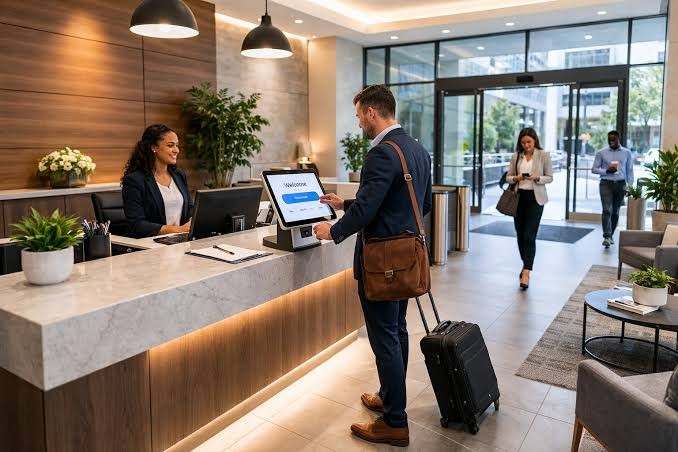
Offices and commercial buildings receive visitors every day. Clients, suppliers, contractors, business partners, job applicants and service providers regularly enter premises to attend meetings, deliver goods, provide services or conduct business.
Managing these visitors effectively is essential for maintaining building security, protecting employees, organising reception activities and creating a professional first impression.
Traditional visitor registration methods, such as handwritten entry books and manual identity checks, can make it difficult to maintain accurate visitor records, monitor access and manage busy reception areas. Paper records may also be difficult to retrieve when investigating an incident or reviewing previous visits.
Visitor management systems provide a more organised way to register, verify, monitor and manage people entering business premises. They replace or improve manual visitor procedures through digital registration, electronic records, visitor badges, appointment management and integration with other security technologies.
For businesses and commercial property owners in Uganda, a suitable visitor management system can strengthen reception procedures while supporting a more controlled and efficient workplace.
At Daltrevco, we recognise the importance of combining effective access management with modern building security technology. This guide explains how visitor management systems work, their features and benefits, the different types available, installation requirements and what to consider when choosing a solution for your premises.
What Is a Visitor Management System?
A visitor management system is a security and administration solution used to record, manage and monitor people entering and leaving a building or business facility.
It provides a structured process for handling visitors, from arrival and registration to authorisation, check-in, access and departure.
Unlike a traditional visitor book, a digital visitor management system can store visitor information electronically and provide authorised personnel with tools for managing visits.
Depending on the system, its features may include:
- Digital visitor registration.
- Visitor identity and contact information recording.
- Appointment scheduling and pre-registration.
- Host notifications.
- Visitor badge printing.
- Check-in and check-out records.
- Access permission management.
- Visitor history and reporting.
- Contractor and supplier registration.
- Integration with access control systems.
- Integration with selected CCTV and security platforms.
- Emergency visitor lists.
Visitor management systems can be used in small offices, corporate headquarters, office parks, commercial buildings, industrial premises, educational institutions and other facilities that receive regular visitors.
How Does a Visitor Management System Work?
A visitor management system manages the visitor journey through a series of registration and verification steps.
The exact process depends on the selected software and hardware, but a typical digital visitor management procedure works as follows.
1. Visitor Arrives at Reception
When a visitor reaches the building, they report to the reception desk or designated visitor registration point.
In some facilities, visitors may use a self-service registration kiosk or tablet.
2. Visitor Registration
The visitor provides the required information through the registration process.
Depending on the organisation’s procedures, this may include:
- Full name.
- Telephone number or email address.
- Company or organisation represented.
- Person or department being visited.
- Purpose of the visit.
- Appointment details.
- Arrival date and time.
Identity verification may also be required depending on the building’s security policy.
Organisations should collect only information necessary for the visit and explain how it will be used.
3. Host Notification and Authorisation
The system can notify the employee or department expecting the visitor.
The host may confirm the appointment, approve the visit or provide instructions for the visitor’s next step.
For restricted facilities, the visitor may need additional approval before being allowed to proceed.
4. Visitor Badge Issuance
After registration and authorisation, the system may generate a temporary visitor badge.
The badge can display selected information, such as the visitor’s name, organisation, host, visit date and permitted access area.
The information printed should be limited to what is necessary for identification and security.
5. Access Permission
Where the visitor management system is integrated with an access control system, an authorised visitor may receive a temporary access credential.
This could be a temporary card, QR code or another supported credential.
The credential should provide access only to the areas and times approved for that visitor.
6. Visitor Check-Out
When the visitor leaves, reception staff or the visitor can complete the check-out process, depending on the system.
The departure time is recorded, and any temporary access permission can be withdrawn or allowed to expire according to the system configuration.
7. Visitor Records and Reporting
Authorised administrators can review visitor records and generate reports where the software supports these functions.
These records can help businesses understand visitor activity, review appointments and investigate security incidents.
Types of Visitor Management Systems
Different organisations require different approaches to visitor registration and access management. A small office may need a simple digital registration platform, while a large commercial building may require multiple reception points and integrated access control.
The main types include the following.
1. Manual Visitor Management Systems
Manual visitor management uses traditional paper-based procedures to record visitor details.
Visitors usually write their names, contact details, arrival times and the names of the employees they intend to meet in a physical visitor register.
Common features include:
- Handwritten visitor records.
- Manual identity checks.
- Receptionist-controlled registration.
- Physical visitor badges.
- Manual check-in and check-out.
Manual systems may be suitable for small premises with low visitor volumes and simple security requirements.
However, they have limitations. Records can be difficult to search, handwriting may be unclear, and paper registers may be misplaced or accessed by people who should not see the information.
2. Digital Visitor Management Systems
Digital visitor management systems use computers, tablets or dedicated registration devices to record and manage visitors electronically.
Reception staff can register visitors through a digital interface rather than a paper book.
Common features include:
- Electronic visitor registration.
- Digital visitor records.
- Searchable visit history.
- Host notifications.
- Visitor check-in and check-out.
- Electronic reporting.
- Visitor badge generation, where supported.
Digital systems are suitable for businesses that want to improve reception administration and maintain more organised visitor records.
3. Self-Service Visitor Management Kiosks
Self-service visitor management kiosks allow visitors to complete some or all of the registration process without requiring reception staff to enter every detail manually.
A kiosk may use a touchscreen, QR code scanner, card reader or other supported device.
Typical applications include:
- Corporate office receptions.
- Large commercial buildings.
- Business parks.
- Industrial facilities.
- High-traffic administrative buildings.
Self-service kiosks can reduce routine registration tasks, although reception staff should remain available to assist visitors who need help or require additional verification.
4. Cloud-Based Visitor Management Systems
Cloud-based systems store and manage visitor information through an online platform, subject to the provider’s architecture and configuration.
Authorised administrators may be able to manage visitor registration, appointments and reports from supported devices.
Potential features include:
- Centralised visitor records.
- Remote administration.
- Digital pre-registration.
- Host notifications.
- Multi-location management.
- Reporting and visitor history.
- Integration with compatible access control systems.
Cloud systems can be useful for businesses operating several offices or commercial properties.
Before selecting one, organisations should assess internet dependency, service availability, hosting arrangements, data security, privacy controls and subscription costs.
5. Integrated Visitor and Access Control Systems
Integrated systems combine visitor registration with electronic access control.
After a visitor has been registered and approved, the system may issue a temporary access credential that allows entry through selected controlled doors or turnstiles.
Possible components include:
- Visitor management software.
- Electronic door locks.
- RFID card readers.
- QR code readers.
- Turnstile access control systems.
- Access control controllers.
- CCTV surveillance systems.
This approach is particularly useful for commercial buildings and facilities with restricted departments or controlled entry points.
Integration capabilities depend on the compatibility of the software and equipment.
Essential Features of a Modern Visitor Management System
When choosing a visitor management solution, businesses should consider the features that will improve their security procedures and daily reception operations.
1. Digital Visitor Registration
Digital registration allows reception staff or visitors to enter information electronically.
This can reduce dependence on paper registers and make visitor records easier to search and manage.
The registration form should collect only the information required for the visit.
2. Visitor Pre-Registration and Appointment Scheduling
Some systems allow employees to register expected visitors before they arrive.
For example, an employee expecting a client for a meeting can enter the visitor’s details and appointment information in advance.
When the visitor arrives, reception staff can confirm the appointment and complete check-in more quickly.
This is useful for corporate offices, conference facilities and commercial buildings that receive scheduled visitors.
3. Host Notifications
A visitor management system can notify the employee or department that a visitor has arrived.
Depending on the software, notifications may be sent through email, an application, SMS or another supported communication channel.
This reduces the need for reception staff to repeatedly contact employees manually.
4. Visitor Badge Printing
Visitor badges help reception staff and security personnel distinguish authorised visitors from employees.
A badge may include:
- Visitor name.
- Company name.
- Date of visit.
- Host or department.
- Visitor category.
- Expiry information, where applicable.
For security and privacy, badges should display only appropriate information.
5. Visitor Check-In and Check-Out
An effective system should record when visitors arrive and leave.
These records can help reception teams track who is currently on the premises and support emergency accountability procedures.
6. Access Permission Management
Where integrated with electronic access control, visitor management software can support temporary access permissions.
For example, a visitor attending a meeting on the third floor may be authorised to enter only the relevant reception and meeting areas.
The system should not grant unrestricted access simply because a visitor has completed registration.
7. Visitor Reporting and History
Digital records can make it easier for authorised administrators to review previous visits.
Depending on the system, reports may show:
- Visitor names.
- Visit dates.
- Arrival and departure times.
- Hosts or departments visited.
- Visit purposes.
- Registration status.
- Access events, where integrated.
Reporting functions can support operational reviews and security investigations.
8. Contractor and Supplier Management
Commercial buildings often receive contractors, maintenance teams, delivery personnel and suppliers.
A visitor management system can help record these visits separately from ordinary client appointments.
Additional procedures may be needed for contractors working in restricted or hazardous areas, including approval, identification and safety induction.
9. Emergency Visitor Reporting
Knowing who is recorded as being on the premises can support emergency response procedures.
A suitable system may provide a current visitor list or report for authorised personnel.
However, digital visitor records should complement, not replace, building evacuation procedures, physical checks and emergency coordination.
10. Integration with Other Security Systems
A visitor management system may be integrated with compatible security technologies, including:
- CCTV surveillance.
- Electronic door access control.
- RFID card readers.
- Biometric access control.
- Turnstile systems.
- Alarm systems.
- Intercom systems.
- Building management platforms.
Integration allows organisations to coordinate visitor administration with selected building security processes.
Benefits of Visitor Management Systems for Offices
Offices receive a variety of visitors, including clients, suppliers, business partners, job applicants and service providers.
Managing these visits through an organised system can improve both security and administration.
1. Improved Office Security
Visitor management systems help businesses establish a consistent process for identifying and recording people entering their premises.
Reception staff can verify the purpose of a visit, confirm the intended host and follow the organisation’s authorisation procedures.
This reduces reliance on informal visitor entry arrangements.
2. Better Visitor Accountability
Digital registration and check-out records help organisations understand who has visited the premises and when.
This information can be useful when reviewing incidents, confirming appointments or checking visitor activity.
3. Faster Reception Procedures
Pre-registration and digital check-in can reduce repetitive data entry at reception.
When visitors have already been registered, reception staff can confirm their details and notify the relevant employee more efficiently.
4. Professional First Impressions
Reception is often the first point of contact between a business and its visitors.
An organised digital registration process can create a more professional and welcoming experience.
5. Reduced Paperwork
Digital records reduce the need to maintain large physical visitor registers.
They can also make it easier for authorised employees to search for previous visit information.
6. Better Control of Restricted Areas
When integrated with access control, a visitor management system can support temporary permissions for designated areas.
This is particularly useful for offices with server rooms, finance departments, management offices and confidential work areas.
7. Improved Administrative Reporting
Visitor reports can help administrators understand visitor volumes, appointment patterns and reception activity.
These records may also support planning for busy periods and security reviews.
Benefits for Commercial Buildings and Property Managers
Commercial buildings often accommodate several businesses, tenants, contractors, suppliers and members of the public.
Managing visitors across these premises can be more complex than managing access to a single office.
Visitor management systems can help property managers introduce consistent procedures across selected building entrances and reception areas.
Centralised Visitor Administration
A centralised platform may allow authorised administrators to manage visitor activity across multiple reception points or buildings.
This can be useful for commercial developments with several tenants or business units.
Better Tenant and Guest Coordination
Visitors can be directed to the appropriate tenant, department or office after registration.
Host notifications can help reduce unnecessary waiting at reception.
Improved Contractor Management
Property managers can use visitor registration procedures to record maintenance personnel, cleaning teams, technicians and other service providers.
This can support building operations and accountability.
Controlled Access to Shared Facilities
Where compatible access control is installed, visitors may receive temporary access to selected shared areas.
These may include meeting rooms, conference facilities or other authorised spaces.
More Organised Building Security
Visitor registration, access control and CCTV can complement one another to improve visibility over selected building entrances and common areas.
The technologies should be configured to work together without unnecessarily collecting or exposing personal information.
Visitor Management Systems for Different Commercial Environments
The requirements of a visitor management system vary according to the type of building and the people who use it.
Corporate Offices
Corporate offices can use visitor management systems to register clients, interview candidates, business partners and contractors.
The system can notify employees when visitors arrive and help manage temporary access permissions.
Office Parks and Business Complexes
Large office parks may have multiple entrances, tenants and reception areas.
A centralised visitor management platform can help property managers coordinate registration and reporting across different sections of the development.
Banks and Financial Institutions
Financial institutions often have restricted areas and sensitive operations.
Visitor registration can support controlled reception procedures, while access control integration can help manage authorised movement into selected areas.
Hospitals and Medical Office Buildings
Healthcare facilities receive patients, visitors, suppliers and contractors.
Visitor management systems can support registration at selected administrative and restricted entrances. However, systems must be designed around patient needs, emergency access and confidentiality requirements.
Industrial and Manufacturing Facilities
Factories and industrial buildings may receive contractors, suppliers, inspectors and delivery personnel.
Visitor registration can help document arrivals and support site-specific access and safety procedures.
Shopping Centres and Commercial Developments
Commercial properties may use visitor management systems at management offices, restricted service entrances and administrative areas.
The system should be appropriate to the volume and nature of visitors using each entrance.
Visitor Management Systems vs Traditional Visitor Books
Traditional visitor registers remain common in many offices and commercial buildings. However, digital visitor management offers additional capabilities.
| Feature | Traditional visitor book | Digital visitor management system |
|---|---|---|
| Registration | Handwritten | Electronic |
| Record retrieval | Manual page searching | Searchable records, where supported |
| Visitor check-in | Manual | Digital or self-service |
| Host notification | Usually manual | Can be automated |
| Visitor badges | Manually prepared | Can be generated or printed |
| Appointment management | Separate process | May support pre-registration |
| Access control integration | Not normally available | Possible with compatible systems |
| Reporting | Manual review | Digital reports, where supported |
| Record protection | Physical storage controls | Digital access and security controls required |
For organisations with regular visitor traffic, digital systems can improve the consistency and accessibility of visitor records.
However, a digital system still requires proper administration, staff training and data protection procedures.
How to Choose the Best Visitor Management System for Your Building
Choosing the right visitor management solution requires an understanding of your premises, visitor volumes, reception procedures and security requirements.
Before purchasing a system, consider the following factors.
1. Daily Visitor Volume
Estimate how many visitors the building receives on an average day and during peak periods.
A small office may need a simple registration platform, while a large commercial building may require multiple kiosks or reception stations.
2. Number of Reception Points
Consider how many entrances and registration locations need to be managed.
A multi-tenant commercial building may require a centralised system that supports several reception points.
3. Type of Visitors
Identify the categories of people who regularly enter the premises.
These may include:
- Clients and business partners.
- Contractors and technicians.
- Suppliers and delivery personnel.
- Job applicants.
- Government officials and inspectors.
- Event attendees.
- Temporary staff.
Different visitor categories may require different registration and approval procedures.
4. Access Control Integration
If the building already has electronic door locks, RFID readers, turnstiles or other access control equipment, check whether the visitor management software can integrate with it.
Compatibility should be confirmed before purchase.
5. Ease of Use
Reception staff and visitors should be able to complete registration without unnecessary difficulty.
The interface should be clear, the process should be practical and assistance should remain available for visitors who cannot use self-service devices.
6. Reporting Capabilities
Determine which reports the organisation needs.
For example, management may require visitor activity summaries, contractor records, arrival and departure times or current visitor lists.
7. Data Security and Privacy
Visitor records may contain personal information such as names, telephone numbers, email addresses and visit details.
Choose a system with appropriate user permissions, security controls, data retention options and protection against unauthorised access.
8. Internet and System Availability
If the system is cloud-based, confirm its internet requirements and what happens when connectivity is interrupted.
For important reception points, consider how staff will register and manage visitors during a system outage.
9. Scalability
A business may expand into additional offices or commercial premises.
Choose a system that can support future growth without requiring an unnecessary complete replacement.
10. Maintenance and Technical Support
Consider software updates, hardware maintenance, replacement devices, technical support and ongoing subscription costs.
Reliable support is particularly important for buildings that depend on visitor registration as part of their daily security procedures.
Visitor Management System Installation Process
Professional installation helps ensure that visitor management equipment, software and security integrations work correctly.
The installation process will vary depending on the size of the building and the selected technology, but generally involves the following stages.
Step 1: Site Assessment
The installation team assesses the building’s reception areas, entrances, visitor volumes and security requirements.
The assessment should identify:
- Number of entrances.
- Number of reception stations.
- Expected visitor traffic.
- Existing access control systems.
- Available network and power infrastructure.
- Required registration and reporting features.
Step 2: System Selection
The appropriate visitor management solution is selected based on the organisation’s needs.
Options may include a receptionist-operated digital system, a self-service kiosk, a cloud-based platform or an integrated visitor and access control solution.
Step 3: Hardware and Software Preparation
Depending on the system, the installation may require:
- Computers or tablets.
- Registration kiosks.
- QR code scanners.
- Card printers.
- Visitor badge supplies.
- Network equipment.
- Access control interfaces.
- Visitor management software.
Not every installation requires all these components.
Step 4: Software Configuration
The system is configured to reflect the building’s visitor procedures.
This may include setting up:
- Visitor categories.
- Registration fields.
- Host departments.
- Appointment procedures.
- Notification settings.
- Badge formats.
- User accounts.
- Reporting permissions.
- Data retention settings.
Step 5: Integration with Security Systems
Where required, the visitor management platform is connected to compatible access control equipment, CCTV systems or other security technologies.
The integration should be tested to confirm that approved visitor permissions are correctly applied.
Step 6: System Testing
The installation team tests the complete visitor process, including registration, approval, notifications, badge issuance, access permissions and check-out.
Any errors or configuration problems should be addressed before the system is placed into regular operation.
Step 7: Staff Training
Receptionists, security personnel and administrators should be trained on how to register visitors, manage appointments, issue badges, handle rejected access requests and respond to system problems.
Step 8: Handover and Ongoing Support
The system is handed over with the relevant operating procedures and support arrangements.
The organisation should also establish a process for managing user accounts, reviewing permissions and maintaining the equipment.
How Much Does a Visitor Management System Cost in Uganda?
The cost of installing a visitor management system in Uganda depends on the technology selected, number of reception points, visitor volume and level of integration required.
A basic digital visitor registration solution will have different requirements from a self-service kiosk installation connected to electronic access control and CCTV.
The main cost factors include:
1. Type of system: Manual, digital, kiosk-based and integrated visitor management solutions have different equipment and software requirements.
2. Number of reception points: A building with several entrances may need additional registration devices, licences or user accounts.
3. Hardware requirements: Computers, tablets, kiosks, QR code scanners, card printers and other equipment can affect the total project cost.
4. Software and licensing: Some systems require one-time software purchases, subscriptions or ongoing licence fees.
5. Visitor badge printing: If the building requires printed visitor badges, the cost of printers, cards, labels and consumables should be considered.
6. Access control integration: Connecting the system to electronic locks, RFID readers or turnstiles may require additional equipment and configuration.
7. Network and power infrastructure: Wiring, network improvements, power supply and backup arrangements may influence installation costs.
8. Customisation and configuration: Organisations with several departments, approval procedures or locations may require additional configuration.
9. Maintenance and technical support: Ongoing support, software updates and replacement equipment should be included in the long-term budget.
For an accurate quotation, the building should be assessed to identify the required equipment, software features, integration needs and installation work.
Contact Daltrevco to discuss visitor management solutions for your office or commercial property in Uganda.
Common Visitor Management System Problems and Solutions
Like other electronic security and administration technologies, visitor management systems may occasionally experience operational problems.
Understanding common issues can help organisations maintain reliable visitor registration.
1. Visitor Registration System Is Not Working
Possible causes:
- Power interruption.
- Network connectivity problems.
- Software errors.
- Device malfunction.
Recommended solution: Check the power supply and network connection, then confirm whether the software or device is operating normally. Establish a temporary manual registration procedure for system outages.
2. Visitors Cannot Complete Self-Service Registration
Possible causes:
- Unclear registration instructions.
- Touchscreen or device problems.
- Software configuration errors.
- Connectivity interruptions.
Recommended solution: Provide clear on-screen instructions and keep reception staff available to assist visitors. Check the device and registration configuration.
3. Host Notifications Are Not Received
Possible causes:
- Incorrect employee contact details.
- Notification settings not configured.
- Email or messaging service interruptions.
- Software integration problems.
Recommended solution: Verify the host’s details, notification settings and supported communication channels.
4. Visitor Badges Are Not Printing
Possible causes:
- Printer connection problems.
- Empty card or label supplies.
- Incorrect print settings.
- Printer hardware faults.
Recommended solution: Check the printer connection, supplies and print configuration. Maintain spare badge materials and a temporary manual badge procedure.
5. Visitor Access Is Denied
Possible causes:
- Incorrect visitor approval.
- Expired temporary credentials.
- Wrong access permissions.
- Communication problems with the access control system.
Recommended solution: Verify the visitor’s authorisation and assigned access permissions. If the system is integrated, check communication between the visitor management platform and access control equipment.
6. Visitor Records Cannot Be Retrieved
Possible causes:
- Incorrect search information.
- User permission restrictions.
- Software or database problems.
- Records removed under retention settings.
Recommended solution: Confirm the search details and user permissions. Check the system’s retention configuration and contact technical support if records are unexpectedly unavailable.
Data Protection and Privacy in Visitor Management
Visitor management systems collect and process information about people entering a building. This may include names, contact details, company information, appointment details and records of when individuals entered or left the premises.
Businesses in Uganda should consider the requirements of the Data Protection and Privacy Act, 2019, together with applicable regulations and guidance.
Good visitor data management practices include:
- Informing visitors why their information is being collected.
- Collecting only information necessary for legitimate visitor management purposes.
- Restricting access to visitor records to authorised personnel.
- Protecting stored information against unauthorised access.
- Establishing appropriate data retention and deletion procedures.
- Reviewing access permissions for employees who use the system.
- Assessing how visitor information is handled by third-party software providers.
- Providing appropriate privacy information at registration points.
Where a system uses photographs, identity documents, biometric information or other additional personal data, the organisation should carefully assess the legal basis, necessity and safeguards before collecting it.
A digital visitor management system should improve security without collecting more personal information than the organisation needs.
Why Integrate Visitor Management with CCTV and Access Control?
Visitor management is most effective when it forms part of a coordinated building security strategy.
Combining visitor registration with other security systems can help organisations manage entry more consistently.
Visitor Management and CCTV
CCTV cameras can monitor selected entrances, reception areas and common spaces.
Where an incident occurs, authorised security personnel may review relevant footage alongside visitor registration records.
The integration should respect privacy requirements and appropriate camera placement.
Visitor Management and Electronic Door Locks
Electronic door locks can restrict access to selected rooms and departments.
When compatible systems are integrated, approved visitors may receive temporary access permissions for designated areas.
Visitor Management and Turnstile Systems
Turnstiles can regulate pedestrian movement through controlled building entrances.
A compatible visitor management platform may issue temporary credentials to approved visitors, allowing them to pass through designated turnstiles.
Visitor Management and RFID Access Control
RFID cards can be used as temporary access credentials where the visitor management and access control systems support compatible technology.
This can help manage access to selected areas without issuing permanent employee credentials.
Visitor Management and Intercom Systems
Intercom systems allow reception or security personnel to communicate with visitors before granting access to restricted areas.
This can provide an additional verification step for buildings with controlled entrances.
Why Choose Daltrevco for Visitor Management and Security Solutions?
An effective visitor management system should reflect how a building operates. The solution for a small office may be very different from the requirements of a large commercial complex with multiple reception points and restricted departments.
Daltrevco provides a point of contact for businesses and property owners exploring modern building security and access management solutions in Uganda.
When planning a visitor management project, consider:
- The number of visitors expected each day.
- The number of entrances and reception areas.
- The registration and approval procedures required.
- Visitor badge and reporting requirements.
- Integration with existing CCTV and access control systems.
- Data protection and user access controls.
- Future expansion and ongoing maintenance.
Whether you manage a corporate office, commercial building, business complex or industrial facility, contact Daltrevco to discuss suitable visitor management and security solutions for your premises.
Frequently Asked Questions About Visitor Management Systems
1. What is the purpose of a visitor management system?
A visitor management system helps organisations register, verify, track and manage people entering and leaving their premises. It supports building security, visitor accountability and reception administration.
2. How does a digital visitor management system work?
Visitors provide the required information through a reception computer, tablet or self-service kiosk. The system records their details, notifies the relevant host where configured and may issue a visitor badge or temporary access credential.
3. Why do offices need visitor management systems?
Offices receive clients, suppliers, contractors and other visitors. A visitor management system helps maintain organised visitor records, improve reception procedures and support controlled access to business premises.
4. Can visitors register themselves?
Yes. Self-service visitor management kiosks allow visitors to enter their details electronically. Reception staff can still assist with verification and visitors who require support.
5. Can a visitor management system print visitor badges?
Yes. Systems with compatible badge printing functionality can generate temporary visitor identification badges containing selected visit information.
6. Can visitor management systems integrate with access control?
Yes. Compatible systems can connect visitor registration with electronic door locks, RFID readers, turnstiles and other access control technologies.
7. Can a visitor management system work with CCTV?
A visitor management system can complement CCTV surveillance. Some platforms support integration with compatible security systems, while others are used alongside CCTV without direct software integration.
8. Can visitors be registered before arriving?
Yes. Many digital systems support pre-registration, allowing employees or reception staff to enter visitor details and appointment information before the scheduled visit.
9. Can visitor management systems manage contractors and suppliers?
Yes. Visitor categories can be configured to record contractors, suppliers, technicians and other service providers. Additional approval and safety procedures can be applied where necessary.
10. Are visitor management systems suitable for small offices?
Yes. Small offices can use digital visitor registration systems to improve record keeping and reception procedures. The system should be selected according to visitor volume and available budget.
11. Are visitor management systems suitable for large commercial buildings?
Yes. Larger buildings can use systems that support multiple reception points, centralised administration, visitor reporting and access control integration.
12. Can a visitor management system record arrival and departure times?
Yes. Most digital visitor management systems support check-in and check-out records, although the exact reporting capabilities vary by platform.
13. What happens if the visitor management system loses internet connectivity?
The effect depends on the system design. Some systems may provide limited local functionality, while cloud-dependent features may become unavailable. Organisations should confirm offline capabilities and establish a temporary visitor registration procedure.
14. Is visitor information stored securely?
Security depends on the software, hosting arrangements, user permissions and the organisation’s data management practices. Businesses should select systems with appropriate security controls and establish clear retention and access procedures.
15. How much does a visitor management system cost in Uganda?
The cost depends on the software, number of registration points, hardware, visitor badge requirements, access control integration and installation complexity. A site assessment is recommended before preparing a quotation.
Conclusion: Improve Building Security with a Modern Visitor Management System
Visitor management systems provide offices and commercial buildings with a more organised way to register visitors, manage appointments, monitor arrivals and support controlled access.
From simple digital registration platforms to self-service kiosks and integrated visitor access control solutions, different systems are available to meet the needs of businesses of different sizes.
By choosing the right technology, organisations can improve reception procedures, maintain more accessible visitor records, support staff accountability and strengthen building security.
For businesses and property managers in Uganda looking to modernise visitor registration and access management, Daltrevco can help you explore suitable security solutions.
Contact Daltrevco today to discuss visitor management systems for your office, commercial building or business premises in Uganda.

