
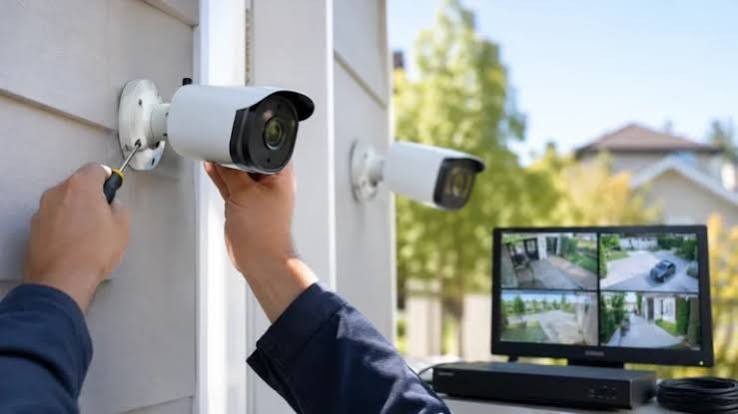
Security camera systems play an important role in protecting homes, offices, warehouses, factories, schools, hotels, retail outlets and other commercial properties. They help property owners monitor activities, review recorded footage, investigate incidents and maintain better visibility across their premises.
However, CCTV technology continues to evolve. Cameras that were suitable several years ago may no longer provide the image quality, storage capacity, remote monitoring capabilities or reliability required by a modern property. As businesses expand, buildings are renovated and security requirements change, an existing surveillance system may also become inadequate.
This raises an important question: When should you upgrade your CCTV system, and when is it necessary to replace your security cameras?
Some CCTV systems only require a few improvements, such as additional cameras, better storage, upgraded networking or improved lighting. Others may need a complete replacement because their equipment is outdated, unreliable or incompatible with modern surveillance requirements.
For property owners and businesses in Uganda, making the right upgrade decision can improve surveillance coverage, support better incident investigation and help avoid unnecessary equipment replacement.
At Daltrevco, we recognise the importance of suitable security infrastructure for residential, commercial and industrial properties. This guide explains the warning signs that indicate your CCTV system needs an upgrade, the benefits of modern surveillance technology, available upgrade options and the factors to consider before replacing your cameras.
What Is a CCTV System Upgrade?
A CCTV system upgrade involves improving or replacing existing surveillance equipment to enhance its performance, reliability, coverage, recording capability or security features.
An upgrade does not always mean removing every camera and installing an entirely new system. Depending on the condition and compatibility of the existing equipment, improvements can be made to individual components.
A CCTV upgrade may involve:
- Replacing outdated security cameras with higher-resolution models.
- Upgrading analogue cameras to modern IP cameras.
- Replacing an old DVR or NVR with a more capable recorder.
- Increasing video storage capacity.
- Installing additional cameras in uncovered areas.
- Improving night vision and low-light performance.
- Upgrading network switches, routers and cabling.
- Introducing secure remote monitoring.
- Improving backup power arrangements.
- Integrating CCTV with compatible access control and alarm systems.
- Improving cybersecurity and user access management.
The most appropriate upgrade depends on the existing installation, the property’s security requirements and the available infrastructure.
12 Signs Your CCTV System Needs an Upgrade
Knowing when to replace security cameras can help property owners avoid relying on equipment that no longer meets their surveillance needs.
The following are important warning signs that your CCTV system may require an upgrade.
1. Your CCTV Cameras Produce Poor-Quality Images
Image quality is one of the most important factors when evaluating a surveillance system.
If your existing cameras produce grainy, pixelated or unclear footage, it may be difficult to identify people, vehicles, objects or other important details.
Older cameras may have limited resolution compared with newer models. This can become a problem when monitoring large compounds, building entrances, parking areas, warehouses and industrial facilities.
For example, a camera positioned at the entrance of a commercial building should provide sufficient detail for the intended identification and monitoring tasks. If the footage is consistently unclear, the camera may no longer be suitable.
When to upgrade:
Consider replacing cameras when:
- Faces cannot be identified at important entrances.
- Vehicle details are difficult to distinguish.
- Images become unclear when viewed at a distance.
- Digital zoom produces heavily pixelated footage.
- The camera cannot provide sufficient detail for its intended purpose.
Recommended solution:
Consider cameras with suitable resolution, sensor quality, lens options and image-processing features.
However, higher resolution alone does not guarantee better identification. Camera positioning, lighting, lens selection, viewing distance and recording settings also matter.
2. Your Cameras Frequently Develop Technical Problems
Repeated CCTV failures can indicate that the existing system is approaching the end of its useful service life or has underlying installation problems.
Common issues include:
- Cameras repeatedly going offline.
- Frequent video signal loss.
- Unstable power connections.
- Repeated image distortion.
- Persistent recording interruptions.
- Damaged connectors and cables.
- Cameras requiring frequent repairs.
Occasional faults do not automatically mean that an entire CCTV system needs replacement. However, repeated failures across several components can make continued maintenance expensive and disruptive.
When to upgrade:
Consider an upgrade when repairs become frequent, replacement parts are difficult to obtain or the system can no longer operate reliably despite proper maintenance.
Recommended solution:
Arrange a technical assessment to determine whether the problem is limited to individual components or affects the overall installation.
Replacing selected cameras, cables or recording equipment may be sufficient. A complete upgrade may be more appropriate if several critical components are failing.
3. Your CCTV System Does Not Provide Adequate Night Vision
Night-time surveillance is important for properties that operate after dark or require protection outside normal working hours.
Older CCTV cameras may struggle in poorly illuminated environments. Their footage may become dark, noisy or unclear, making it difficult to observe activity.
Modern cameras may offer features such as:
- Improved infrared illumination.
- Better low-light image sensors.
- Wide Dynamic Range (WDR).
- Enhanced image processing.
- Colour night vision on supported models.
- Improved exposure control.
When to upgrade:
Consider replacing cameras when important areas remain poorly monitored at night, infrared illumination is insufficient or the image quality does not meet your surveillance requirements.
Recommended solution:
Select cameras designed for the actual lighting conditions. For large outdoor spaces, assess the required illumination distance, camera lens, mounting position and availability of supplementary lighting.
Do not assume that every camera advertised with night vision will provide the same performance.
4. Your CCTV System Cannot Support Remote Monitoring
Many modern CCTV systems allow authorised users to access live footage and recordings remotely through smartphones, tablets and computers.
This is useful for business owners, property managers, security personnel and administrators who need to monitor premises when they are away.
An older CCTV installation may not support the remote access features required by its users.
When to upgrade:
Consider an upgrade when:
- Your recorder does not support secure remote viewing.
- The existing mobile application is no longer supported.
- Remote access is unreliable.
- The system cannot provide the required user permissions.
- Your business needs access to cameras from multiple authorised locations.
Recommended solution:
Consider compatible IP cameras, an upgraded NVR or a supported remote monitoring platform.
Remote access should be configured securely using strong passwords, restricted user permissions, software updates and multi-factor authentication where supported.
Remote monitoring generally requires internet or another communication connection. Local recording may continue during an internet outage if the system remains powered and is correctly configured.
5. Your CCTV Recording System Has Insufficient Storage
A surveillance system must have adequate storage to retain footage for the required period.
Older DVRs and NVRs may have limited storage capacity or may not support the number of cameras and recording settings required by a growing property.
Insufficient storage can result in shorter retention periods, frequent overwriting or difficulties retrieving historical footage.
When to upgrade:
Consider improving your recording system when:
- Footage is overwritten before it is needed.
- The recorder cannot support additional cameras.
- The hard drive frequently develops errors.
- Storage capacity is insufficient for the required retention period.
- The system cannot support the desired recording resolution.
Recommended solution:
Upgrade to a compatible recording system with sufficient storage capacity.
Storage requirements should be calculated based on:
- Number of cameras.
- Video resolution.
- Frame rate.
- Video compression.
- Bitrate.
- Continuous or motion-based recording.
- Required retention period.
- Number of simultaneous recording streams.
A suitable storage assessment is particularly important for large warehouses, factories, commercial buildings and institutions.
6. Your Business Has Expanded or the Property Layout Has Changed
A CCTV system designed for a small office may become inadequate after the business expands.
New buildings, additional entrances, parking facilities, warehouses and operational areas can create surveillance gaps.
Changes to the property layout may also affect existing camera positions.
When to upgrade:
Review your CCTV installation when:
- New buildings or extensions have been constructed.
- Additional access points have been introduced.
- Parking areas have expanded.
- New warehouses or production areas require monitoring.
- Existing cameras no longer cover important locations.
- Business operations have changed.
Recommended solution:
Conduct a fresh security assessment and develop an updated camera coverage plan.
Additional cameras may be sufficient in some situations. Other properties may require improved networking, additional recorders or a complete redesign.
7. Your CCTV Cameras Have Limited Field of View
The field of view determines how much of an area a camera can capture.
Older or incorrectly selected cameras may not provide adequate coverage of entrances, corridors, parking spaces, perimeter boundaries and other important areas.
A narrow field of view can leave blind spots, while an excessively wide view may reduce the level of detail available for identifying specific subjects.
When to upgrade:
Consider replacing cameras when:
- Important areas remain outside the viewing angle.
- Camera positioning creates significant blind spots.
- The existing lens is unsuitable for the viewing distance.
- You need to monitor both wide areas and specific identification points.
Recommended solution:
Select cameras with suitable lenses and viewing angles.
Depending on the application, you may require fixed-lens cameras, varifocal cameras, panoramic models or PTZ cameras.
A combination of different camera types may provide better coverage than installing the same model everywhere.
8. Your CCTV Recorder Is Outdated
The recorder is central to a surveillance system because it receives, processes and stores video footage.
An older DVR or NVR may not support the number of cameras, recording quality, storage requirements or remote monitoring features required by a modern installation.
When to upgrade:
Consider replacing the recorder when:
- It cannot support additional cameras.
- It does not support the required recording resolution.
- Storage expansion is limited.
- It repeatedly develops hardware problems.
- Its software is no longer supported.
- It cannot work with the cameras required for your upgrade.
Recommended solution:
Consider a compatible modern DVR or NVR with suitable recording channels, storage capacity, network features and camera support.
Before purchasing a new recorder, confirm compatibility with existing cameras and cabling.
9. Your CCTV System Cannot Integrate with Other Security Equipment
Modern properties may require several security technologies to work together.
For example, a commercial building may use CCTV cameras, access control, burglar alarms, intercom systems and perimeter detection equipment.
An older surveillance installation may not support the required integration features.
When to upgrade:
Consider an upgrade when your property requires:
- CCTV integration with compatible access control systems.
- Alarm-triggered video recording or notifications.
- Centralised security monitoring.
- Coordinated monitoring across multiple buildings.
- Improved event investigation and video retrieval.
Recommended solution:
Consider compatible security equipment and a suitable management platform.
Not every camera, recorder, alarm or access control system can communicate with another manufacturer’s equipment. Compatibility, communication protocols and supported functions must be confirmed before integration.
10. Your CCTV System Is Vulnerable to Cybersecurity Risks
CCTV systems connected to networks and the internet can be exposed to cybersecurity threats if they are poorly configured or no longer receive security updates.
Older devices may use outdated software, weak authentication methods or unsupported remote access services.
These weaknesses can increase the risk of unauthorised viewing, account compromise or disruption.
When to upgrade:
Review your CCTV equipment when:
- Manufacturer security updates are no longer available.
- Default passwords are still being used.
- Remote access cannot be configured securely.
- Unsupported software creates security concerns.
- User access cannot be managed appropriately.
Recommended solution:
Upgrade vulnerable equipment where necessary and implement good cybersecurity practices.
These include:
- Changing default passwords.
- Using strong, unique login credentials.
- Enabling multi-factor authentication where supported.
- Updating firmware and software.
- Restricting user permissions.
- Securing network connections.
- Disabling unnecessary services.
- Reviewing remote access arrangements.
- Removing accounts that are no longer required.
An upgrade should improve both surveillance performance and the security of the system itself.
11. Replacement Parts and Technical Support Are Difficult to Find
Some older CCTV products become difficult to maintain because their manufacturers discontinue them or compatible components become unavailable.
This can create challenges when replacing cameras, recorders, power adapters or other components.
When to upgrade:
Consider replacing equipment when:
- Compatible cameras are difficult to source.
- The recorder is no longer supported.
- Replacement parts are unavailable.
- The system depends on outdated software.
- Repairs take too long because of equipment limitations.
Recommended solution:
Move towards a supported surveillance platform with readily available compatible equipment and appropriate technical support arrangements.
Before replacing the system, assess whether any existing cameras, cables or accessories can be retained.
12. Your CCTV System Cannot Meet Current Business Requirements
Security requirements change as businesses grow, introduce new operations or adopt different management procedures.
A surveillance system installed several years ago may not provide the features required today.
For example, a warehouse may need better monitoring of loading bays, while a hotel may require improved coverage of entrances, reception areas and parking facilities.
When to upgrade:
Consider an upgrade when the system cannot meet your current operational, monitoring or reporting requirements.
Recommended solution:
Review the security objectives of the property and select suitable cameras, recording equipment, network infrastructure and management tools.
CCTV Repair vs CCTV Upgrade vs Complete System Replacement
Not every CCTV problem requires a complete replacement. Understanding the difference between repairing, upgrading and replacing a system helps property owners make better investment decisions.
1. CCTV Repair
CCTV repair involves correcting a specific fault without significantly changing the overall system.
Examples include:
- Replacing a damaged cable.
- Repairing a loose connection.
- Replacing a faulty power adapter.
- Cleaning a camera lens.
- Correcting a recorder configuration problem.
- Replacing an individual defective camera.
Repair is usually worth considering when the existing system remains suitable and the problem is limited to a specific component.
2. CCTV System Upgrade
An upgrade improves selected parts of an existing installation while retaining components that remain functional and compatible.
Examples include:
- Replacing selected cameras with higher-resolution models.
- Increasing storage capacity.
- Adding more cameras.
- Upgrading the NVR.
- Improving network switches.
- Adding secure remote viewing.
- Improving backup power.
This approach can be suitable when the existing infrastructure remains useful but the system needs additional capabilities.
3. Complete CCTV System Replacement
A complete replacement involves removing most or all of the existing surveillance equipment and installing a new system.
This may be necessary when:
- Multiple components are failing.
- The existing system is no longer supported.
- The equipment is incompatible with current requirements.
- The cabling and infrastructure are unsuitable.
- The surveillance design no longer matches the property.
- Repair and upgrade costs are no longer economical.
A full replacement should follow a proper assessment of the property’s security requirements.
Comparison of the Three Options
| Consideration | Repair | Upgrade | Complete replacement |
|---|---|---|---|
| Main objective | Correct an existing fault | Improve system performance | Replace outdated infrastructure |
| Equipment changes | Usually limited | Selected components | Most or all major components |
| Existing equipment retained | Most components | Compatible components | Usually limited |
| Suitable for | Minor or isolated problems | Growing requirements | Extensive obsolescence or failure |
| Typical scope | Fault correction | Modernisation | New system design and installation |
The best option is the one that restores the required surveillance performance without creating unnecessary expense or compatibility problems.
Types of CCTV System Upgrades Available
There are several ways to modernise an existing surveillance installation. The right option depends on the condition of the current equipment and the property’s security requirements.
1. Upgrading from Analogue CCTV to IP Cameras
Traditional analogue CCTV systems commonly transmit video over coaxial cables to a DVR.
IP camera systems transmit digital video over a network to an NVR or another supported recording platform.
Upgrading to IP cameras may provide access to:
- Higher-resolution camera options.
- Network-based video transmission.
- Power over Ethernet on compatible equipment.
- Flexible network expansion.
- Advanced camera analytics on supported models.
- Improved integration possibilities.
However, an IP upgrade requires appropriate network infrastructure and compatible recording equipment.
Existing coaxial cabling may sometimes be reused with suitable technology, but this depends on the cameras, transmission equipment, cable condition and required performance.
2. Upgrading to Higher-Resolution CCTV Cameras
Higher-resolution cameras can capture more image detail when installed and configured correctly.
Common camera resolution categories include:
| Resolution | Approximate pixel dimensions | Typical consideration |
|---|---|---|
| 2MP | 1920 × 1080 | Full HD surveillance |
| 4MP | 2560 × 1440 | Greater image detail |
| 5MP | 2592 × 1944 | Additional image detail |
| 8MP | 3840 × 2160 | 4K-class surveillance |
The appropriate resolution depends on the viewing distance, lens, lighting, camera position, recording bandwidth and storage capacity.
Installing higher-resolution cameras may require upgrading the recorder, network and storage infrastructure.
3. Upgrading to Advanced Night Vision Cameras
Modern low-light cameras may provide improved visibility in challenging lighting conditions.
Available features can include:
- Infrared illumination.
- Improved low-light sensors.
- Wide Dynamic Range.
- Smart illumination on supported models.
- Colour imaging in low-light conditions.
These features can be valuable for entrances, parking areas, perimeter boundaries and outdoor facilities.
4. Upgrading CCTV Storage Capacity
As surveillance requirements increase, the existing recording storage may become inadequate.
Storage upgrades may include:
- Installing compatible higher-capacity surveillance hard drives.
- Replacing an outdated NVR.
- Adding supported storage expansion equipment.
- Introducing a hybrid local and cloud recording arrangement.
- Improving recording schedules and retention settings.
Storage capacity should be calculated before purchasing additional equipment.
5. Upgrading to Remote CCTV Monitoring
Remote monitoring allows authorised users to access surveillance footage from approved devices outside the property.
A suitable upgrade may involve a compatible NVR, IP cameras, network equipment and manufacturer-supported applications.
This can help property owners monitor multiple locations without being physically present at every site.
6. Upgrading to AI-Enabled CCTV Cameras
Some modern CCTV cameras offer intelligent video analytics.
Depending on the model, features may include:
- Human detection.
- Vehicle detection.
- Line-crossing detection.
- Intrusion detection.
- Object classification.
- People counting.
- Loitering alerts.
- License plate recognition on specialised equipment.
These features can help users identify events more efficiently and reduce certain types of unwanted alerts.
However, analytics performance depends on the camera, software, installation conditions, lighting, configuration and environment. It should be tested under actual operating conditions before being relied upon.
7. Upgrading to Integrated Security Systems
Some properties benefit from connecting CCTV with compatible security technologies.
These may include:
- Biometric access control.
- Card-based access control.
- Burglar alarm systems.
- Video intercoms.
- Perimeter intrusion detection.
- Centralised monitoring platforms.
Integration can allow authorised security personnel to review video associated with particular access or alarm events where the equipment supports these functions.
Benefits of Upgrading Your CCTV System
Modernising an outdated surveillance installation can provide several benefits for property owners and businesses.
1. Improved Image Quality
Newer cameras may provide better resolution, improved low-light performance and more suitable imaging features.
This can improve the usefulness of recorded footage for monitoring and incident investigation.
2. Better Property Coverage
An upgrade allows property owners to address blind spots and introduce additional cameras in areas that were previously uncovered.
This is especially useful for expanding businesses, warehouses, factories and multi-storey buildings.
3. More Reliable Recording
Modern recording equipment can provide suitable storage capacity, supported camera connections and improved recording management.
The result is a system better matched to the property’s retention and monitoring requirements.
4. Easier Remote Access
Compatible modern systems can allow authorised users to view cameras and recordings remotely.
This is useful for business owners, administrators, security managers and property managers.
5. Improved Security Management
Modern surveillance platforms may support event notifications, user permissions, video analytics and centralised monitoring.
These capabilities can make it easier to manage larger installations.
6. Better Integration with Other Security Technologies
Compatible CCTV systems can be integrated with access control, alarms and other electronic security components.
This can support more coordinated security operations.
7. Improved Cybersecurity Management
Replacing unsupported devices and applying appropriate network security practices can help reduce the risks associated with outdated CCTV equipment.
8. Greater Scope for Future Expansion
A properly planned upgrade can provide infrastructure that accommodates additional cameras, buildings and monitoring requirements.
This can reduce the need for repeated redesign as the property grows.
CCTV Upgrade Recommendations for Different Properties in Uganda
Different properties require different surveillance capabilities. A suitable CCTV upgrade should reflect the size, layout, operational activities and security requirements of each location.
Residential Homes and Estates
Homeowners may consider upgrades when existing cameras provide poor night vision, limited coverage or unreliable mobile viewing.
Possible improvements include:
- Higher-resolution entrance cameras.
- Outdoor cameras with suitable weather protection.
- Improved perimeter coverage.
- Secure mobile viewing.
- Additional cameras for garages and parking areas.
- Suitable backup power.
The aim should be to monitor important areas while respecting the privacy of residents, visitors and neighbouring properties.
Offices and Commercial Buildings
Offices may require cameras covering entrances, reception areas, corridors, parking facilities and other authorised monitoring locations.
Suitable upgrades may include:
- Higher-resolution IP cameras.
- Improved recording storage.
- Remote monitoring.
- Centralised viewing.
- Compatible access control integration.
- Improved user access management.
For larger buildings, centralised monitoring can help security personnel manage cameras across different floors and departments.
Warehouses and Industrial Facilities
Warehouses and factories often have large areas, valuable equipment, loading bays and multiple access points.
Their CCTV upgrades may require:
- Long-range cameras where appropriate.
- Improved low-light surveillance.
- Cameras designed for industrial environments.
- Better perimeter coverage.
- Higher storage capacity.
- Additional network infrastructure.
- Integration with suitable access control and alarm systems.
A proper site assessment should identify the most important surveillance locations.
Retail Shops and Shopping Centres
Retail businesses may need improved coverage of entrances, checkout points, stockrooms, parking areas and customer circulation spaces.
Possible upgrades include:
- Cameras with suitable identification detail.
- Wider coverage of customer areas.
- Improved recording retention.
- Secure remote monitoring.
- Compatible people-counting analytics.
- Better monitoring of stock handling areas.
Camera positioning should avoid unnecessary intrusion into private areas.
Schools and Educational Institutions
Schools may require surveillance coverage of authorised locations such as entrances, reception areas, corridors, parking facilities and selected common spaces.
Upgrade considerations include:
- Improved entrance monitoring.
- Reliable recording.
- Appropriate camera positioning.
- Secure access to recordings.
- Suitable storage retention.
- Integration with compatible access control.
CCTV placement must respect the privacy of learners, staff and visitors. Cameras should not be installed in private spaces such as toilets and changing rooms.
Hotels and Hospitality Facilities
Hotels may need cameras covering reception areas, entrances, service corridors, parking facilities and other appropriate common areas.
Potential upgrades include:
- Improved image quality.
- Better night-time monitoring.
- Reliable recording.
- Centralised monitoring.
- Suitable integration with access control.
- Secure user permissions.
Surveillance should respect guest privacy, and cameras should never be placed in bedrooms, bathrooms or other private guest areas.
Factors to Consider Before Upgrading Your CCTV System
Replacing cameras without reviewing the existing installation can result in unnecessary costs and compatibility problems.
Before upgrading, consider the following factors.
1. Current System Condition
Establish whether the existing cameras, cabling, recorder, network equipment and power infrastructure are still suitable.
An inspection can help identify which components can be retained and which require replacement.
2. Property Size and Layout
The number of cameras required depends on the size of the property, its layout, access points and desired surveillance coverage.
A large industrial facility may require a different design from a small office.
3. Camera Resolution and Lens Requirements
Select camera resolution and lens specifications based on the intended viewing distance and level of detail required.
A high-resolution camera with an unsuitable lens or poor positioning may still fail to provide useful footage.
4. Recording and Storage Requirements
Calculate the required storage capacity based on the number of cameras, recording settings and retention period.
Confirm that the recorder supports the cameras and required video streams.
5. Network Infrastructure
IP camera upgrades may require suitable Ethernet cabling, PoE switches, network bandwidth and network security arrangements.
The infrastructure must support the total camera load.
6. Power Supply and Backup
Consider the power requirements of cameras, recorders, switches and monitoring equipment.
A suitable UPS or backup power system may help maintain operation during temporary electricity interruptions.
7. Remote Monitoring Requirements
Determine whether the system needs local viewing only or remote access from multiple authorised locations.
Consider the internet connection, upload bandwidth, mobile applications and cybersecurity requirements.
8. Future Expansion
If the property may expand, select equipment with suitable capacity for additional cameras and recording requirements.
9. Equipment Compatibility
Check compatibility between existing cameras, new cameras, recorders, network switches, software and accessories.
Do not assume that equipment from different manufacturers will automatically work together.
10. Privacy and Data Protection
CCTV footage may contain personal information. Businesses and property owners should consider Uganda’s Data Protection and Privacy Act, 2019 and applicable regulations when collecting, accessing, storing and sharing surveillance footage.
Establish appropriate access permissions, retention procedures and security measures. Obtain suitable professional guidance where legal compliance questions arise.
How Much Does It Cost to Upgrade a CCTV System in Uganda?
The cost of upgrading a CCTV system in Uganda depends on the existing installation, equipment selected and complexity of the required improvements.
A small upgrade involving a few cameras may require considerably less work than modernising a large commercial or industrial surveillance network.
The main cost factors include:
| Cost factor | How it affects the upgrade |
|---|---|
| Number of cameras | More cameras generally increase equipment and installation requirements |
| Camera resolution | Higher-resolution models may require additional recording and network capacity |
| Camera type | Fixed, varifocal, PTZ and specialised cameras have different requirements |
| DVR or NVR | Recorder capacity and compatibility affect the equipment budget |
| Storage | Required retention determines hard drive and storage needs |
| Cabling | New or replacement cable routes may increase installation work |
| Network equipment | IP upgrades may require PoE switches, routers and other infrastructure |
| Backup power | UPS capacity depends on the total connected load and required runtime |
| Installation complexity | Height, access, cable routing and property layout influence labour |
| Integration | Connecting CCTV with other security systems may require additional equipment and configuration |
Is It Cheaper to Upgrade Existing CCTV Cameras or Replace the Entire System?
The answer depends on the condition and compatibility of the existing equipment.
Upgrading selected components may be more economical when the current recorder, cabling and infrastructure remain suitable.
A complete replacement may be more appropriate when the system has widespread faults, unsupported equipment or infrastructure that cannot meet modern requirements.
Property owners should request a technical assessment and a breakdown of the recommended work before making a purchasing decision.
Step-by-Step Process for Upgrading a CCTV System
A properly planned upgrade helps ensure that the new equipment meets the property’s security requirements and works with the existing infrastructure where applicable.
Step 1: Assess the Existing CCTV Installation
Inspect the existing cameras, recorder, cables, power supplies, network equipment and storage devices.
Identify outdated components, recurring faults and areas with insufficient coverage.
Step 2: Identify the Required Improvements
Determine what the property needs from the upgraded surveillance system.
For example, the priority may be better image quality, additional cameras, longer recording retention, remote viewing or integration with access control.
Step 3: Conduct a Site Assessment
Review the property’s layout, lighting, mounting locations, access points and cable routes.
A site assessment helps establish suitable camera positions and identify infrastructure requirements.
Step 4: Select Suitable CCTV Equipment
Choose cameras, recorders, storage devices and network equipment that match the intended system design.
Confirm compatibility before purchasing components.
Step 5: Prepare the Upgrade Plan
Develop a clear plan covering equipment replacement, cabling, installation, configuration, testing and any temporary surveillance interruptions.
Where the property operates continuously, consider how security coverage will be maintained during the upgrade.
Step 6: Install and Configure the New Equipment
Install the selected cameras and supporting equipment according to manufacturer requirements and appropriate installation practices.
Configure camera resolution, recording schedules, storage, user permissions and network settings.
Step 7: Test the Upgraded CCTV System
Test all cameras during daytime and night-time conditions where applicable.
Check live viewing, recording, playback, remote access, motion detection and supported analytics.
Step 8: Train Authorised Users
Ensure that the people responsible for operating the system understand how to view footage, retrieve recordings, manage user accounts and report technical problems.
Step 9: Establish a Maintenance Routine
Schedule periodic inspections and performance checks to keep the upgraded system operating as intended.
Common Mistakes to Avoid When Upgrading CCTV Systems
Even a modern CCTV system can perform poorly if the upgrade is not properly planned.
Avoid the following mistakes:
1. Buying cameras based on resolution alone
Resolution is important, but lens quality, sensor performance, lighting and positioning also affect image quality.
2. Replacing equipment without checking compatibility
New cameras may not work with an existing recorder or software platform. Verify compatibility before purchasing.
3. Ignoring storage requirements
Higher-resolution cameras may generate more data. Ensure the recording system has adequate storage capacity.
4. Overlooking network capacity
Adding IP cameras can increase network traffic. Check switch capacity, PoE power budgets and bandwidth requirements.
5. Failing to improve camera positioning
A more advanced camera will not solve a blind spot if it is installed in the wrong location.
6. Ignoring cybersecurity
Modern CCTV systems require secure passwords, updated firmware and controlled remote access.
7. Forgetting backup power
An upgraded system may still fail during electricity interruptions if appropriate backup power is not provided.
8. Installing unnecessary advanced features
Choose analytics and integration features based on actual operational requirements rather than purchasing capabilities that will not be used.
9. Ignoring privacy considerations
Camera placement, footage access and retention should be planned responsibly and in line with applicable data protection requirements.
How Often Should You Upgrade Your CCTV Cameras?
There is no universal replacement interval that applies to every CCTV camera.
The useful service life of a camera depends on its quality, operating environment, installation conditions, maintenance and technological requirements.
A well-maintained camera may continue to function for many years, while equipment exposed to moisture, dust, excessive heat or physical damage may require earlier replacement.
Instead of replacing cameras based only on their age, review their condition and performance regularly.
Consider an upgrade when:
- Image quality no longer meets operational requirements.
- The manufacturer no longer supports critical software.
- Repeated faults affect reliability.
- The system cannot provide adequate coverage.
- Required security features are unavailable.
- Replacement parts are difficult to obtain.
- The property has expanded.
- The cost of continued repairs is no longer justified.
A periodic professional assessment can help determine whether repair, selective upgrading or complete replacement is the most suitable option.
Why Choose Daltrevco for CCTV and Electronic Security Solutions?
A reliable CCTV installation requires more than purchasing modern cameras. The equipment must be suitable for the property, correctly positioned, properly connected and configured to meet the required surveillance objectives.
Daltrevco provides a point of contact for property owners, businesses and institutions exploring building and electronic security solutions.
Whether you are considering replacing outdated cameras, expanding an existing installation or modernising a surveillance system, contact Daltrevco to discuss your requirements and suitable solutions.
Before planning an upgrade, consider:
- The size and layout of your property.
- The number of cameras currently installed.
- Areas with inadequate surveillance coverage.
- The quality of existing recorded footage.
- Recording and storage requirements.
- Remote monitoring needs.
- Network and power infrastructure.
- Future expansion plans.
- Opportunities for compatible security system integration.
Contact Daltrevco to discuss CCTV system upgrade requirements for your home, office, commercial building, warehouse or industrial facility in Uganda.
Frequently Asked Questions About CCTV System Upgrades
1. When should I replace my CCTV cameras?
Replace your CCTV cameras when they no longer provide adequate image quality, develop repeated faults, lack required features or cannot meet your property’s surveillance requirements. Age alone does not determine when replacement is necessary.
2. How do I know if my CCTV system is outdated?
Signs include poor image quality, unreliable recording, limited storage, unsupported software, weak night vision, lack of secure remote viewing and difficulty obtaining compatible replacement parts.
3. Can I upgrade my existing CCTV cameras without replacing the entire system?
Yes. Depending on compatibility, you may replace selected cameras, upgrade the recorder, increase storage or improve the network while retaining functional components.
4. Should I upgrade from analogue CCTV to IP cameras?
An IP camera upgrade may be suitable when you need modern network-based surveillance, higher-resolution options, improved expansion flexibility or advanced supported features. The decision depends on your current infrastructure and requirements.
5. What is the difference between a CCTV repair and an upgrade?
A repair corrects a specific fault, while an upgrade improves selected system components or capabilities. An upgrade may involve new cameras, a recorder, storage or network equipment.
6. Is it better to upgrade CCTV cameras or replace the DVR?
It depends on which component is limiting the system. If the cameras remain suitable but the DVR cannot support the required recording quality or features, replacing the recorder may be sufficient.
7. Can I use old CCTV cables with new cameras?
Sometimes. Existing cables may be reusable if they are in good condition and compatible with the new equipment and required performance. Analogue and IP systems have different connection requirements, although some technologies allow specific forms of cable reuse.
8. What CCTV camera resolution should I choose?
Common options include 2MP, 4MP, 5MP and 8MP. The right choice depends on viewing distance, lens, lighting, recording capacity and the level of detail required.
9. Do modern CCTV cameras have better night vision?
Many newer models offer improved low-light sensors, infrared illumination, WDR and other imaging features. Actual performance depends on the specific camera and installation conditions.
10. Can I upgrade my CCTV system for mobile phone viewing?
Yes, provided the cameras and recording equipment support a suitable remote viewing platform. The system also needs an appropriate communication connection and secure configuration.
11. How much does a CCTV system upgrade cost in Uganda?
The cost depends on the number and type of cameras, recorder, storage, cabling, network infrastructure, installation complexity and integration requirements. A site assessment is the best way to establish the actual cost.
12. How many cameras should I install when upgrading?
The number depends on the property’s layout, entrances, security priorities and required coverage. A site assessment can identify blind spots and determine suitable camera positions.
13. Can I upgrade my CCTV system to support AI analytics?
Yes, if you select compatible cameras and software that support the required analytics. Features may include human detection, vehicle detection and line-crossing alerts, depending on the equipment.
14. Is cloud storage necessary when upgrading CCTV?
No. Local recording using a DVR or NVR may be sufficient for many properties. Cloud storage can provide additional off-site recording or remote access features where supported, but it introduces internet, subscription and data management considerations.
15. Will upgrading my CCTV system improve security?
An upgrade can improve surveillance coverage, image quality, recording reliability and monitoring capabilities. However, CCTV should form part of a wider security arrangement and cannot guarantee that crime or security incidents will be prevented.
16. Can CCTV cameras be integrated with access control systems?
Yes, compatible CCTV and access control systems can be integrated to support coordinated monitoring and event investigation. The specific functions depend on equipment compatibility and software capabilities.
17. How long does it take to upgrade a CCTV system?
The duration depends on the number of cameras, property size, cable routes, equipment requirements and installation complexity. A small upgrade may take less time than a complete commercial or industrial system replacement.
18. Do I need to replace all my cameras at the same time?
No. If the existing cameras are functional and compatible, you may upgrade them in stages. However, the overall system should be checked to ensure that mixed equipment remains compatible.
19. Should businesses upgrade their CCTV systems?
Businesses should periodically review their surveillance systems to confirm that they meet current operational requirements. Expansion, equipment failure, inadequate footage and cybersecurity concerns may justify an upgrade.
20. Where can I get CCTV system upgrade assistance in Uganda?
Property owners and businesses can contact Daltrevco to discuss their CCTV and electronic security requirements and explore suitable options for modernising an existing surveillance installation.
Conclusion
CCTV systems are important for monitoring homes, businesses, institutions and industrial properties. However, changing security requirements and improvements in surveillance technology mean that older installations may eventually become inadequate.
Poor image quality, unreliable recording, limited night vision, outdated recorders, insufficient storage and recurring technical problems are important signs that a CCTV system may need attention.
The right solution may involve repairing a specific fault, upgrading selected components or replacing the entire installation. The decision should be based on equipment condition, compatibility, property requirements and the cost of maintaining the existing system.
For property owners in Uganda, a properly planned CCTV system upgrade can improve surveillance coverage, support better monitoring and provide a more suitable foundation for future security requirements.
Contact Daltrevco to discuss your CCTV system upgrade requirements and explore suitable surveillance and electronic security solutions for your property.

