
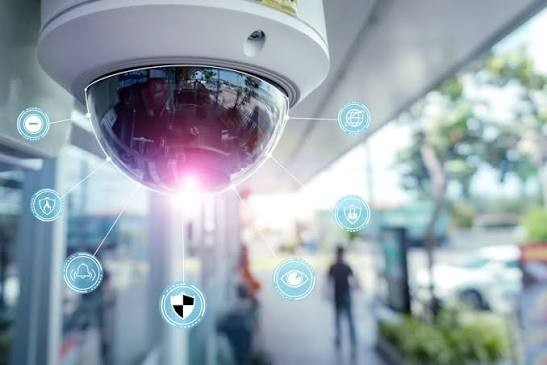
Security technology is evolving beyond traditional CCTV cameras that simply record video footage. Today, businesses and property owners can use artificial intelligence (AI) to analyse surveillance footage, identify selected activities and generate alerts when potentially important events occur.
These capabilities are changing how organisations monitor offices, warehouses, factories, shopping centres, residential estates, hotels and other properties.
AI video surveillance systems in Uganda offer an advanced approach to property monitoring by combining CCTV cameras, intelligent video analytics, recording equipment and security management software. Depending on the technology installed, these systems can detect people and vehicles, identify movement in restricted areas, monitor selected activities and notify security personnel when configured events occur.
Instead of requiring operators to watch every camera continuously, AI-powered surveillance can help direct attention towards events that may require investigation.
For businesses in Kampala, industrial facilities in Namanve, commercial properties in Wakiso and other locations across Uganda, intelligent video surveillance can improve security monitoring and support better operational oversight.
However, choosing an effective AI CCTV system requires more than purchasing cameras advertised as intelligent. Property owners must understand the available features, installation requirements, network infrastructure, system limitations and privacy responsibilities.
This guide explains how AI video surveillance systems work, their benefits, applications, costs and important considerations when selecting an intelligent CCTV solution in Uganda.
What Are AI Video Surveillance Systems?
AI video surveillance systems are CCTV solutions that use artificial intelligence and video analytics to analyse camera footage and identify specific objects, movements or activities.
Traditional CCTV cameras primarily capture and transmit video for live viewing or recording. AI-enabled systems add analytical capabilities that help interpret what appears in the footage.
Depending on the camera and software, AI video analytics may identify:
- People entering or leaving monitored areas.
- Vehicles moving through designated locations.
- Movement across restricted boundaries.
- Objects left behind or removed from monitored areas.
- Unusual activity based on configured rules.
- Vehicle direction and movement patterns.
- Crowd density or occupancy levels.
- Selected movements within defined zones.
For example, a conventional CCTV camera may record someone entering a warehouse after working hours. An AI-enabled system with suitable intrusion analytics may identify the person entering a configured restricted zone and generate an alert.
The system does not automatically know whether the activity is criminal. It identifies patterns or events according to its programmed capabilities and configured rules. A security operator may still need to review the footage and determine what happened.
AI video surveillance can be implemented through intelligent cameras, AI-enabled network video recorders (NVRs), dedicated analytics servers or cloud-based platforms.
How Do AI Video Surveillance Systems Work?
AI video surveillance combines cameras, processing technology, software and communication infrastructure to analyse video footage.
Although different systems use different technologies, the general process involves several stages.
1. Video Capture Through CCTV Cameras
<AsyncImage query=”modern AI intelligent CCTV surveillance camera mounted on commercial building exterior” aspectRatio=”16:9″ width=”100%”/>
The process begins when CCTV cameras capture video footage from selected areas.
These may include:
- Building entrances and exits.
- Reception areas.
- Parking facilities.
- Warehouse storage sections.
- Production areas.
- Property boundaries.
- Loading and unloading points.
- Restricted-access rooms.
Camera selection is important because image quality, lens type, viewing angle, lighting and mounting position affect the usefulness of video analytics.
A camera that does not capture a sufficiently clear image may struggle to identify people, vehicles or other objects accurately.
2. AI Video Analysis
The captured footage is processed using AI algorithms and computer vision technology.
These systems analyse visual information to identify objects, movement and patterns.
Depending on the software, analytics may distinguish between people, vehicles and other moving objects. More advanced systems may support additional classifications and event detection.
For example, a system configured for vehicle detection may identify vehicles entering a parking area while ignoring some movement caused by trees or other environmental conditions.
The accuracy of the analysis depends on camera positioning, image quality, lighting, software capabilities and operating conditions.
3. Event Detection
The system compares detected activity against configured rules.
For example, a property manager may configure a camera to monitor a restricted warehouse entrance outside normal operating hours.
If the system detects a person entering the designated zone during the restricted period, it may classify the event as a potential intrusion.
Other configured events may include:
- Crossing a virtual boundary.
- Entering a restricted area.
- Remaining in a designated area beyond a set period.
- Detecting a vehicle in a restricted zone.
- Detecting crowding in a monitored area.
- Identifying an object left in a monitored location.
Available functions vary significantly between products.
4. Alerts and Notifications
When a configured event is detected, the system may send an alert to a security monitoring station, authorised user or compatible mobile application.
An alert may include a camera reference, event type, time and video snapshot or clip, depending on the platform.
This helps security personnel identify which camera requires attention.
Notifications depend on the system configuration and available communication services.
5. Video Recording and Storage
AI surveillance systems may record footage locally, on network storage or through supported cloud services.
Some systems store video continuously, while others use event-based recording or a combination of both.
AI analytics may also generate event metadata that makes it easier to search for relevant footage.
For example, an operator may be able to search for recorded vehicle events rather than manually reviewing hours of footage.
The available search functions depend on the recording platform and its analytics capabilities.
Key Features of AI Video Surveillance Systems
AI-powered CCTV solutions offer different features depending on the camera, recorder and software. The following are some of the most useful capabilities for property owners and businesses.
1. Intelligent People Detection
<AsyncImage query=”AI video surveillance monitoring screen showing person detection bounding boxes in CCTV footage” aspectRatio=”16:9″ width=”100%”/>
People detection enables a surveillance system to identify human figures in monitored footage.
This can help reduce unnecessary alerts caused by certain types of movement, such as animals, falling leaves or passing vehicles, compared with basic motion detection.
For example, an office may use people detection to monitor a reception area or restricted entrance.
People detection does not necessarily identify a person’s identity. It simply detects the presence of a person or human-like figure according to the system’s capabilities.
2. Vehicle Detection and Classification
AI-enabled surveillance cameras may detect vehicles and distinguish them from other moving objects.
Depending on the equipment, vehicle analytics can support:
- Monitoring vehicle entrances.
- Identifying vehicles entering restricted areas.
- Tracking movement through designated zones.
- Monitoring parking facilities.
- Generating vehicle-related event reports.
Some systems also support vehicle classification, such as distinguishing cars, buses, trucks and motorcycles.
3. Intrusion Detection
Intrusion detection analytics monitor selected areas for unauthorised movement.
A virtual boundary or restricted zone can be configured within the camera’s field of view.
When a person or vehicle crosses the configured boundary, the system may generate an alert.
This feature is particularly useful for warehouses, factories, construction sites, commercial premises and properties with extensive outdoor areas.
4. Line-Crossing Detection
Line-crossing analytics identify when a person or vehicle crosses a virtual line in a designated direction.
For example, a warehouse operator may configure a virtual line across a restricted entrance to detect movement into a storage area.
Some systems can distinguish between movement in different directions, depending on the available analytics.
5. Loitering Detection
Loitering detection identifies when a person or object remains within a configured area for longer than a specified period.
It can support monitoring around:
- Building entrances.
- Parking areas.
- Restricted corridors.
- Loading bays.
- Property boundaries.
- Other designated locations.
The system identifies activity based on configured rules. Remaining in an area is not, by itself, evidence of wrongdoing.
6. Object Left Behind or Removed Detection
Some advanced video analytics systems can detect selected objects that appear to have been left behind or removed from a monitored area.
This can be useful in transport facilities, commercial buildings and sensitive operational environments.
The feature requires suitable camera positioning and software support. It may not work reliably in crowded or frequently changing scenes.
7. Facial Recognition and Face Detection
Some AI surveillance platforms support face detection or facial recognition.
These are different functions:
- Face detection identifies that a human face appears in a video image.
- Facial recognition attempts to compare a detected face against stored reference information to establish or verify identity.
Facial recognition requires careful consideration of accuracy, image quality, system configuration, consent or other applicable legal grounds, and data protection obligations.
Not every AI CCTV camera supports facial recognition, and it should not be treated as a standard feature of all intelligent surveillance systems.
8. Crowd and Occupancy Analytics
Some systems can estimate the number of people in a monitored area or identify crowding conditions.
This may help property managers monitor customer movement, queues and occupancy patterns in shopping centres, reception areas and other busy locations.
These functions are useful for operational planning but should not automatically be treated as exact people-counting measurements in every environment.
9. Automated Event Search
AI-enabled recording platforms may organise footage according to detected objects or events.
Instead of reviewing an entire day’s recording, an authorised operator may be able to search for particular event categories, such as person detection or vehicle movement.
This can save investigation time when a specific incident needs to be reviewed.
10. Real-Time Security Notifications
Depending on the platform, users may receive alerts when configured events occur.
Notifications can help security teams respond to potential problems more quickly, particularly when they are responsible for monitoring several cameras or properties.
An alert still requires appropriate verification and response procedures.
AI Video Surveillance vs Traditional CCTV Systems
AI surveillance systems build on traditional CCTV technology by adding automated video analysis.
The main differences include:
| Feature | Traditional CCTV | AI video surveillance |
|---|---|---|
| Video recording | Records camera footage | Records footage and may analyse it |
| Motion detection | Often detects general movement | May distinguish selected objects and events |
| People detection | May require manual viewing or basic analytics | Available on supported AI platforms |
| Vehicle detection | Often requires manual review or separate analytics | Available on supported systems |
| Intrusion alerts | May rely on basic motion detection | Can use configured intelligent detection rules |
| Video search | Often relies on time and camera selection | May support event or object-based search |
| Monitoring | Often requires more continuous manual observation | Can help prioritise important events |
| Analytics | Limited or unavailable on basic systems | May provide advanced event analysis |
Traditional CCTV remains useful for many properties. AI technology is most valuable when its additional features address a specific surveillance or operational challenge.
A well-designed conventional CCTV installation may be more suitable than an expensive AI system if advanced analytics are not required.
Benefits of AI Video Surveillance Systems for Businesses and Property Owners
AI video surveillance can provide several advantages when properly selected, installed and configured.
1. More Intelligent Security Monitoring
Traditional surveillance often requires security operators to monitor multiple camera feeds manually.
AI analytics can help identify selected activities and direct attention towards cameras where potentially important events have occurred.
This makes monitoring more organised, particularly in facilities with many cameras.
2. Faster Identification of Potential Security Incidents
When a configured event occurs, an AI surveillance system may generate an alert without waiting for an operator to notice it manually.
For example, a system monitoring a restricted warehouse entrance may alert security personnel when a person enters the area outside authorised hours.
This can help reduce the time between event detection and human review.
However, alert delivery and response depend on the equipment, communication infrastructure and monitoring arrangements.
3. Reduced Unnecessary Motion Alerts
Basic motion detection may trigger whenever there is movement within a camera’s field of view.
This can result in alerts caused by rain, shadows, insects, trees or passing vehicles.
AI-based people and vehicle classification may help filter certain irrelevant events.
It does not eliminate false alerts. Environmental conditions and poor camera positioning can still affect detection accuracy.
4. Improved Monitoring of Large Properties
Large warehouses, factories, shopping centres and residential estates may have extensive areas to monitor.
AI analytics can help security teams focus on selected entrances, restricted zones, parking facilities and other important locations.
This is particularly useful where manually reviewing every camera feed would be difficult.
5. Easier Investigation of Security Incidents
AI-enabled video search can help operators locate relevant footage more efficiently.
For example, an investigator may search for vehicle-related events around a particular entrance rather than manually reviewing all recorded footage.
The quality of the investigation still depends on the recording, timestamps, camera coverage and available analytics.
6. Better Perimeter Monitoring
AI intrusion analytics can support surveillance of property boundaries and restricted outdoor areas.
When configured correctly, the system may identify people or vehicles crossing virtual boundaries and notify security personnel.
This can complement physical fencing, lighting, alarm systems and other perimeter protection measures.
7. Improved Operational Visibility
AI video analytics can support activities beyond security.
For example, selected systems may help organisations understand:
- Customer movement through commercial spaces.
- Vehicle activity around loading areas.
- Queue patterns at reception points.
- Occupancy trends in monitored areas.
- Movement through selected operational zones.
These functions should be selected carefully and used for legitimate, clearly defined purposes.
8. Support for Centralised Security Monitoring
Organisations managing several buildings or sites may use centralised platforms to monitor cameras and analytics events from one location.
This can make it easier to oversee security operations across different facilities, provided the system has suitable network connectivity, software capacity and access controls.
9. More Efficient Use of Security Personnel
AI analytics can help prioritise which camera feeds require attention.
Instead of treating every movement event as equally important, security teams may focus on alerts associated with configured activities.
AI does not replace the need for trained security personnel, incident verification or physical security procedures.
10. Better Long-Term Security Planning
Video analytics and event records can provide information about recurring incidents, areas with frequent movement and equipment performance.
Property managers can use these insights to review camera placement, improve procedures and plan future security upgrades.
Applications of AI Video Surveillance in Uganda
AI video surveillance can be used across different sectors depending on the security and operational requirements of each property.
1. Commercial Buildings and Office Complexes
<AsyncImage query=”AI CCTV video analytics security monitoring commercial office building entrance” aspectRatio=”16:9″ width=”100%”/>
Commercial buildings often have several entrances, reception areas, parking facilities and restricted rooms.
AI video surveillance can help monitor:
- Main entrances and exits.
- Reception areas.
- Parking facilities.
- Corridors and shared spaces.
- Server rooms and restricted areas.
- Loading and service entrances.
People detection, intrusion analytics and vehicle monitoring may support security teams responsible for these locations.
2. Warehouses and Distribution Centres
Warehouses handle inventory, equipment and goods that may be stored across large areas.
AI CCTV can support monitoring of:
- Loading and unloading areas.
- Storage sections.
- Vehicle entrances.
- Restricted inventory areas.
- Perimeter boundaries.
- Staff and visitor movement.
Vehicle detection and intrusion analytics may help security teams identify activity around important operational areas.
3. Factories and Industrial Facilities
Industrial facilities may have production lines, machinery, storage areas and restricted operational zones.
AI video surveillance can help monitor movement around selected areas and identify events that require attention.
The cameras should be selected for the environment, especially where dust, heat, vibration or moisture may affect equipment.
4. Shopping Centres and Retail Businesses
Retail premises can use intelligent video surveillance to monitor entrances, customer movement, parking areas and selected operational spaces.
Depending on the system, analytics may support people counting, queue monitoring and detection of selected events.
Retailers should ensure that surveillance is used appropriately and does not unnecessarily intrude into private areas.
5. Hotels and Hospitality Properties
Hotels may use AI-enabled CCTV to support monitoring of public and operational areas.
Suitable applications may include:
- Reception areas.
- Public entrances.
- Parking facilities.
- Service corridors.
- Loading areas.
- Selected staff-only spaces.
Surveillance must respect guest privacy. Cameras should not be placed in bedrooms, bathrooms or other areas where people reasonably expect privacy.
6. Schools and Educational Institutions
Schools and institutions may use intelligent surveillance to monitor entrances, corridors, parking areas and other appropriate shared spaces.
AI analytics may help security personnel identify movement in restricted areas or monitor selected access points.
Because students and other vulnerable people may be recorded, system design and data handling require particular care.
7. Residential Estates and Apartment Complexes
Residential estates may have several gates, shared facilities, parking spaces and boundary areas.
AI surveillance can support monitoring of:
- Main entrances.
- Vehicle gates.
- Visitor areas.
- Parking facilities.
- Shared outdoor spaces.
- Selected perimeter zones.
It can complement access control, intercoms and perimeter alarm systems.
8. Construction Sites
Construction sites may contain valuable building materials, machinery and equipment.
AI-enabled cameras may support monitoring of access points, storage areas and site boundaries.
Portable or solar-powered surveillance solutions may be considered where permanent power and network infrastructure are not yet available, subject to the system’s requirements.
Edge AI vs Cloud-Based Video Analytics
AI video surveillance systems process video in different ways.
Two common approaches are edge AI and cloud-based analytics.
What Is Edge AI Video Surveillance?
Edge AI processes video analytics directly on a compatible camera or local device, such as an AI-enabled recorder.
The camera or local device performs some of the analysis without sending all footage to an external cloud platform.
Potential advantages include:
- Reduced dependence on cloud processing.
- Faster local event analysis in suitable systems.
- Less need to transmit all video footage externally.
- Continued local analytics during internet interruptions where the system is properly configured and powered.
However, edge processing still depends on the camera or local equipment operating correctly.
What Is Cloud-Based Video Analytics?
Cloud-based video analytics sends video or selected data to remote servers for processing.
Depending on the platform, this may support centralised management, advanced analytics and access across multiple locations.
Potential advantages include:
- Centralised management.
- Remote access to analytics.
- Easier administration across supported sites.
- Access to cloud-based processing capabilities.
Cloud-based systems generally depend on reliable internet connectivity and may involve recurring subscription or storage charges.
Which Option Is Better?
Neither approach is automatically better for every property.
Edge AI may be suitable where local processing and reduced dependence on continuous internet connectivity are priorities.
Cloud-based analytics may be useful for organisations managing multiple sites or using cloud-based security platforms.
Some installations combine local and cloud processing.
Property owners should compare connectivity, data protection, storage, cost and operational requirements before selecting a solution.
How to Choose the Right AI CCTV Cameras
Selecting the correct cameras is essential for effective video analytics.
Not every camera marketed as an AI camera provides the same features or performance.
Consider the following factors.
1. AI Analytics Capabilities
Identify the specific analytics features you need.
These may include people detection, vehicle classification, intrusion detection, line crossing or object detection.
Do not pay for advanced analytics that your property does not require.
2. Image Resolution
Camera resolution affects the level of visual detail captured.
Common CCTV resolutions include 2MP, 4MP, 5MP and 8MP, although available specifications vary by manufacturer.
Higher resolution can provide more detail, but useful identification also depends on camera placement, lens selection, lighting, recording settings and viewing distance.
3. Night Vision and Low-Light Performance
Many security incidents can occur in poorly illuminated areas.
Consider cameras with suitable low-light performance, infrared illumination or other supported night-time imaging technologies.
Test camera performance under the actual lighting conditions of the property.
4. Field of View and Lens Selection
A wide-angle lens may cover a larger area, while a narrower field of view may be more appropriate for monitoring a particular entrance or distant location.
The camera should be selected according to the area that needs monitoring.
5. Weather and Environmental Protection
Outdoor cameras should be suitable for their installation environment.
Consider protection against rain, dust, heat and other environmental conditions.
For industrial properties, also assess vibration, chemical exposure and possible physical impact.
6. Recording and Storage Compatibility
Confirm that cameras work with the intended recorder or video management platform.
Check supported video formats, recording capacity, analytics compatibility and storage requirements.
7. Network Connectivity
AI cameras may generate significant video traffic.
Ensure that network switches, cabling, bandwidth and storage equipment can support the planned installation.
8. Manufacturer Support and Software Updates
Choose equipment with appropriate technical documentation, supported firmware and a clear software support arrangement.
This is important for long-term reliability and cybersecurity.
AI Video Surveillance Installation Process
A successful AI CCTV installation requires proper planning, suitable equipment and correct configuration.
The process generally involves the following stages.
Step 1: Property Security Assessment
The first stage is to understand the property and its security requirements.
The assessment should identify:
- Areas requiring surveillance.
- Entrances and exits.
- Restricted zones.
- Vehicle movement routes.
- Lighting conditions.
- Existing security infrastructure.
- Power availability.
- Network connectivity.
- Recording and retention requirements.
This helps determine where AI analytics will provide practical value.
Step 2: Camera Positioning and System Design
Camera locations should be selected to capture the required areas clearly.
Design considerations include mounting height, viewing angle, lighting, distance, obstructions and privacy.
Analytics rules should be planned around the camera’s actual field of view.
For example, a virtual intrusion boundary should be positioned where the camera can reliably observe movement across it.
Step 3: Equipment Selection
The next stage involves selecting compatible cameras, recorders, storage equipment, network devices and management software.
The system should support the specific analytics required by the property owner.
Step 4: Cabling and Network Preparation
Technicians prepare the required power and network infrastructure.
This may include Ethernet cabling, PoE switches, network video recorders and suitable network equipment.
Where wireless connections are used, signal strength and interference should be assessed.
Step 5: Camera Installation
Cameras are installed at the planned locations.
Each device should be positioned to provide the intended coverage while considering environmental exposure and physical security.
Step 6: AI Analytics Configuration
The AI analytics features are configured according to the property’s monitoring requirements.
This may involve:
- Selecting detection zones.
- Setting virtual boundaries.
- Configuring line-crossing rules.
- Adjusting detection sensitivity.
- Selecting event categories.
- Defining notification conditions.
- Setting operating schedules.
Incorrect configuration can cause missed detections or excessive false alerts.
Step 7: Recording and Storage Configuration
The recording platform is configured according to the required retention period, camera count, resolution and recording schedule.
Local or cloud storage should be selected based on the property’s operational needs.
Step 8: System Testing
The completed installation should be tested under realistic conditions.
Testing may include:
- Daytime and night-time image quality.
- Person detection.
- Vehicle detection.
- Intrusion detection.
- Virtual line crossing.
- Alert delivery.
- Recording and playback.
- Event search.
- Remote viewing.
- Network performance.
Testing should confirm that the required functions operate as intended rather than relying only on manufacturer specifications.
Step 9: User Training and Handover
Authorised users should be shown how to access live video, retrieve recordings, manage alerts and report faults.
They should also understand user permissions, password security and privacy procedures.
How Much Do AI Video Surveillance Systems Cost in Uganda?
The cost of installing AI video surveillance systems in Uganda varies depending on the size of the property, camera specifications, analytics requirements and installation complexity.
An installation with a few intelligent cameras at a home will have different requirements from a large commercial facility with multiple cameras, advanced analytics and centralised monitoring.
The main factors affecting cost include:
1. Number of Cameras
The number of cameras affects equipment requirements, cabling, network capacity, recording storage and installation labour.
2. Camera Specifications
AI cameras differ in resolution, lens type, night vision, weather protection and analytics capabilities.
More advanced specifications may increase the initial investment.
3. AI Analytics Features
Basic people or vehicle detection may have different requirements from advanced analytics, facial recognition or multi-camera tracking.
Some features may require additional software licences or subscriptions.
4. Recording and Storage Capacity
Storage costs depend on the number of cameras, recording resolution, frame rate, compression, recording schedule and retention period.
Continuous recording generally requires more storage than selected event-based recording.
5. Network Infrastructure
The installation may require network switches, routers, structured cabling, fibre connections or upgrades to existing infrastructure.
6. Installation Complexity
Large buildings, high camera mounting locations, long cable routes and difficult access conditions can increase installation work.
7. Power Backup
UPS units and other backup power arrangements may be required to keep cameras, recorders and network devices operating during electricity interruptions.
8. Software and Maintenance
Cloud subscriptions, analytics licences, software support and maintenance services may contribute to ongoing operating costs.
For an accurate quotation, property owners should request a site assessment and an itemised proposal showing equipment, installation, software and ongoing costs separately.
Common Limitations and Challenges of AI Video Surveillance
Although AI video surveillance offers useful capabilities, it is important to understand its limitations.
1. False Alerts
AI analytics can sometimes identify an event incorrectly.
For example, shadows, reflections, poor lighting, rain or unusual movement may affect detection accuracy.
Proper camera placement and analytics configuration can help reduce false alerts, but cannot eliminate them entirely.
2. Missed Detections
A system may fail to identify an event because of obstructions, poor image quality, unsuitable camera angles or environmental conditions.
Critical surveillance areas should be designed and tested carefully.
3. Dependence on Camera Quality
AI software cannot reliably analyse footage that does not contain enough useful visual information.
Poor resolution, inadequate lighting, excessive distance or an obstructed view may reduce performance.
4. Network and Storage Requirements
High-resolution video and multiple camera streams can place significant demands on networks and recording equipment.
The infrastructure should be sized according to the planned installation.
5. Initial Investment
AI-enabled cameras and analytics platforms may cost more than basic CCTV equipment.
Property owners should assess whether the additional capabilities justify the investment.
6. Software and Compatibility Limitations
Not every AI camera works with every recorder or video management platform.
Compatibility should be confirmed before equipment is purchased.
7. Cybersecurity Risks
Connected surveillance equipment may be exposed to cyber threats if poorly configured.
Weak passwords, outdated firmware, excessive user permissions and insecure remote access can create vulnerabilities.
8. Privacy Concerns
AI video analytics may process personal information, particularly when systems use facial recognition or monitor identifiable individuals.
Organisations should establish appropriate privacy and data protection procedures.
AI Video Surveillance and Integration with Other Security Systems
AI video surveillance can become more useful when integrated with compatible security technologies.
However, the integration must be technically supported and properly configured.
1. Integration with Burglar Alarm Systems
An AI-enabled CCTV system may work with a compatible alarm platform.
For example, an alarm event may trigger a relevant camera view or help an operator review footage associated with an intrusion alert.
The exact functionality depends on the devices and software.
2. Integration with Access Control Systems
AI surveillance can complement access control by providing video footage associated with selected entry events.
For example, a security operator may review footage around a door when an access controller records an entry or rejected credential.
Some systems can link video and access events through a shared management platform.
3. Integration with Electric Fence Systems
AI-enabled cameras may be positioned to monitor areas protected by an electric fence.
When the fence system reports an alarm or tampering event, compatible monitoring software may allow security personnel to view the relevant camera.
This can help provide additional visual information about a perimeter event.
4. Integration with Centralised Monitoring Systems
Large properties may use centralised video management platforms to monitor several cameras and security devices.
AI-generated alerts can help operators prioritise events across different areas.
5. Integration with Intercom and Gate Systems
Where supported, video surveillance may be linked to intercoms and access control systems at entrances.
This can help authorised personnel review visitor activity and manage entry procedures.
For more information about combining security technologies, see Daltrevco’s related article on integrated security systems.
AI Video Surveillance and Privacy Considerations in Uganda
AI surveillance systems can process personal information through video recordings, facial images, access events and other identifiable data.
Property owners and organisations should consider privacy and data protection from the planning stage.
Uganda’s Data Protection and Privacy Act, 2019, and applicable regulations provide an important framework for handling personal data.
Important considerations include:
- Establishing a legitimate and clearly defined surveillance purpose.
- Avoiding unnecessary recording of private spaces.
- Informing relevant people about surveillance where appropriate.
- Restricting access to recorded footage.
- Protecting recordings against unauthorised access.
- Defining appropriate retention periods.
- Controlling who can export or share footage.
- Applying additional safeguards to biometric information.
- Reviewing how third-party cloud services handle recorded data.
Facial recognition and other biometric analytics require particular care because they can involve sensitive personal information.
Organisations should seek appropriate legal or data protection guidance when designing systems that process personal or biometric information.
AI analytics should also not be treated as conclusive proof of criminal behaviour. Alerts and automated classifications should be reviewed in context by authorised personnel.
Best Practices for Maintaining AI Video Surveillance Systems
AI CCTV systems require regular maintenance to maintain camera performance, recording reliability and analytics accuracy.
A suitable maintenance programme may include:
1. Clean Camera Lenses and Housings
Dust, rain marks and other dirt can reduce image quality and affect analytics performance.
Cameras should be cleaned using appropriate methods and materials.
2. Check Camera Positioning
Cameras may move because of vibration, accidental contact or mounting problems.
Inspect positioning to confirm that important areas remain covered.
3. Test AI Detection Features
People detection, vehicle detection, line crossing and intrusion alerts should be tested periodically under realistic conditions.
4. Inspect Recording Equipment
Check recorder status, storage health, recording schedules and playback functions.
5. Review Network Performance
Inspect network connections, switches, cabling and communication equipment.
6. Update Supported Software and Firmware
Install appropriate security and performance updates according to manufacturer recommendations and operational change procedures.
Updates should be tested and managed to avoid unnecessary disruption.
7. Review User Permissions
Remove unnecessary accounts and ensure that only authorised users can access live video, recordings and system settings.
8. Test Remote Access and Notifications
Verify that authorised users can access supported remote features and receive configured notifications.
9. Inspect Backup Power
Check UPS units and batteries according to manufacturer instructions and the expected backup load.
10. Keep Maintenance Records
Document inspections, faults, repairs, software updates and changes to system configuration.
For large commercial installations, a planned security system maintenance contract can help organise these activities.
How to Choose the Right AI Video Surveillance Provider in Uganda
Selecting a suitable provider is important because intelligent surveillance requires more than installing cameras.
Consider the following factors when evaluating a security systems provider.
1. Experience with CCTV and Video Analytics
Look for a provider with relevant knowledge of network cameras, recording equipment, analytics software and video management systems.
2. Understanding of Your Property
The provider should assess the building layout, surveillance objectives, lighting, network and power infrastructure before recommending equipment.
3. Clear Equipment Specifications
The proposal should explain the camera models, resolution, analytics features, storage arrangements and other relevant specifications.
Avoid vague descriptions such as “advanced AI cameras” without identifying what the equipment can actually do.
4. Compatibility and Integration Knowledge
If you want AI CCTV to work with alarms, access control or central monitoring, confirm that the provider understands the required compatibility and integration arrangements.
5. Proper Installation and Testing
The provider should explain how cameras will be positioned, analytics configured and system functions tested.
6. Cybersecurity and Privacy Practices
Ask how user accounts, passwords, remote access and recorded footage will be protected.
The provider should also understand the importance of responsible handling of personal information.
7. Maintenance and Technical Support
Confirm whether inspection, troubleshooting, repairs and software support are available.
8. Transparent Pricing
Request a quotation that clearly separates equipment, installation, licences, storage, subscriptions and maintenance.
Frequently Asked Questions About AI Video Surveillance Systems
1. What is an AI video surveillance system?
An AI video surveillance system uses artificial intelligence and video analytics to analyse CCTV footage, identify selected objects or activities and generate alerts based on configured rules.
2. How does AI CCTV work?
AI CCTV captures video and analyses it using software that can identify objects, movement and selected events. When a configured event is detected, the system may record it, classify it or send an alert to authorised users.
3. What is the difference between AI CCTV and normal CCTV?
Traditional CCTV mainly records and displays footage. AI CCTV adds analytical features such as people detection, vehicle detection, intrusion analytics and event-based video search where supported.
4. How much do AI CCTV cameras cost in Uganda?
The cost depends on camera specifications, analytics features, number of devices, recording equipment, storage, network infrastructure and installation complexity. A site assessment is recommended for an accurate quotation.
5. Can AI cameras detect people?
Yes. Many AI-enabled cameras support people detection. Their accuracy depends on image quality, lighting, camera positioning and software capabilities.
6. Can AI CCTV detect vehicles?
Yes. Supported systems can identify vehicles and may provide vehicle classification, movement detection or other vehicle-related analytics.
7. Can AI CCTV detect intruders?
Some systems support intrusion detection analytics that identify people or vehicles entering configured restricted areas. These alerts require appropriate configuration and verification.
8. Does AI CCTV reduce false alarms?
AI analytics can reduce certain false alerts by distinguishing selected objects from general movement. However, they cannot eliminate false alerts in every environment.
9. Can AI surveillance work at night?
Yes, when the cameras have suitable low-light capabilities, infrared illumination or other night-time imaging features. Performance depends on the equipment and lighting conditions.
10. Can I monitor AI CCTV using my smartphone?
Many systems support mobile viewing and notifications through compatible applications. Remote features generally require internet connectivity and secure configuration.
11. Does AI CCTV require internet?
Not necessarily for all functions. Some systems perform analytics and recording locally. Remote monitoring and cloud-based services generally require suitable internet connectivity.
12. Can AI CCTV work with existing cameras?
Some existing cameras may work with AI-enabled recorders or analytics platforms, depending on their video format, resolution, compatibility and available processing features. An assessment is needed before upgrading.
13. Can AI video surveillance identify faces?
Some systems support facial recognition, while others only detect faces. Facial recognition involves comparing facial information against reference data and requires careful attention to privacy, accuracy and applicable data protection requirements.
14. Can AI CCTV monitor large commercial buildings?
Yes. AI video surveillance can be used across offices, warehouses, shopping centres, factories and other large properties. The installation must be designed around the number of cameras, network capacity and monitoring requirements.
15. Can AI CCTV integrate with burglar alarms?
Some AI video surveillance platforms can integrate with compatible alarm systems. Integration may allow alarm events to be associated with relevant camera footage or notifications.
16. Can AI video surveillance integrate with access control?
Yes. Compatible platforms can associate access events with relevant video footage and, in some configurations, coordinate security events through centralised software.
17. Is AI video surveillance suitable for warehouses?
Yes. It can support monitoring of loading areas, storage facilities, vehicle entrances, restricted zones and property boundaries.
18. Does AI CCTV replace security guards?
No. AI surveillance can support security personnel by identifying selected events and organising monitoring activities. Human verification, decision-making and physical response remain important.
19. Does AI video surveillance need maintenance?
Yes. Cameras, network connections, recording devices, analytics software and backup power systems should be inspected and maintained according to manufacturer recommendations.
20. How do I choose the best AI video surveillance system in Uganda?
Assess your property’s surveillance needs, identify the analytics features required, confirm equipment compatibility and evaluate installation, storage, network, privacy and maintenance requirements before selecting a system.
Improve Property Security with Intelligent Video Surveillance from Daltrevco Uganda
Modern security challenges require carefully planned surveillance solutions that provide more than basic video recording.
AI video surveillance can help businesses and property owners monitor important areas, identify selected activities, receive alerts and investigate recorded events more efficiently.
Whether you manage an office building, warehouse, factory, hotel, school, shopping centre or residential estate, the right intelligent CCTV solution should be designed around your property’s security requirements.
Daltrevco Uganda recognises the importance of dependable security infrastructure for modern properties. If you are considering an AI-enabled CCTV installation or an upgrade to an existing surveillance system, contact Daltrevco to discuss your requirements and suitable security technology options.
A properly planned system should consider camera coverage, analytics capabilities, recording and storage, network infrastructure, power backup, privacy and long-term maintenance.
Contact Daltrevco Uganda to discuss intelligent video surveillance solutions for your home, business or commercial property.
Conclusion
AI video surveillance systems are improving the way properties monitor security by combining CCTV cameras with intelligent video analytics.
Features such as people detection, vehicle detection, intrusion analytics, line-crossing alerts and event-based video search can help security teams identify important activities and investigate incidents more efficiently.
For businesses and property owners in Uganda, AI-powered CCTV can be particularly useful in commercial buildings, warehouses, factories, hotels, residential estates and other properties with significant surveillance requirements.
However, successful implementation depends on selecting suitable cameras, designing appropriate coverage, configuring analytics correctly, providing reliable network and power infrastructure, and maintaining the system.
AI technology does not eliminate security risks or replace human judgement. It provides additional monitoring capabilities that can strengthen a wider property security strategy.
By choosing an intelligent surveillance solution that matches the property’s actual requirements, owners and managers can improve security visibility and make better use of their CCTV infrastructure.

