
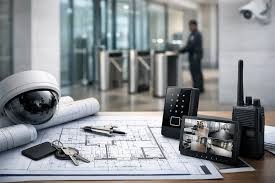
Commercial buildings require carefully planned security systems to protect employees, customers, visitors, equipment, confidential information and business operations. Whether it is an office complex in Kampala, a shopping centre in Wakiso, a hotel, a warehouse, a factory or a multi-storey commercial property, effective security begins with understanding the building’s risks and selecting suitable technologies.
Modern commercial security systems go beyond installing a few CCTV cameras or burglar alarms. They combine surveillance cameras, access control, intrusion detection, perimeter protection, visitor management and centralised monitoring to create a coordinated security environment.
However, installing security equipment without proper planning can lead to blind spots, uncontrolled building access, incompatible devices, unreliable monitoring and unnecessary costs. A well-designed system should address the building’s layout, occupancy, operating hours, security risks, network infrastructure and future expansion requirements.
Security system design for commercial buildings is therefore an important stage in protecting business premises. It determines which technologies are needed, where they should be installed, how they communicate and how security personnel will monitor and manage the entire installation.
This guide explains how to design a reliable commercial building security system in Uganda, the technologies to consider, important planning stages, installation requirements and factors that influence project costs.
1. What Is Commercial Building Security System Design?
Commercial building security system design is the process of assessing a property’s security requirements and developing a coordinated plan for selecting, positioning, connecting and managing security equipment.
It involves identifying potential threats, evaluating vulnerable areas, choosing suitable technologies and determining how different security components will operate together.
A comprehensive design may include:
- CCTV surveillance cameras.
- Network video recorders (NVRs) and video management systems.
- Intruder and burglar alarm systems.
- Electronic access control.
- Biometric and card-based entry systems.
- Visitor management systems.
- Video intercoms.
- Perimeter intrusion detection.
- Electric fence security systems.
- Vehicle access control.
- Security monitoring stations.
- Network infrastructure and cybersecurity.
- Backup power arrangements.
Not every commercial building requires all these technologies. The appropriate combination depends on the building’s purpose, size, occupancy, risk profile and operational requirements.
For example, a small office may need CCTV, controlled entrance access and an intruder alarm. A large industrial facility may require extensive camera coverage, vehicle access management, perimeter detection, restricted-area access control and centralised monitoring.
The objective is to create a security system that addresses the property’s actual risks without introducing unnecessary equipment or complexity.
2. Why Proper Security System Design Is Important for Commercial Buildings
A well-planned security system helps businesses manage risks more effectively and maintain better control over their premises.
2.1 Protecting Employees, Customers and Visitors
Commercial buildings receive people throughout the day. Offices, hotels, shopping centres, hospitals and educational institutions may have employees, contractors, customers and visitors entering and leaving regularly.
CCTV surveillance, access control and visitor management can help monitor selected areas and manage entry into restricted locations.
Security design should also consider safe movement, emergency exits and the protection of people inside the building.
2.2 Preventing Unauthorised Access
Uncontrolled access can expose commercial properties to theft, vandalism and other security incidents.
Electronic access control allows businesses to define who can enter particular doors, rooms, floors or operational areas.
For example, an office may allow general staff to access normal work areas while restricting server rooms, finance departments and document storage facilities to authorised personnel.
2.3 Protecting Business Equipment and Assets
Commercial buildings may contain computers, machinery, inventory, vehicles, documents and other valuable assets.
A combination of CCTV cameras, intrusion alarms and controlled access can help monitor vulnerable locations and support incident investigations.
2.4 Improving Security Monitoring
Large commercial buildings may have many entrances, corridors, parking spaces and operational areas.
A properly designed surveillance system provides organised camera coverage and allows authorised personnel to monitor important locations.
Centralised monitoring can also make it easier to manage security across multiple floors or buildings.
2.5 Supporting Business Continuity
Security incidents, equipment failures and unauthorised access can interrupt normal business operations.
A reliable system helps organisations detect and investigate events while supporting better security management.
2.6 Planning for Future Expansion
Commercial properties may expand, renovate or change how individual spaces are used.
A scalable security design considers future camera additions, new entrances, additional access-controlled doors and expanded monitoring requirements.
Planning for expansion at the beginning can reduce the complexity of future upgrades.
3. Conducting a Commercial Building Security Risk Assessment
A security risk assessment should be the starting point of every commercial security design project.
Before choosing cameras, alarms or access control equipment, it is important to understand what needs protection and how security incidents could occur.
3.1 Identify Critical Areas
Walk through the building and identify locations that require security attention.
These may include:
- Main entrances and reception areas.
- Emergency access points.
- Staircases and corridors.
- Parking areas.
- Loading and unloading zones.
- Warehouses and storage rooms.
- Server rooms and IT departments.
- Finance and administration offices.
- Cash-handling locations.
- Restricted operational areas.
- External boundaries and gates.
The importance of each location depends on the property’s operations.
3.2 Identify Potential Security Threats
Different commercial buildings face different risks.
Common concerns include:
- Unauthorised entry.
- Theft of equipment or inventory.
- Employee-related security incidents.
- Vandalism.
- Vehicle theft.
- Perimeter intrusion.
- Unauthorised visitor movement.
- Access to confidential information.
- After-hours intrusion.
- Security equipment tampering.
A risk assessment should consider the likelihood and potential impact of these events.
3.3 Evaluate Existing Security Measures
For an existing commercial building, inspect the current security infrastructure.
Review:
- Existing CCTV coverage.
- Camera image quality.
- Recording arrangements.
- Access control equipment.
- Alarm sensors.
- Gate and perimeter protection.
- Lighting.
- Security monitoring procedures.
- Network and power infrastructure.
- Maintenance records.
This helps identify whether existing equipment can be retained, upgraded or replaced.
3.4 Prioritise Security Requirements
Not every area requires the same level of protection.
A server room, main entrance, warehouse and public reception area may have different access and monitoring requirements.
Prioritise locations according to their security risks, operational importance and the consequences of an incident.
The results should guide equipment selection, camera placement, access permissions and monitoring arrangements.
4. Main Components of a Commercial Building Security System
A comprehensive commercial security installation may combine several technologies. Each component performs a different function, and the design should determine how they support one another.
4.1 CCTV Surveillance Systems
CCTV cameras provide visual monitoring of selected internal and external areas.
They are among the most important components of commercial building security.
Common camera applications include:
- Main entrances and exits.
- Reception areas.
- Corridors.
- Parking facilities.
- Loading bays.
- Warehouses.
- Perimeter boundaries.
- Cash-handling areas.
- Restricted access points.
Types of CCTV Cameras to Consider
Dome cameras: Often suitable for offices, corridors, reception areas and indoor commercial spaces.
Bullet cameras: Commonly used for outdoor surveillance and monitoring specific directions or boundaries.
Turret cameras: Can provide flexible surveillance coverage for indoor and outdoor locations.
PTZ cameras: Allow authorised operators to pan, tilt and zoom to inspect different areas. They may be useful for large open spaces, although they do not replace fixed cameras needed for continuous coverage of critical points.
IP cameras: Transmit digital video through network infrastructure and can support centralised recording, remote viewing and compatible analytics.
AI-enabled cameras: Offer supported analytics such as human detection, vehicle classification and intrusion alerts, depending on the equipment and configuration.
Important CCTV Design Considerations
When planning CCTV coverage, consider:
- The purpose of each camera.
- Required image detail.
- Camera viewing angles.
- Lighting conditions.
- Installation height.
- Potential obstructions.
- Recording duration.
- Network bandwidth.
- Storage capacity.
- Remote monitoring requirements.
A camera should be selected according to the task it needs to perform. A camera intended to identify faces at an entrance may require a different position and image specification from one monitoring a large parking area.
4.2 Electronic Access Control Systems
Access control manages who is permitted to enter specific areas of a commercial building.
It can replace or supplement traditional keys with electronic credentials and controlled locking devices.
Common access control technologies include:
- RFID card readers.
- PIN keypads.
- Fingerprint readers.
- Facial recognition readers.
- Mobile access credentials.
- Multi-factor authentication systems.
Areas That May Require Access Control
- Main employee entrances.
- Management offices.
- Server rooms.
- Financial departments.
- Storage facilities.
- Laboratories.
- Plant rooms.
- Restricted operational areas.
- Staff-only sections.
A well-designed access control system should define user groups, access schedules, door permissions and procedures for issuing or revoking credentials.
It should also consider safe emergency exit, fire safety and the appropriate behaviour of electronic locks during power or equipment failures.
4.3 Intruder and Burglar Alarm Systems
Intruder alarm systems detect unauthorised entry or movement in protected areas.
They are useful for monitoring commercial premises outside normal operating hours and protecting selected internal spaces.
Common components include:
- Motion detectors.
- Door and window magnetic contacts.
- Glass-break detectors.
- Alarm control panels.
- Indoor and outdoor sirens.
- Communication modules.
- Alarm keypads.
- Backup batteries.
An alarm system can be configured to generate alerts when supported sensors detect specific events.
For commercial buildings, alarm zones can be arranged according to departments, floors, restricted areas or operating schedules.
4.4 Perimeter Security Systems
Perimeter security helps protect the external boundaries of commercial properties.
It is particularly important for warehouses, factories, industrial facilities, commercial estates and properties with large outdoor spaces.
Possible technologies include:
- Electric fencing.
- Infrared beam detectors.
- Outdoor motion sensors.
- Fence-mounted intrusion sensors.
- CCTV surveillance.
- Controlled vehicle gates.
- Perimeter alarm systems.
The design should account for the property’s boundaries, terrain, vegetation, lighting and environmental conditions.
Perimeter detection equipment must be correctly positioned and calibrated to reduce unnecessary alarms.
4.5 Video Intercom and Visitor Management Systems
Commercial buildings often receive visitors, contractors, suppliers and delivery personnel.
Video intercom systems allow occupants or reception staff to communicate with people at controlled entrances before permitting access.
Visitor management systems can help organisations record visitor details, manage authorisation and maintain entry records.
These technologies are particularly useful in office buildings, corporate facilities, institutions and multi-tenant properties.
4.6 Vehicle Access Control
Buildings with parking areas, delivery zones or vehicle entrances may require additional access management.
Vehicle access technologies can include:
- Boom barriers.
- Automatic gates.
- RFID vehicle identification.
- Access cards.
- Vehicle intercoms.
- Number plate recognition, where suitable.
- Vehicle entry and exit records.
The system should distinguish between authorised vehicles, visitors, deliveries and other users according to the property’s operating procedures.
5. How to Design CCTV Camera Coverage for a Commercial Building
CCTV camera placement is one of the most important parts of security system design.
Poor camera positioning can create blind spots, unclear footage and unnecessary duplication.
A camera layout should be developed using building plans and a physical site assessment.
5.1 Main Entrances and Exits
Entrances and exits are important surveillance locations because they are used by employees, customers, visitors and contractors.
Camera positioning should provide useful views of people entering and leaving while considering lighting, door structures and the intended identification requirements.
5.2 Reception Areas
Reception cameras can support general monitoring of visitor movement and selected public areas.
Camera positioning should avoid unnecessary capture of confidential documents, computer screens or private conversations.
5.3 Corridors and Staircases
Corridors and staircases connect different sections of a building.
Cameras may be installed at suitable locations to monitor movement between floors and departments.
5.4 Parking Areas
Parking surveillance may help monitor vehicle movement, entrances, pedestrian routes and selected parking spaces.
Camera selection should consider the size of the area, lighting, viewing distances and the required level of image detail.
5.5 Warehouses and Loading Bays
Warehouses often require wider surveillance coverage because of their large storage areas and vehicle movement.
Cameras may be positioned to monitor loading doors, inventory areas, dispatch points and restricted storage zones.
5.6 External Boundaries
Outdoor cameras can support monitoring of gates, walls, fences, access roads and other vulnerable locations.
Equipment should be selected for the outdoor environment and installed with appropriate protection against weather and physical interference.
5.7 Avoiding CCTV Blind Spots
A camera layout should consider:
- Building corners.
- Columns and structural obstructions.
- Furniture and shelving.
- Changes in floor level.
- Door openings.
- Lighting variations.
- Vehicle movement.
- Areas hidden by landscaping.
The final design should be checked through camera field-of-view planning and, where practical, on-site testing.
6. Designing Access Control for Multi-Storey Commercial Buildings
Multi-storey commercial buildings have more complex access requirements than many single-floor properties.
They may contain several tenants, departments, shared facilities and restricted operational areas.
A suitable access control design should define how people move through the building.
6.1 Main Entrance Management
The main entrance may use reception-controlled access, card readers, biometric devices, visitor registration or other appropriate verification methods.
6.2 Floor-Based Access Permissions
Where different organisations or departments occupy separate floors, access permissions can be configured according to authorised users.
For example, employees assigned to one department may be permitted to enter their designated floor without accessing restricted floors.
6.3 Restricted Rooms
Server rooms, electrical rooms, financial departments and sensitive storage facilities may require additional access restrictions.
6.4 Elevator Access Control
Some commercial buildings integrate access control with elevator systems to restrict movement to selected floors.
Such integration depends on compatibility between the elevator control equipment and the access management platform.
6.5 Visitor Access Management
Visitors should receive access permissions appropriate to their purpose and the areas they are authorised to visit.
A visitor management process can help maintain records and support controlled movement within the property.
7. Integrating CCTV, Access Control and Alarm Systems
A modern commercial security design should consider whether different security technologies need to work together.
Integration allows compatible systems to share selected information and coordinate security operations.
For example, an unauthorised access attempt may generate an event in the access control system. If integrated with compatible CCTV software, the event may be associated with footage from the relevant entrance camera.
An operator can then review the event and determine whether further action is needed.
Benefits of Integrated Security Systems
- Centralised security monitoring.
- Better coordination between equipment.
- Easier incident investigation.
- Improved management of access permissions.
- Reduced need to operate unrelated systems separately.
- More organised event reporting.
- Potentially improved response workflows.
Common Integration Combinations
CCTV and access control: Connects entry events with relevant surveillance footage where supported.
CCTV and intruder alarms: Allows alarm events to be associated with relevant cameras and video recordings.
Access control and visitor management: Supports coordinated visitor registration and entry authorisation.
CCTV and perimeter detection: Allows perimeter alerts to be reviewed alongside video footage.
Security systems and building management: Some compatible platforms can share selected status information with building management systems.
Not every product can integrate with every other product. The designer should verify communication protocols, interfaces, software compatibility and supported functions before specifying equipment.
8. Designing Security Network Infrastructure
Modern commercial security systems rely heavily on network infrastructure.
IP cameras, NVRs, access control platforms and central monitoring systems may communicate through Ethernet, wireless networks or other supported connections.
Network planning is therefore essential for reliable performance and cybersecurity.
8.1 Network Capacity
The network should support the required number of cameras, video resolutions, frame rates and simultaneous viewing sessions.
High-resolution cameras and multiple video streams can consume significant bandwidth.
Network capacity should be calculated using the actual equipment specifications and expected usage.
8.2 Power over Ethernet (PoE)
PoE allows compatible network switches to provide both data connectivity and electrical power through Ethernet cables.
It can simplify the installation of IP cameras and certain network devices.
However, the switch must have sufficient PoE capacity for the connected equipment, including any additional power requirements for features such as infrared illumination or pan-tilt-zoom movement.
8.3 Network Segmentation
CCTV and access control equipment should be separated from unrelated business and guest networks where practical.
VLANs and firewall rules can help restrict communication between different device groups.
This is particularly important in large offices, factories, warehouses and multi-tenant commercial buildings.
8.4 Recording and Storage Infrastructure
The NVR or video management platform should be selected according to the number of cameras, recording requirements and retention period.
Storage capacity depends on factors such as:
- Number of cameras.
- Video resolution.
- Frame rate.
- Compression method.
- Recording schedule.
- Motion-based or continuous recording.
- Retention period.
Storage calculations should be completed before equipment is purchased.
8.5 Remote Monitoring
Where remote access is required, it should be configured using secure, controlled methods.
Administrators should use strong authentication, appropriate user permissions and secure remote connectivity.
Avoid unnecessary exposure of CCTV and NVR management interfaces directly to the public internet.
9. Security System Design for Different Types of Commercial Buildings
Different commercial properties require different security arrangements.
A successful design should reflect the property’s size, use, occupancy and security risks.
9.1 Office Buildings
Office buildings may require:
- CCTV at entrances and common areas.
- Employee access control.
- Visitor management.
- Intruder alarms.
- Restricted access to server and finance rooms.
- Centralised monitoring.
For multi-tenant office buildings, access permissions should distinguish between shared facilities and tenant-controlled spaces.
9.2 Shopping Centres and Retail Buildings
Shopping centres may require surveillance across entrances, corridors, parking facilities, loading zones and selected retail areas.
Additional requirements may include vehicle access management, alarm systems, central monitoring and security event coordination.
9.3 Warehouses and Distribution Centres
Warehouse security should consider:
- Loading and unloading zones.
- Inventory storage.
- Vehicle entrances.
- Staff entrances.
- Perimeter boundaries.
- Dispatch and receiving areas.
- Restricted storage facilities.
CCTV, access control, intrusion alarms and perimeter detection may be combined according to the facility’s risk assessment.
9.4 Factories and Industrial Buildings
Industrial properties may require extensive CCTV coverage, controlled access to production areas, perimeter protection and monitoring of storage and equipment locations.
The surveillance network should be appropriately separated from critical industrial control and operational technology networks.
Security equipment installation should also account for dust, heat, vibration, moisture and other environmental conditions.
9.5 Hotels and Hospitality Buildings
Hotels may need security coverage across entrances, reception areas, parking, service entrances and selected operational spaces.
Staff access control, visitor management and CCTV can support security operations while respecting guest privacy.
9.6 Hospitals and Healthcare Facilities
Healthcare facilities may require controlled access to pharmacies, medical storage, administrative departments and selected restricted areas.
CCTV design should consider patient privacy and avoid inappropriate surveillance of confidential treatment spaces.
9.7 Educational and Institutional Buildings
Schools, colleges and training institutions may require entrance surveillance, visitor management, controlled access to administrative areas and monitoring of selected shared spaces.
Design should place particular emphasis on safeguarding children and protecting personal information.
10. Security System Design for New Commercial Buildings and Existing Properties
Security requirements should ideally be considered before construction or major renovation begins.
However, existing commercial buildings can also be upgraded with suitable security infrastructure.
Designing Security Systems for New Buildings
For new developments, security planning can be incorporated into the architectural and electrical design process.
Important considerations include:
- Camera mounting positions.
- Cable routes and containment.
- Equipment room locations.
- NVR and network cabinet placement.
- Access-controlled door preparation.
- Power supply arrangements.
- Network switch locations.
- Security control room requirements.
- Gate and perimeter infrastructure.
Early coordination can reduce later structural modifications and improve installation efficiency.
Upgrading Security Systems in Existing Buildings
Existing buildings may require additional assessment before new equipment is installed.
The designer should evaluate current cameras, cabling, power availability, network capacity, doors, locks and existing security equipment.
Where possible, compatible infrastructure may be retained.
However, old equipment should not be reused simply to reduce initial costs if it cannot meet the required performance or security standards.
11. Power Backup and Reliability in Commercial Security Systems
Security equipment depends on a reliable power supply.
Power interruptions can affect cameras, NVRs, network switches, access controllers, alarm panels and monitoring equipment.
A commercial security design should identify which devices need backup power and how long they should remain operational during an outage.
Common Backup Power Options
Uninterruptible Power Supplies (UPS): Can provide short-term backup power and help protect connected equipment from certain power disturbances.
Backup batteries: Commonly used with alarm panels and compatible access control equipment.
Generators: May support larger building electrical loads during extended power interruptions, depending on the installation.
Solar power systems: Can support selected security equipment where properly designed for the electrical load and operating requirements.
Important Design Considerations
- Total power consumption.
- Required backup duration.
- Battery capacity.
- Equipment startup requirements.
- Critical devices that must remain operational.
- Maintenance and battery replacement.
- Safe electrical installation.
Backup power should be calculated according to the connected load rather than selected using a general assumption.
12. Cybersecurity and Data Protection in Commercial Security Design
Modern security systems collect and process sensitive information.
CCTV footage may show employees, visitors and customers. Access control systems may record identities, entry times and movement through controlled areas.
Poorly protected systems can expose this information to unauthorised access.
Essential Cybersecurity Measures
Strong passwords: Change default credentials and use unique passwords for cameras, NVRs, access controllers and management accounts.
Multi-factor authentication: Enable MFA where supported, especially for remote administration.
Firmware updates: Keep equipment updated using trusted manufacturer releases.
Network segmentation: Separate security devices from unrelated business networks where practical.
Restricted permissions: Give users only the access necessary for their responsibilities.
Secure remote access: Use approved secure connectivity methods and avoid unnecessary public exposure of device management interfaces.
System monitoring: Review login activity, configuration changes and unusual device behaviour.
Data Protection in Uganda
Organisations should consider the Uganda Data Protection and Privacy Act, 2019, and applicable regulations when designing systems that process personal information.
Responsible practices include:
- Establishing appropriate purposes for surveillance.
- Informing individuals where required.
- Restricting access to footage and access logs.
- Setting suitable recording retention periods.
- Protecting exported recordings.
- Managing biometric information carefully.
- Reviewing third-party and cloud service arrangements.
Camera placement should respect privacy and avoid unnecessary monitoring of sensitive areas.
For legal interpretation and compliance decisions, organisations should obtain appropriate professional advice.
13. Step-by-Step Process of Designing a Commercial Building Security System
A structured design process helps ensure that the selected equipment addresses the property’s actual needs.
Step 1: Conduct a Site Survey
Inspect the property, examine building plans and identify entrances, exits, restricted areas, vulnerable locations and existing security infrastructure.
Step 2: Carry Out a Security Risk Assessment
Identify potential threats and determine which areas require priority protection.
Step 3: Define the Security Objectives
Establish what the system should achieve.
Objectives may include monitoring entrances, restricting access to sensitive areas, detecting after-hours intrusion or managing visitors.
Step 4: Select Suitable Security Technologies
Choose appropriate CCTV cameras, alarms, access control devices, sensors, intercoms and monitoring platforms.
Step 5: Develop the Camera and Device Layout
Determine suitable equipment positions, viewing angles, detection zones, door reader locations and equipment room arrangements.
Step 6: Design the Network Infrastructure
Plan cabling, switches, VLANs, bandwidth, network security and connectivity between the different components.
Step 7: Plan Power and Backup Requirements
Calculate the power requirements and identify the equipment that needs backup during outages.
Step 8: Confirm Equipment Compatibility
Verify that cameras, NVRs, access controllers, alarm panels and software support the intended functions and integrations.
Step 9: Prepare the Installation Plan
Document equipment quantities, cable routes, mounting positions, installation requirements and configuration responsibilities.
Step 10: Install and Configure the Equipment
Carry out installation, configure devices, establish user permissions and connect the system according to the approved design.
Step 11: Test and Commission the System
Test camera coverage, recording, access permissions, alarm events, notifications, network connectivity and backup arrangements.
Step 12: Document and Maintain the System
Provide suitable documentation and establish a maintenance schedule for inspections, software updates, testing and repairs.
14. Testing and Commissioning a Commercial Security System
Installation is not complete until the system has been tested to confirm that it performs as intended.
Testing should cover every important component.
CCTV Testing
- Confirm that all cameras display correctly.
- Check image clarity and viewing angles.
- Test night-time visibility.
- Confirm recording and playback.
- Check storage and retention settings.
- Test authorised remote viewing.
- Verify camera disconnection alerts where supported.
Access Control Testing
- Test authorised credentials.
- Confirm that unauthorised credentials are rejected.
- Check access schedules.
- Test door locking and release.
- Verify user permissions.
- Confirm emergency egress arrangements.
Alarm System Testing
- Test connected sensors.
- Verify alarm activation.
- Check communication and notification functions.
- Test backup batteries.
- Confirm the correct alarm zones.
Network Testing
- Check device connectivity.
- Confirm bandwidth capacity.
- Review network segmentation.
- Test authorised communication between devices.
- Verify secure remote access.
Integration Testing
Where systems are integrated, test the actual functions required by the design.
For example, confirm whether a door access event is correctly associated with the intended camera footage.
All test results and unresolved issues should be documented before the system is accepted for normal operation.
15. How Much Does Commercial Security System Design and Installation Cost in Uganda?
The cost of designing and installing a security system for a commercial building in Uganda depends on the size of the property, security requirements, equipment specifications and complexity of the installation.
A small office may require a relatively straightforward CCTV and alarm arrangement, while a multi-storey office complex or industrial facility may need several interconnected security technologies.
Important cost factors include:
Building Size and Layout
Larger properties generally require more equipment, cabling, network capacity and installation work.
Number and Type of CCTV Cameras
Camera costs depend on resolution, lens type, night vision, analytics, weather protection and other technical features.
Access Control Requirements
The number of controlled doors, credential readers, electronic locks and management functions influences the project cost.
Alarm and Perimeter Protection
The number of sensors, protected zones, perimeter length and outdoor detection requirements affect equipment and installation costs.
Network Infrastructure
Switches, routers, structured cabling, fibre links, cabinets and firewall equipment may be required.
Recording and Storage
Storage requirements depend on the number of cameras, video settings, recording schedule and retention period.
System Integration
Connecting CCTV, access control, alarms and monitoring platforms may require compatible equipment, software and additional configuration.
Power Backup
UPS units, batteries, generators or solar arrangements may increase the initial project budget.
Installation Complexity
Building height, access conditions, cable routes, existing infrastructure and construction requirements can affect labour and installation costs.
Maintenance Requirements
Long-term maintenance, firmware updates, inspections, repairs and equipment replacement should also be considered when budgeting.
The best way to establish an accurate project budget is to conduct a site assessment and prepare a detailed equipment and installation specification.
16. Common Mistakes to Avoid When Designing Commercial Security Systems
Poor planning can weaken an otherwise expensive security installation.
Avoid the following mistakes:
- Installing cameras without a site survey: This can create blind spots and poor camera coverage.
- Choosing equipment based only on price: Low-cost devices may not provide the performance or features required.
- Ignoring access control: CCTV records activity, but it does not independently control who enters restricted rooms.
- Using incompatible equipment: Not all cameras, alarms and access controllers integrate.
- Underestimating network requirements: Insufficient bandwidth can affect video transmission and remote monitoring.
- Ignoring power backup: A power interruption may disable important security functions.
- Failing to secure remote access: Poor configuration can expose connected equipment to cyber threats.
- Ignoring privacy requirements: Camera placement and footage management should be planned responsibly.
- Overlooking future expansion: A system without expansion capacity may require expensive redesign.
- Failing to test the installation: Equipment should be commissioned before the project is accepted.
- Neglecting maintenance: Cameras, batteries, sensors and network devices require periodic inspection.
- Ignoring emergency exit requirements: Electronic locking arrangements must preserve safe evacuation.
Avoiding these mistakes helps create a more reliable, manageable and appropriate commercial security installation.
17. Maintenance of Commercial Building Security Systems
Security system design should include long-term maintenance arrangements.
Even well-installed equipment can develop faults, lose connectivity or become outdated.
A maintenance plan should cover the following areas.
CCTV Maintenance
- Clean camera lenses and housings.
- Inspect mounting brackets.
- Check image quality.
- Test recording and playback.
- Review storage capacity.
- Check camera connectivity.
- Update firmware where appropriate.
Access Control Maintenance
- Test card and biometric readers.
- Inspect electronic locks.
- Check door contacts.
- Review access permissions.
- Remove obsolete user accounts.
- Test emergency release arrangements.
Alarm System Maintenance
- Test motion detectors and contacts.
- Inspect alarm panels.
- Check backup batteries.
- Verify communication functions.
- Test sirens and notifications.
Network Infrastructure Maintenance
- Inspect switches and routers.
- Review network performance.
- Check device configurations.
- Update firmware.
- Review security permissions.
- Investigate unusual network activity.
Perimeter Security Maintenance
- Inspect electric fencing and related components.
- Check outdoor sensors.
- Remove vegetation that interferes with detection.
- Inspect gates and access barriers.
- Test perimeter alarm functions.
Regular inspections help identify faults before they cause prolonged disruption.
18. Why Choose Daltrevco for Commercial Security and Infrastructure Solutions in Uganda?
Commercial security projects require a coordinated understanding of building requirements, electrical infrastructure, surveillance equipment and access management.
Daltrevco provides a point of contact for property owners and organisations exploring suitable building, electrical and security-related solutions in Uganda.
Whether you are planning a new office building, upgrading a warehouse, developing an industrial facility or improving the security of an existing commercial property, careful planning is essential.
When discussing a commercial security project with Daltrevco, consider:
- The building’s size, layout and intended use.
- Areas that require CCTV monitoring.
- Entrances and rooms requiring access control.
- Alarm and perimeter protection requirements.
- Network infrastructure and recording needs.
- Power and backup requirements.
- Integration and future expansion.
- Maintenance and system support.
A well-planned security solution should address the property’s actual risks while remaining practical to operate and maintain.
Visit https://www.daltrevco.com/ to contact Daltrevco and discuss suitable security, electrical and infrastructure solutions for your commercial building in Uganda.
19. Frequently Asked Questions About Security System Design for Commercial Buildings
1. What is security system design for commercial buildings?
It is the process of assessing a commercial property’s security requirements and planning the CCTV cameras, access control, alarms, sensors, network infrastructure and monitoring equipment needed to protect the premises.
2. What security systems does a commercial building need?
Depending on its size and risk profile, a commercial building may need CCTV cameras, electronic access control, burglar alarms, visitor management, perimeter protection, video intercoms and centralised monitoring.
3. How do I design a CCTV system for an office building?
Start with a site survey, identify important areas, establish the required camera views, select suitable cameras and plan recording, storage, network connectivity and remote access.
4. How many CCTV cameras does a commercial building need?
There is no fixed number. The quantity depends on the building’s layout, number of entrances, floor area, security risks, camera viewing angles and required image detail.
5. What is the best access control system for commercial buildings?
The best system depends on the building’s access requirements. Options include RFID cards, PIN keypads, fingerprint readers, facial recognition and mobile credentials.
6. Should CCTV and access control be integrated?
Integration can be beneficial because it allows compatible systems to associate access events with relevant camera footage and coordinate selected security functions. Compatibility must be confirmed before installation.
7. What is the difference between CCTV and access control?
CCTV provides visual monitoring and recorded footage, while access control determines who is authorised to enter specific areas. The technologies perform different but complementary security functions.
8. Why is perimeter security important for commercial buildings?
Perimeter security helps protect external boundaries, gates and outdoor areas. It can include electric fencing, CCTV, infrared beams, motion sensors and controlled vehicle entrances.
9. What is the best CCTV camera for commercial buildings?
The best camera depends on its intended purpose. Dome cameras may suit indoor corridors, bullet cameras may suit outdoor monitoring, and PTZ cameras may help monitor large areas.
10. How does an intruder alarm system protect commercial premises?
An intruder alarm uses sensors to detect events such as unauthorised door openings, glass breakage or movement in protected areas. It can generate alerts or activate alarms according to its configuration.
11. Can security systems be installed in multi-storey commercial buildings?
Yes. Multi-storey buildings can use CCTV, floor-based access control, visitor management, alarm systems and centralised monitoring, provided the equipment and infrastructure are appropriately designed.
12. What is centralised security monitoring?
Centralised security monitoring allows authorised personnel to manage or observe multiple security devices and locations through a common monitoring platform.
13. How important is network infrastructure in commercial CCTV design?
Network infrastructure is essential for IP cameras, NVRs, remote viewing and integrated security platforms. It must provide adequate bandwidth, connectivity and cybersecurity controls.
14. Do commercial security systems need backup power?
Backup power is important where the property needs security equipment to continue operating during electricity interruptions. The required capacity depends on the connected equipment and desired backup duration.
15. Can smart security systems work without internet?
Some local functions, including recording and certain access control or alarm operations, can continue without internet when correctly configured and powered. Cloud services and remote monitoring may become unavailable.
16. How much does commercial security system installation cost in Uganda?
Costs depend on building size, camera quantity, access control requirements, alarm equipment, network infrastructure, storage, integration and installation complexity. A site survey is needed for an accurate quotation.
17. How often should commercial security systems be maintained?
Maintenance should follow the equipment manufacturer’s recommendations, the property’s operational requirements and the risk level. Critical systems may require more frequent checks and documented testing.
18. What should be considered when designing security for a warehouse?
Important considerations include loading bays, storage areas, staff entrances, vehicle movement, perimeter boundaries, CCTV coverage, intrusion detection and access restrictions.
19. Are biometric access control systems suitable for commercial buildings?
They can be suitable where stronger identity verification is required. However, organisations should assess accuracy, user convenience, privacy, biometric data protection and alternative access methods.
20. Why should security planning begin during commercial building construction?
Early planning allows security cabling, camera positions, access-controlled doors, equipment rooms, network infrastructure and power arrangements to be incorporated into the building design. This can reduce later modifications and installation difficulties.
Conclusion: Designing Reliable Security Systems for Commercial Buildings in Uganda
Effective commercial building security starts with proper planning. CCTV cameras, access control, intruder alarms, perimeter protection and network infrastructure should be selected according to the property’s security risks and operational requirements.
A successful design does not simply install more equipment. It creates a coordinated system that provides suitable surveillance coverage, controls access to restricted areas, detects potential threats and allows authorised personnel to manage security operations.
For commercial property owners in Uganda, it is also important to consider cybersecurity, data protection, backup power, equipment compatibility and long-term maintenance.
Whether you are developing a new commercial building or upgrading an existing property, a professional security design can help establish a stronger foundation for protecting people, assets and business operations.
Planning a security system for an office, warehouse, factory, shopping centre or multi-storey commercial building? Contact Daltrevco through https://www.daltrevco.com/ to discuss suitable security and infrastructure solutions for your project.

