
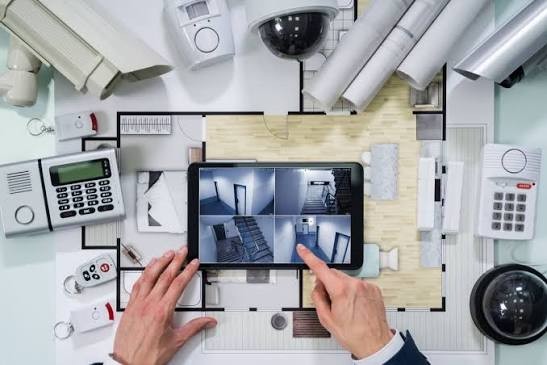
Modern buildings require more than standalone security cameras and electronic door locks to manage security effectively. Businesses, institutions and commercial property owners increasingly need security systems that work together to control access, monitor activities and provide reliable records of security events.
Integrating CCTV cameras with access control systems creates a coordinated security solution that combines video surveillance with electronic entry management. Instead of operating cameras and door access systems independently, an integrated solution can associate access events with relevant video footage, helping security teams understand who entered a building, which access point was used and what happened around the time of entry.
For offices, factories, warehouses, hotels, schools, hospitals, shopping centres and residential estates in Uganda, this integration can improve security visibility, strengthen access management and simplify incident investigations.
However, successful integration requires compatible equipment, proper network infrastructure, carefully configured software and a clear understanding of how the systems should communicate.
This guide explains how to integrate CCTV cameras with access control systems in Uganda, the technologies involved, the benefits, installation procedures, costs and important considerations when choosing an integrated security solution.
What Is CCTV and Access Control System Integration?
CCTV and access control integration is the process of connecting video surveillance equipment with electronic access management technology so that both systems can exchange information or perform coordinated functions.
A CCTV system captures and records video footage from cameras installed around a property. An access control system manages who is permitted to enter specific buildings, rooms, gates or restricted areas.
When these systems are integrated, access events can be associated with video footage from relevant cameras, depending on the capabilities of the equipment and software.
For example, when an employee presents an access card at an office entrance, the access control system records the event. An integrated platform may then display the corresponding camera footage, bookmark the relevant video or associate the event with a recorded clip.
This gives security personnel more context than an access log or camera recording would provide independently.
A properly designed integrated system can support:
- Monitoring of controlled entry and exit points.
- Verification of access events using video footage.
- Investigation of unauthorised entry attempts.
- Centralised security monitoring.
- Improved management of employee and visitor access.
- Monitoring of restricted areas.
- Coordinated security reporting.
- Better visibility of activities across a property.
The actual functions available depend on the CCTV platform, access control software, hardware compatibility and integration configuration.
How CCTV Cameras and Access Control Systems Work Together
CCTV cameras and access control systems perform different but complementary security functions.
The access control system determines whether a person is authorised to enter a particular area. CCTV provides visual information about activities around the access point.
When the systems are connected, they can provide a more complete picture of access-related events.
1. Access Credentials Are Presented
A person approaches a controlled entrance and presents an authorised credential.
Depending on the installation, this may be:
- RFID access card.
- Proximity card.
- Fingerprint.
- Facial recognition credential.
- PIN code.
- Mobile access credential.
- A combination of two or more authentication methods.
2. The Access Control System Verifies the Credential
The access controller checks the presented credential against its authorised access records.
It considers factors such as user permissions, access schedules and the particular door or entry point.
If the credential is authorised, the system may activate an electronic lock or another compatible door-control mechanism.
If access is denied, the system records the event where logging is supported.
3. The CCTV Camera Captures the Activity
A camera positioned near the controlled entrance records the relevant activity.
The camera may capture the person approaching the door, presenting a credential and entering or leaving the controlled area.
Camera placement is important. The camera must provide a suitable view of the access point and the person using it.
4. The Systems Associate the Access Event with Video
Where compatible integration is available, the access event can be linked to the relevant camera footage.
Depending on the platform, the system may:
- Display live video when an access event occurs.
- Bookmark the corresponding recording.
- Open a video clip associated with a door event.
- Display access granted and access denied notifications.
- Associate door activity with a camera in the security management interface.
Some systems support automatic video pop-ups or event-triggered recording, while others provide event logs that security personnel use to locate the corresponding footage.
5. Security Personnel Review the Event
Authorised personnel can use the combined information to investigate incidents, verify activity and review access records.
For example, if a card is used to enter a restricted office outside normal working hours, security personnel can check the associated camera footage to determine what happened.
The integration does not automatically establish a person’s identity from video footage. Identity verification depends on the access credential, camera image quality and any separately configured identification technology.
Main Components Required for CCTV and Access Control Integration
A successful integration project requires compatible surveillance, access management, networking and supporting equipment.
1. CCTV Security Cameras
IP cameras are commonly used in integrated security installations because they communicate over network infrastructure and can work with compatible video management platforms.
The cameras should be positioned to capture important access points clearly.
Common camera types include:
Dome cameras: Suitable for indoor entrances, reception areas, corridors and office access points.
Bullet cameras: Useful for external doors, building entrances, parking areas and perimeter access points.
Turret cameras: Suitable for many indoor and outdoor installations where an adjustable camera position is required.
PTZ cameras: Useful for larger areas where remote camera movement and optical zoom are needed. However, a fixed camera is often preferable for continuously covering a specific door because a PTZ camera may be facing elsewhere when an event occurs.
Camera selection should consider image resolution, lens angle, lighting, mounting height, environmental protection and the required level of detail.
2. Access Control Controller
The access controller manages communication between credentials, readers and electronic locking devices.
It determines whether a credential is authorised and sends the appropriate command to the controlled door.
Controllers may support one or multiple doors depending on their design.
When selecting a controller for integration, check whether it supports the required communication interfaces, event reporting and software compatibility.
3. Access Control Readers
Readers collect credential information and send it to the access controller.
Common reader technologies include:
- RFID card readers.
- Proximity readers.
- Fingerprint readers.
- Facial recognition terminals.
- PIN keypads.
- Mobile credential readers.
The reader selected should match the security requirements and the type of credentials used by the organisation.
4. Electronic Door Locks
Electronic locks control physical entry through a door or access point.
Common options include:
- Electromagnetic locks.
- Electric strikes.
- Electric bolts.
- Compatible electronic mortise locks.
- Motorised gate locks.
Lock selection must account for the door design, security requirements, power arrangements and emergency egress.
The access control installation must preserve safe exit arrangements and comply with applicable fire and building safety requirements. Emergency release devices and fire alarm interfaces should be designed and tested where required.
5. Network Video Recorder or Video Management System
An NVR records video from compatible IP cameras.
For larger installations, a Video Management System (VMS) may provide centralised camera management, recording, playback, event handling and integration with other security platforms.
The selected recording platform must support the required camera channels, storage, video streams and integration functions.
6. Access Control Management Software
Access control software is used to manage users, credentials, access permissions, schedules and event logs.
When integrated with CCTV, the software or a connected security management platform may provide a shared interface for reviewing access events and associated footage.
7. Network Switches and Cabling
Network switches connect IP cameras, recorders, controllers and other network devices.
Ethernet cables provide wired connectivity, while fibre-optic links may be used between buildings or across longer distances.
Network design should account for camera bandwidth, PoE requirements, controller connectivity, network segmentation and equipment locations.
8. Power Supplies and Backup Systems
CCTV cameras, access controllers, electronic locks and network devices require suitable power arrangements.
A backup-power design may include a UPS, dedicated power supplies or other suitable equipment.
The backup arrangement should consider the power requirements of each device. A UPS connected only to the NVR will not keep cameras and access controllers operating if their power supplies fail.
Different Ways to Integrate CCTV Cameras with Access Control Systems
Not all integration projects use the same architecture. The best method depends on the equipment, security requirements and scale of the property.
1. Software-Based Integration
Software-based integration connects the CCTV platform and access control software through supported interfaces, APIs, drivers or manufacturer integrations.
This approach can allow security personnel to manage selected functions from a central interface.
Depending on the platform, it may support:
- Displaying camera footage when a door event occurs.
- Linking access logs to video recordings.
- Searching video using access event information.
- Viewing access status alongside live camera feeds.
- Generating coordinated security reports.
Before purchasing equipment, confirm that the specific software versions and hardware models support the required integration.
2. Event-Based Integration
Event-based integration uses signals or supported communication methods to associate access events with CCTV actions.
For example, an access-denied event may trigger a supported camera bookmark, notification or recording action.
This can help security teams identify important footage without manually searching through long recording periods.
The available event types and actions depend on the integration platform.
3. Network-Based Integration
In network-based integration, cameras, access controllers and management systems communicate through a shared or appropriately segmented IP network.
This approach is common in modern commercial security installations.
It requires correct IP configuration, network capacity, device compatibility and appropriate access restrictions.
4. Centralised Security Management
Larger installations may use a central security management platform to bring multiple security technologies together.
Depending on the platform, this may include:
- CCTV cameras.
- Access control.
- Intruder alarm systems.
- Intercom systems.
- Visitor management.
- Selected building management functions.
Centralised management can simplify security operations, but the platform must be carefully selected to ensure that it supports the required devices and workflows.
Benefits of Integrating CCTV Cameras with Access Control Systems
Combining video surveillance and access management can provide important operational and security benefits.
1. Improved Access Monitoring
An access control system records credential activity, but an event log alone may not show what happened physically at the door.
CCTV footage can provide additional context by showing activity around the access point.
For example, security personnel may review footage to establish whether a person entered alone, followed another person or remained near the door after access was denied.
2. Easier Security Incident Investigations
Investigating security incidents can be difficult when access records and video recordings are stored in completely separate systems.
Integration can make it easier to locate relevant footage using access event information.
This is useful when investigating:
- Unauthorised entry attempts.
- Suspicious activity at restricted doors.
- Lost or misused access credentials.
- After-hours entry.
- Disputes involving access events.
- Security incidents around sensitive rooms.
3. Better Protection of Restricted Areas
Businesses may have areas that should only be accessible to authorised personnel.
Examples include server rooms, financial offices, medicine storage areas, equipment rooms and confidential records facilities.
Access control restricts entry while CCTV provides visual monitoring of the relevant locations.
Together, the systems can help organisations supervise access to sensitive areas.
4. Improved Employee Access Management
Organisations can use access control to assign permissions according to job roles, departments, schedules and authorised locations.
When integrated with CCTV, selected access events can be associated with video footage for verification and investigation.
This may be particularly useful in offices, factories, warehouses and institutions with many employees.
5. Better Visitor Security
Visitors may need temporary permission to enter a building or selected areas.
An integrated system can help organisations associate visitor access records with camera footage, depending on the software and registration process.
This supports more organised visitor management and makes it easier to investigate incidents involving visitor access.
6. Centralised Security Monitoring
Instead of checking multiple unrelated systems, security personnel may be able to review camera feeds and access events from one management interface.
This can improve the organisation of daily security operations.
The extent of centralisation depends on the integration platform and the number of compatible systems.
7. Better Visibility Across Multiple Locations
Businesses with several buildings or sites may use network-based surveillance and access control platforms to monitor selected locations from a central security office.
This can be useful for organisations operating across Kampala, Wakiso, Entebbe and other parts of Uganda.
However, the network infrastructure must support the required communication and remote management functions.
8. Improved Accountability and Record Keeping
Access logs and video recordings can provide complementary records of activity.
Organisations can use these records to review security events, verify access procedures and support internal investigations.
Retention periods and access permissions should be defined carefully, especially where footage and access logs contain personal information.
Applications of Integrated CCTV and Access Control Systems in Uganda
Integrated security systems are useful in many environments where controlled entry and video monitoring are both important.
1. Offices and Corporate Buildings
Offices can use integrated systems to manage staff access and monitor important entrances.
Potential applications include:
- Main building entrances.
- Reception areas.
- Executive offices.
- Server rooms.
- Records storage areas.
- Staff-only sections.
- Parking access points.
Integration helps security personnel associate selected door events with the relevant video footage.
2. Warehouses and Distribution Centres
Warehouses often store valuable inventory and equipment, making controlled access an important consideration.
CCTV and access control can be integrated at:
- Loading bays.
- Goods receiving areas.
- Stockrooms.
- Restricted storage zones.
- Staff entrances.
- Equipment rooms.
- Vehicle access gates.
For example, a warehouse manager may review footage associated with a restricted stockroom access event when investigating a missing item.
3. Factories and Industrial Facilities
Factories may contain sensitive equipment, valuable materials and areas where access should be restricted.
Integrated systems can help monitor entrances to production areas, control rooms, maintenance sections and storage facilities.
Industrial installations should consider environmental conditions, electrical interference, equipment protection and the safety requirements of the workplace.
4. Schools and Universities
Educational institutions may use integrated CCTV and access control to manage entrances, administrative buildings, laboratories, libraries and other controlled areas.
The system should be designed around the safety and privacy of learners, staff and visitors.
Camera placement must avoid inappropriate surveillance of private spaces.
5. Hospitals and Healthcare Facilities
Hospitals may need to restrict access to medicine storage rooms, records departments, laboratories, staff-only areas and sensitive equipment rooms.
CCTV can provide visual context around selected access points, while access control manages authorised entry.
Privacy and confidentiality are especially important in healthcare environments. Surveillance should not intrude into private patient areas.
6. Hotels and Hospitality Facilities
Hotels may use integrated systems to monitor staff-only entrances, administrative areas, service corridors, equipment rooms and selected restricted locations.
Access arrangements should distinguish between guest access, staff access and management permissions.
Cameras must not be installed in private guest areas such as bedrooms and bathrooms.
7. Shopping Centres and Retail Facilities
Shopping centres and large retail premises may use integrated systems to monitor:
- Staff entrances.
- Cash offices.
- Stockrooms.
- Management offices.
- Restricted service areas.
- Parking access points.
The integration can help security teams investigate access-related incidents and review relevant footage.
8. Residential Estates and Apartment Buildings
Residential developments may use access control at pedestrian gates, vehicle entrances, shared facilities and selected building entrances.
CCTV can provide visual monitoring of these access points.
For multi-tenant properties, access permissions should be carefully managed so that residents, visitors, security staff and service personnel receive appropriate access rights.
Access Control Technologies That Can Be Integrated with CCTV
The type of access control technology influences how people authenticate themselves and how access events are recorded.
RFID Card Access Control
RFID access systems allow authorised users to enter controlled areas by presenting a compatible card or tag.
They are commonly used in offices, schools, hotels and commercial buildings.
When integrated with CCTV, card events may be associated with footage from the relevant entrance.
Credential security varies by card technology. Organisations should avoid assuming that every RFID card is equally resistant to cloning or unauthorised duplication.
Fingerprint Access Control
Fingerprint systems authenticate users using biometric information.
They can be used where organisations require individual identity-based access rather than shared physical cards.
When integrated with CCTV, access events may be associated with relevant video footage.
Biometric accuracy and security depend on the reader, sensor quality, matching technology and configuration. Biometric systems are not impossible to spoof, so appropriate security controls remain important.
Facial Recognition Access Control
Facial recognition access terminals use supported facial recognition technology to verify authorised users.
They may be used at selected office entrances, commercial facilities and restricted areas.
Where facial recognition is considered, organisations should assess accuracy, lighting conditions, liveness detection, privacy requirements and the legal basis for processing biometric information.
PIN-Based Access Control
PIN keypads allow users to enter a code to gain access to a controlled area.
They may be used independently or alongside cards and biometric readers.
For sensitive areas, organisations should consider whether PIN-only authentication provides sufficient security.
Mobile Access Control
Some access control systems allow authorised users to use supported smartphones or mobile credentials.
This can reduce dependence on physical cards, but requires compatible readers, applications and secure credential management.
Wired vs Wireless Integrated CCTV and Access Control Systems
Both wired and wireless technologies can be used in integrated security installations. The choice depends on the property layout, network conditions and equipment requirements.
| Feature | Wired integration | Wireless integration |
|---|---|---|
| Connectivity | Ethernet or other physical cabling | Supported wireless networks |
| Reliability | Can provide consistent connections when correctly installed | Depends on signal quality and interference |
| Installation | Requires cable routing | May reduce some cabling work |
| Power | Can use PoE for compatible cameras | Cameras and access devices still need suitable power |
| Expansion | May require additional cable infrastructure | Can be flexible where wireless coverage is adequate |
| Security | Requires secure network configuration | Requires secure wireless authentication and encryption |
| Best suited for | Permanent commercial and industrial installations | Selected locations where cabling is difficult |
For critical access points and high-importance surveillance cameras, wired connections are often preferred where practical.
Wireless links can be useful for selected locations, but they should be assessed for signal strength, interference, bandwidth and security before installation.
Step-by-Step Process for Integrating CCTV with Access Control
A successful integration project should begin with security planning and equipment compatibility checks rather than purchasing cameras and readers independently.
Step 1: Conduct a Security Site Assessment
Inspect the property and identify all entrances, exits and restricted areas.
The assessment should establish:
- Which doors require access control.
- Which locations require CCTV coverage.
- Where readers and electronic locks should be installed.
- Which areas need restricted access.
- Where the NVR and controllers will be located.
- Existing network and power infrastructure.
- Emergency exit and fire-safety requirements.
The assessment should also identify the organisation’s monitoring and reporting needs.
Step 2: Define the Integration Requirements
Determine exactly how the two systems should work together.
For example, the organisation may require:
- Video pop-ups when access is granted.
- Alerts for repeated denied access.
- Video bookmarks associated with door events.
- Centralised access and camera management.
- Event searches using door names and timestamps.
- Monitoring of multiple locations.
Writing down the required functions helps prevent compatibility problems and unnecessary equipment costs.
Step 3: Select Compatible Equipment
Choose CCTV cameras, NVRs, access controllers, readers, electronic locks and software that support the intended integration.
Confirm compatibility at the model and software-version level.
A camera and access controller may both connect to an IP network without being capable of exchanging useful event information. Network connectivity alone does not guarantee integration.
Step 4: Design the Network Infrastructure
Plan how the CCTV and access control devices will communicate.
The network design should consider:
- IP addressing.
- Network switches.
- PoE power requirements.
- Ethernet and fibre cabling.
- Bandwidth.
- Network segmentation.
- Router and remote-access requirements.
- Equipment locations.
- Backup power.
For larger installations, a dedicated security network or appropriately configured VLANs may help separate surveillance and access-control traffic from ordinary office and guest networks.
Step 5: Install CCTV Cameras
Install cameras at appropriate positions around controlled entrances and other important locations.
The camera should capture useful footage of the person approaching and using the access point.
Avoid positioning cameras where strong backlighting, reflections, obstructions or unsuitable mounting angles compromise the image.
Step 6: Install Access Control Devices
Install readers, controllers, electronic locks and any required exit devices.
Door hardware must be compatible with the physical door and the intended access-control arrangement.
Emergency egress must remain safe and compliant with applicable fire and building safety requirements. A secure door should never prevent occupants from exiting during an emergency.
Step 7: Configure CCTV and Access Control Software
Configure the camera recording platform and access management software.
This may involve:
- Assigning camera names.
- Configuring recording schedules.
- Creating user accounts.
- Assigning access permissions.
- Setting door schedules.
- Configuring event logs.
- Establishing the integration connection.
- Mapping cameras to their corresponding doors.
Step 8: Configure Event-to-Video Associations
Connect relevant access events to the appropriate camera views.
For example, an access event at the main entrance should be associated with the camera covering that entrance rather than an unrelated camera.
Where supported, configure video bookmarks, pop-ups, alerts or event-triggered recording.
Step 9: Test the Integrated System
Test the complete system using both authorised and unauthorised credentials.
Testing should include:
- Successful card or biometric access.
- Denied access events.
- Camera live views.
- Recorded footage.
- Event-to-video associations.
- Door lock operation.
- Exit devices.
- Alarm and fire-system interfaces, where applicable.
- User permissions.
- Network connectivity.
- Backup power.
The purpose is to confirm that the system works as intended without compromising safe exit or other essential building functions.
Step 10: Train Users and Document the Installation
Security personnel and authorised administrators should understand how to operate the system.
Provide suitable documentation covering device locations, user permissions, access procedures, system configuration, maintenance and troubleshooting.
The organisation should also establish procedures for reviewing footage and responding to security events.
Important Network and Technical Requirements for Successful Integration
CCTV and access control integration depends on reliable communication between the devices and software.
Several technical considerations should be addressed during system design.
1. Device Compatibility
Confirm that the selected camera platform and access control software support the required integration.
Check supported APIs, drivers, event protocols and software versions.
Do not assume that equipment from different manufacturers will automatically work together.
2. Network Bandwidth
IP cameras transmit video data across the network.
The network should have sufficient capacity to handle all camera streams, recording traffic, live viewing and other connected services.
Access control devices generally use less bandwidth than video cameras, but their communication should still be reliable.
3. IP Address Configuration
Cameras, controllers and other network devices need valid network addresses.
A documented IP address plan makes it easier to manage devices and troubleshoot connectivity problems.
4. Time Synchronisation
Accurate timestamps are important when matching access events to video footage.
Cameras, recorders, controllers and management servers should use consistent time settings and an appropriate time-synchronisation method.
If device clocks differ, the corresponding footage may be difficult to locate accurately.
5. Storage Capacity
The CCTV system must have enough storage to retain footage for the required period.
Storage requirements depend on camera count, resolution, bitrate, frame rate, compression, recording schedule and retention settings.
6. Cybersecurity
Integrated systems connect important security devices to a network, making secure configuration essential.
Recommended measures include:
- Changing default passwords.
- Using unique credentials.
- Restricting administrative permissions.
- Updating firmware and software.
- Enabling multi-factor authentication where supported.
- Disabling unused services.
- Segmenting security devices appropriately.
- Protecting remote access.
- Reviewing system logs.
- Avoiding unnecessary public internet exposure.
7. Power and Emergency Operation
CCTV cameras, access controllers, switches, electronic locks and recording equipment should have appropriate power arrangements.
Emergency operation must be considered separately from ordinary backup power. Door locks, emergency release devices and fire alarm interfaces should behave according to the building’s safety design.
How Much Does CCTV and Access Control Integration Cost in Uganda?
The cost of integrating CCTV cameras with access control systems in Uganda depends on the property’s size, number of controlled doors, camera coverage, equipment specifications and complexity of the integration.
A small office with a few controlled doors will have different requirements from a large warehouse, factory or multi-storey commercial building.
The main cost factors include:
1. Number of CCTV Cameras
The camera count influences equipment costs, cabling, network capacity, installation time and recording storage.
2. Number of Controlled Doors
Each controlled entrance may require a reader, controller capacity, electronic lock, power supply and suitable exit hardware.
3. Access Control Technology
RFID, fingerprint, facial recognition, PIN and mobile access systems have different equipment and configuration requirements.
4. CCTV Equipment Specifications
Camera resolution, lens type, low-light performance, environmental protection and advanced features affect the overall equipment budget.
5. Integration Software
Some platforms include built-in integration functions, while others require additional software, licences or supported integration modules.
6. Network Infrastructure
Switches, Ethernet cabling, fibre links, network cabinets and other infrastructure contribute to the total cost.
7. Recording and Storage Requirements
The NVR or VMS must support the required camera count and video traffic. Hard-drive capacity and retention requirements also influence costs.
8. Door Hardware and Safety Equipment
The type of door, electronic lock, exit button, emergency release arrangement and fire-system interface can affect installation costs.
9. Installation and Configuration
Labour requirements depend on the complexity of cable routing, mounting, network configuration, software integration, testing and commissioning.
10. Maintenance and Technical Support
The project budget should consider future maintenance, software updates, storage upgrades and replacement of faulty equipment.
The most reliable way to establish an accurate quotation is to arrange a site assessment and define the required integration functions before selecting equipment.
Common Problems When Integrating CCTV with Access Control
Even compatible systems may experience problems if the network, software or configuration is not properly planned.
1. CCTV and Access Control Software Are Incompatible
A common problem is purchasing cameras and access controllers that cannot exchange the required event information.
Solution: Confirm compatibility with the manufacturer or integration provider before purchasing equipment. Test the intended functions using the actual models and software versions.
2. Access Events Do Not Match Video Footage
Different system clocks may cause timestamps to differ.
Solution: Configure consistent time settings and time synchronisation across cameras, recorders, controllers and management servers.
3. Cameras Do Not Capture Clear Images at Entrances
Poor positioning, insufficient lighting, glare and unsuitable camera lenses can make footage difficult to use.
Solution: Review the entrance during installation, choose an appropriate lens and adjust the camera angle and lighting.
4. Network Connectivity Problems
Unstable cabling, overloaded switches, incorrect IP settings and insufficient network capacity can interrupt communication.
Solution: Test network links, review switch capacity, verify IP configurations and inspect the physical cabling.
5. Integration Alerts Do Not Work
Incorrect event mapping or unsupported software functions can prevent expected notifications or video actions.
Solution: Review the integration configuration and confirm which event types and actions the platform actually supports.
6. Electronic Locks Fail to Operate Correctly
Power problems, unsuitable lock hardware, incorrect wiring or controller configuration may affect door operation.
Solution: Check power supplies, lock compatibility, wiring, exit devices and controller settings. Preserve safe emergency egress throughout troubleshooting.
7. Unauthorised Users Access Security Systems
Weak passwords, excessive permissions and unsecured remote access can expose the system to security threats.
Solution: Use strong credentials, role-based permissions, updates, secure remote-access methods and regular access reviews.
Best Practices for Maintaining an Integrated CCTV and Access Control System
After installation, regular maintenance helps keep the integrated security system operating correctly.
A maintenance programme should include:
Camera inspection: Check camera housings, lenses, mounting brackets, viewing angles and image quality.
Access reader inspection: Check card readers, biometric terminals, keypads and other credential devices.
Door hardware inspection: Test electronic locks, door contacts, exit buttons and emergency release devices.
Network inspection: Check switch status, cable condition, connectivity and network performance.
Recording verification: Confirm that cameras are recording and that footage can be retrieved.
Event verification: Check that access events are correctly recorded and associated with the relevant cameras.
Software updates: Apply appropriate firmware and software updates after checking compatibility.
User management: Remove inactive accounts and review permissions regularly.
Backup power checks: Inspect UPS equipment, batteries and connected loads.
Security reviews: Review passwords, administrator access, remote connections and system logs.
The frequency of maintenance should depend on the environment, system complexity and importance of the controlled areas.
Privacy and Data Protection Considerations in Uganda
Integrated CCTV and access control systems may collect and process personal information through video footage, biometric credentials, visitor details and access logs.
Organisations should consider their responsibilities under Uganda’s Data Protection and Privacy Act, 2019 and applicable regulations.
Important considerations include:
- Establishing an appropriate purpose for collecting surveillance footage.
- Informing people about CCTV monitoring where required.
- Restricting footage access to authorised personnel.
- Protecting biometric and access-control information.
- Defining suitable retention periods.
- Securing stored and transmitted information.
- Establishing procedures for responding to information requests.
- Avoiding unnecessary surveillance of private spaces.
- Assessing third-party software and data storage arrangements.
Biometric information requires particular care. Organisations should assess whether fingerprint or facial recognition access is necessary and appropriate, and whether suitable safeguards are in place.
This section provides general information rather than legal advice. Organisations should seek appropriate guidance when determining their specific compliance obligations.
How to Choose the Right CCTV and Access Control Integration Company in Uganda
Choosing an appropriate installation provider is important because successful integration requires expertise in surveillance, electronic access management and network infrastructure.
Before selecting a provider, consider the following:
1. Understanding of CCTV Technology
The provider should understand IP cameras, NVRs, video management systems, network switches, recording storage and remote monitoring.
2. Access Control Knowledge
The provider should understand RFID, biometric readers, access controllers, electronic locks and door safety arrangements.
3. Integration Compatibility
Ask how the proposed cameras and access control equipment will communicate and which functions will be available after integration.
4. Network Design Capability
The installation should include appropriate network planning, IP configuration, cabling, bandwidth assessment and power arrangements.
5. Proper Site Assessment
The provider should assess the property’s entrances, restricted areas, camera positions, cable routes and existing infrastructure before recommending equipment.
6. Testing and Commissioning
The completed installation should be tested using real access events and corresponding CCTV footage.
7. Maintenance Support
Ask about maintenance arrangements, technical support, software updates and system expansion options.
Why Consider Daltrevco for Integrated CCTV and Access Control Solutions?
Effective security management requires surveillance and access control systems that are designed to work together.
Daltrevco provides a point of contact for discussing security infrastructure requirements for residential, commercial and industrial properties in Uganda.
When planning an integrated CCTV and access control project, important considerations include camera coverage, controlled entrances, credential technologies, network capacity, recording requirements, software compatibility and system security.
Whether you are planning security for an office, warehouse, factory, institution or commercial building, contact Daltrevco to discuss your project requirements and identify a suitable security system approach.
A properly planned integration can help your organisation improve visibility around controlled entrances, manage access events and make security investigations more organised.
Frequently Asked Questions About Integrating CCTV Cameras with Access Control Systems
1. What does integrating CCTV with access control mean?
It means connecting video surveillance and electronic access management systems so that camera footage can be associated with door access events and other supported security activities.
2. Why should CCTV cameras be integrated with access control?
Integration can make it easier to verify access events, investigate incidents, monitor restricted areas and manage security information from a central platform.
3. How does CCTV integration with access control work?
An access controller records an entry event, while a camera records activity around the controlled entrance. Compatible software can associate the event with relevant video footage or trigger a supported notification or display function.
4. Can CCTV cameras work with fingerprint access control?
Yes. Compatible CCTV platforms and fingerprint access control systems can be integrated so that fingerprint access events are associated with relevant camera footage.
5. Can RFID access cards be integrated with CCTV?
Yes. Compatible RFID access control systems can share event information with CCTV software, allowing security personnel to review video associated with card access events.
6. Can CCTV show who entered a building?
CCTV can capture visual footage of people entering a building. Access control records can provide information about the credential used. The two sources may be associated, but neither should automatically be treated as conclusive proof of a person’s identity.
7. Does CCTV integration automatically record every access event?
Not necessarily. This depends on the recording platform and configuration. Some systems support event-based recording or video bookmarks, while others allow security personnel to search footage using event timestamps.
8. Can CCTV and access control systems from different manufacturers work together?
Yes, some systems from different manufacturers can integrate through supported APIs, protocols, drivers or software connectors. Compatibility must be confirmed for the exact models and software versions.
9. What is required to integrate CCTV with access control?
Typical requirements include compatible IP cameras, an NVR or VMS, access controllers, readers, electronic locks, network equipment, suitable cabling and integration software.
10. Can an integrated system send alerts when access is denied?
Some platforms support notifications or other actions when access is denied. The available alerts depend on the access controller, software and integration configuration.
11. Can integrated CCTV and access control systems be monitored remotely?
Yes, where the equipment and software support secure remote access and the property has a suitable communication connection.
12. Is IP CCTV better for integration with access control?
IP CCTV is commonly used for modern network-based integration because it supports digital communication. However, some systems can integrate with other CCTV technologies through compatible recorders and software.
13. Can access control be integrated with multiple CCTV cameras?
Yes. A compatible platform can associate different cameras with different controlled doors and access points. The number of supported cameras depends on the platform and licence capacity.
14. Can integrated CCTV and access control systems be used in warehouses?
Yes. They are useful for monitoring loading bays, staff entrances, stockrooms, restricted storage areas and other controlled locations.
15. Can the system control both doors and gates?
Yes. Suitable access controllers can manage compatible doors and gates. The locking or gate-control hardware must be correctly selected, installed and configured.
16. Can CCTV and access control be integrated with burglar alarms?
Some platforms support integration between CCTV, access control and intruder alarm systems. The available functions depend on equipment compatibility and the integration platform.
17. What happens if the internet connection fails?
Local CCTV recording and access control may continue if the equipment is powered and configured for local operation. Remote viewing and cloud-dependent functions may become unavailable. The behaviour of each system should be confirmed during design and testing.
18. How secure is an integrated CCTV and access control system?
Security depends on device configuration, network protection, software updates, user permissions and remote-access controls. Strong passwords, restricted access and network segmentation are important safeguards.
19. Can integrated security systems be expanded later?
Many systems can be expanded by adding compatible cameras, readers, controllers and network equipment. Expansion depends on available channels, licensing, storage, power and network capacity.
20. How much does CCTV and access control integration cost in Uganda?
The cost depends on the number of cameras, controlled doors, access technologies, recording equipment, network infrastructure, software requirements and installation complexity. A site assessment is needed for an accurate quotation.
21. Can CCTV integration help prevent tailgating?
CCTV can help security personnel monitor and review possible tailgating incidents. Access control can restrict credential-based entry, but detecting or preventing tailgating may require additional technologies and procedures.
22. Does an integrated system replace security guards?
No. Integrated security technology supports monitoring and access management but does not replace the need for appropriate security personnel, procedures and incident response arrangements.
23. Can biometric access control and CCTV be used together in offices?
Yes. Compatible biometric access systems can be integrated with CCTV platforms to associate access events with video footage. Biometric information must be handled with appropriate privacy and security safeguards.
24. How often should an integrated CCTV and access control system be maintained?
Maintenance frequency depends on equipment, environmental conditions and operational importance. Regular inspections should cover cameras, readers, door locks, network connections, recording, software and backup power.
Conclusion
Integrating CCTV cameras with access control systems provides a coordinated approach to managing building security. CCTV records visual activity, while access control manages who can enter designated areas. When compatible systems are connected, organisations can associate access events with video footage, review suspicious activity and manage security information more effectively.
For offices, warehouses, factories, schools, hospitals, hotels, shopping centres and residential estates in Uganda, an integrated solution can improve monitoring around entrances and restricted areas.
Successful integration requires more than connecting devices to the same network. It depends on equipment compatibility, proper network design, accurate time synchronisation, secure configuration, suitable camera positioning and thorough testing.
Before selecting a system, identify the areas requiring protection, the type of access credentials needed, the required video functions and the organisation’s long-term security objectives.
For guidance on CCTV and access control infrastructure, contact Daltrevco to discuss an integrated security solution suited to your property’s requirements.

