
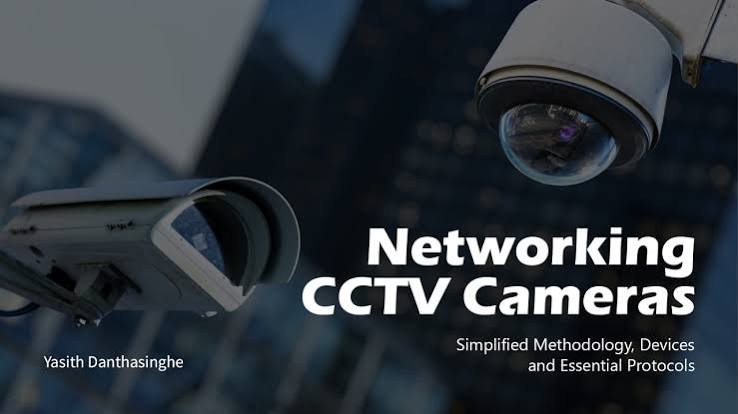
Modern security systems rely on more than simply installing cameras around a property. For CCTV surveillance to deliver clear footage, reliable recording and effective remote monitoring, the cameras must be properly connected through a well-designed network infrastructure.
CCTV networking and installation involve connecting security cameras, network video recorders (NVRs), switches, routers and storage systems to create an integrated surveillance network. This technology allows property owners, businesses and institutions to monitor different areas, record security footage and access cameras remotely where the system supports it.
In Uganda, IP-based CCTV systems are increasingly relevant for residential properties, offices, shopping centres, warehouses, factories, hotels, schools and other facilities that require flexible security monitoring. However, a successful installation depends on selecting compatible equipment, planning network capacity, positioning cameras correctly and securing the network against unauthorised access.
Whether you are planning a new CCTV installation or upgrading an existing analogue surveillance system, understanding how IP cameras and network infrastructure work will help you make informed decisions.
This guide explains CCTV networking and installation, the components of an IP surveillance system, network requirements, installation procedures, benefits, costs and important considerations when choosing a suitable CCTV solution.
What Is CCTV Networking?
CCTV networking is the process of connecting surveillance cameras and recording equipment through a computer network so that video footage can be transmitted, recorded, viewed and managed.
Unlike traditional analogue CCTV systems that commonly transmit video directly to a DVR through coaxial cables, network-based CCTV systems use IP cameras that communicate over an Internet Protocol (IP) network.
An IP camera captures video, converts it into digital data and transmits the video stream through an Ethernet cable or a supported wireless connection. The footage can then be received by an NVR, viewing workstation or compatible video management system.
A properly designed CCTV network can support:
- Live viewing from a central monitoring location.
- Recording and playback of surveillance footage.
- Remote camera access through authorised devices.
- Monitoring of multiple buildings or locations.
- Integration with selected access control and alarm systems.
- Expansion as security requirements change.
It is important to understand that an IP camera network does not always require internet access to operate. Cameras and an NVR can communicate over a local network and record footage locally without an internet connection, provided the equipment is powered and correctly configured. Internet connectivity is normally required for remote access from outside the property and for services that depend on an external connection.
What Are IP CCTV Cameras?
IP cameras, also known as Internet Protocol cameras, are digital surveillance cameras that transmit video through a network rather than relying on a conventional analogue video connection.
Each network camera has its own IP address or receives one through the network’s address-management process. This allows the camera to communicate with other compatible network devices.
IP cameras are available in different designs and specifications to suit different surveillance requirements.
1. Dome IP Cameras
Dome cameras have a compact, rounded housing and are commonly installed on ceilings or walls. Their appearance makes them suitable for indoor surveillance and locations where a discreet camera design is preferred.
Common applications include:
- Office reception areas.
- Retail shops and supermarkets.
- Hotel corridors and lobbies.
- School buildings.
- Commercial entrances.
2. Bullet IP Cameras
Bullet cameras have an elongated housing and are commonly used for monitoring outdoor areas and specific viewing directions.
They are suitable for:
- Building entrances.
- Parking areas.
- Boundary walls.
- Warehouse loading bays.
- Factory compounds.
- Outdoor walkways.
When selecting an outdoor camera, consider its weather-resistance rating, mounting position, lighting conditions and protection from physical damage.
3. PTZ IP Cameras
Pan-Tilt-Zoom cameras can move horizontally and vertically and adjust their optical zoom where supported. They are useful for monitoring larger areas that require flexible camera movement.
Typical applications include:
- Industrial compounds.
- Large parking facilities.
- Shopping centres.
- Warehouses.
- Large institutional premises.
PTZ cameras require appropriate configuration and monitoring. Their ability to move does not replace the need for fixed cameras covering critical areas continuously.
4. Turret IP Cameras
Turret cameras have a compact, adjustable design and are used in both indoor and outdoor surveillance installations. They can be suitable for entrances, corridors, offices and external building areas.
5. Wireless IP Cameras
Wireless IP cameras transmit video through a supported Wi-Fi or other wireless network connection. They still require a suitable power source unless specifically designed with battery or solar power.
Wireless CCTV can be useful where installing network cables is difficult. However, signal strength, interference, network security and bandwidth must be considered before choosing this option.
Main Components of a CCTV Network Infrastructure
A reliable IP CCTV installation requires several interconnected components. Each component performs a specific function in transmitting, recording and managing surveillance footage.
1. IP Security Cameras
IP cameras capture images and transmit digital video streams through the network.
When selecting cameras, consider:
- Resolution and image quality.
- Lens type and field of view.
- Day and night performance.
- Infrared or other low-light capabilities.
- Weather and dust protection.
- Motion detection and analytics features.
- Network and recorder compatibility.
- Power requirements.
The most expensive camera is not necessarily the best choice. The correct specification depends on the area being monitored and the level of detail required.
2. Network Video Recorder (NVR)
An NVR receives video streams from compatible IP cameras and records them to internal or connected storage.
Unlike a conventional DVR, which commonly processes analogue camera signals, an NVR works with digital network video streams.
Important NVR considerations include:
- Number of supported camera channels.
- Supported camera resolutions.
- Incoming network bandwidth capacity.
- Hard drive capacity and compatibility.
- Recording and playback features.
- Remote access support.
- Compatibility with the selected cameras.
- Network interface capacity.
An NVR should have enough capacity to handle the combined video streams from all connected cameras.
3. Network Switches
A network switch connects multiple network devices within the CCTV infrastructure.
For example, several IP cameras can connect to a central switch, which then forwards their data to the NVR or another network device.
Managed switches may offer additional functions such as network monitoring, VLAN configuration, traffic prioritisation and port management.
The appropriate switch depends on the number of cameras, network bandwidth, power requirements and whether additional devices will share the network.
4. Power over Ethernet (PoE)
Power over Ethernet allows compatible network cables to carry both electrical power and data to supported IP cameras.
This can simplify CCTV installation because a single Ethernet cable can connect a camera to a PoE switch or injector.
Benefits include:
- Reduced need for separate camera power cables.
- Simpler cable management.
- Centralised power distribution.
- Easier installation in suitable locations.
- Convenient power management where supported.
However, the installer must check the PoE standard, camera power requirements, switch power budget and cable length. The total power required by connected cameras must remain within the switch’s available PoE budget.
5. Ethernet Cables
Ethernet cables provide wired communication between IP cameras, network switches and recording equipment.
Common options include Cat5e and Cat6 cables, depending on network requirements and installation conditions.
Good cable installation practices include:
- Selecting suitable cable quality.
- Using appropriate outdoor-rated cables where exposed to weather.
- Protecting cables from moisture and physical damage.
- Avoiding unnecessary cable joints.
- Keeping data cables appropriately separated from sources of electrical interference.
- Labelling cable routes and camera connections.
- Testing connections after installation.
For standard copper Ethernet installations, the typical maximum channel length is 100 metres, including patch leads. Longer distances may require fibre-optic links, intermediate network equipment or another suitable design.
6. Routers and Internet Connectivity
A router connects different networks and may provide the connection between a CCTV network and the internet.
For systems requiring remote monitoring, the router and internet connection help authorised users access the surveillance system from outside the property.
A router is not always required for a basic isolated CCTV network. However, it is commonly used when the installation includes remote access, network integration or communication with other systems.
7. Storage Drives
Surveillance storage holds recorded footage for later review.
NVR systems commonly use hard drives designed for continuous recording workloads. Storage requirements depend on the number of cameras, video resolution, frame rate, compression, recording schedule and retention period.
A professional CCTV design should calculate storage requirements before installation rather than selecting a hard drive based only on the number of cameras.
8. Uninterruptible Power Supply (UPS)
A UPS provides temporary backup power to connected equipment during a power interruption.
Depending on its capacity and the connected load, it can help keep essential CCTV equipment operating during short outages.
A CCTV backup-power design should consider the cameras, PoE switches, NVR, router and other network equipment. A UPS does not provide unlimited backup power, so runtime must be calculated according to the actual load and battery capacity.
How IP CCTV Networking Works
Understanding how CCTV network infrastructure operates helps property owners appreciate why proper planning and installation are important.
A typical IP CCTV system follows this process:
- The IP camera captures video from the monitored area.
- The camera processes and encodes the footage into a digital video stream.
- The video travels through an Ethernet cable or supported wireless connection.
- A network switch forwards the video traffic to the appropriate network device.
- The NVR receives and records the footage.
- An authorised monitor or viewing device displays live footage and recorded video.
- Where remote viewing is configured, authorised users can access the system through a supported application or secure connection over the internet.
<image_placeholder>
The exact arrangement depends on the size and design of the CCTV network. A small office may use a single PoE NVR with directly connected cameras, while a large factory may require several switches, fibre-optic connections and a dedicated surveillance network.
Types of CCTV Network Architecture
The network architecture determines how cameras, switches, recorders and other devices communicate.
1. Direct-to-NVR PoE Architecture
In this arrangement, compatible IP cameras connect directly to PoE ports on an NVR.
The recorder supplies network connectivity and power to the cameras through Ethernet connections.
Advantages include:
- Simple installation for smaller systems.
- Fewer separate network components.
- Centralised camera connections.
- Convenient management.
This design is suitable for many homes, small offices and smaller commercial premises.
However, the NVR must have enough camera ports, PoE capacity and recording bandwidth for the planned installation.
2. Separate PoE Switch Architecture
In a larger system, cameras connect to one or more PoE switches, which then communicate with the NVR through the network.
This arrangement provides greater flexibility when cameras are distributed across different parts of a building.
It is useful for:
- Large offices.
- Schools and institutions.
- Shopping centres.
- Warehouses.
- Factories.
- Multi-building compounds.
The design must account for network bandwidth, switch capacity, cable distances and the connection between switches and the recording equipment.
3. Fibre-Optic CCTV Network Architecture
Fibre-optic cables transmit data using light rather than electrical signals. They are useful for connecting CCTV networks across longer distances or between buildings.
Advantages include:
- Support for long-distance network links.
- High data capacity.
- Resistance to electromagnetic interference.
- Suitability for linking separate buildings.
- Flexibility in larger network designs.
Fibre does not normally provide PoE to ordinary IP cameras. Cameras at remote locations may therefore need local PoE switches and suitable power supplies.
4. Wireless CCTV Network Architecture
Wireless networking can connect cameras to the surveillance network without running a dedicated Ethernet cable to every camera.
It may be appropriate for selected locations where cabling is impractical.
However, wireless installations require careful assessment of:
- Signal strength.
- Distance and line of sight.
- Building materials and obstructions.
- Interference from other wireless devices.
- Available bandwidth.
- Network encryption and authentication.
- Power availability.
Wireless connections should not be selected simply to avoid cabling. A poorly planned wireless CCTV system can experience dropped connections, delayed video and inconsistent recording.
5. Hybrid CCTV Network Architecture
A hybrid arrangement combines different connection methods, such as Ethernet, fibre and wireless links.
For example, a factory may use Ethernet connections within individual buildings and fibre-optic links between buildings.
Hybrid designs are useful where the property has different physical layouts, distances and network requirements.
Network Requirements for IP CCTV Installation
A CCTV system can have high network demands, especially when several high-resolution cameras operate continuously.
Before installation, the network should be assessed to ensure it can support the required number of cameras and video streams.
1. Network Bandwidth
Bandwidth refers to the amount of data that a network can transmit over a given period.
Each IP camera uses part of the available bandwidth to send video. The combined demand increases as more cameras are added.
For example, if eight cameras each transmit at an average bitrate of 4 Mbps, the combined camera traffic is approximately 32 Mbps before allowing for overhead and other network activity.
The network should have sufficient capacity for recording, live viewing, playback and other connected services.
2. Internet Upload Speed
For remote CCTV viewing, the internet upload capacity at the property is particularly important.
The cameras send their footage from the premises to the remote viewing platform or application. If the available upload capacity is insufficient, users may experience delayed video, reduced stream quality or connection problems.
A system that records locally may still work when the internet connection is unavailable, but remote access and cloud-dependent services may be interrupted.
3. IP Address Management
Each network camera must have a valid IP address to communicate with the network.
Cameras may receive addresses automatically through DHCP or use appropriately configured static addresses.
For larger installations, proper IP address planning helps avoid duplicate addresses and makes troubleshooting easier.
An organised address plan should document:
- Camera names.
- IP addresses.
- Network segments.
- Switch locations.
- Recorder connections.
- Device credentials and access permissions, stored securely.
4. Network Segmentation
A dedicated CCTV network or VLAN can separate surveillance traffic from ordinary office and guest network traffic.
Network segmentation can help:
- Reduce unnecessary network exposure.
- Improve traffic management.
- Limit access between devices.
- Simplify monitoring and troubleshooting.
- Support more organised network administration.
Segmentation must be configured correctly. Simply placing cameras on a separate VLAN does not automatically make them secure; firewall rules, authorised access and device hardening remain important.
5. Network Latency and Reliability
Latency refers to the time taken for data to travel between network devices.
High latency, packet loss and unstable connections can affect live viewing and remote monitoring.
A reliable CCTV network should use appropriate switches, good cabling, suitable network capacity and correctly configured devices.
Step-by-Step CCTV Networking and Installation Process
Professional CCTV installation requires more than mounting cameras and connecting cables. Each stage should be planned to ensure the complete system works correctly.
Step 1: Conduct a Site Assessment
The first step is to inspect the property and understand its security requirements.
The assessment should identify:
- Main entrances and exits.
- Vulnerable access points.
- Parking areas.
- Perimeter boundaries.
- Internal corridors.
- Storage facilities.
- Loading and unloading areas.
- Equipment rooms.
- Areas requiring special privacy consideration.
The assessment also identifies available cable routes, mounting surfaces, network equipment locations and power requirements.
Step 2: Determine Camera Requirements
After the site assessment, suitable cameras are selected according to the monitoring objectives.
Consider:
- Required image detail.
- Camera viewing angle.
- Lighting conditions.
- Indoor or outdoor installation.
- Distance from the subject.
- Need for fixed or adjustable viewing.
- Weather and environmental exposure.
- Compatibility with the recording system.
Camera resolution should be selected according to the level of detail required. A higher resolution alone does not guarantee useful identification footage if the camera is poorly positioned or the subject is too far away.
Step 3: Design the Network Layout
The network design determines how cameras will connect to switches, recorders and other devices.
A network diagram should show:
- Camera locations.
- Ethernet cable routes.
- PoE switch locations.
- NVR location.
- Fibre links, where required.
- Router and internet connection.
- Network cabinets.
- Power and backup-power arrangements.
For larger projects, the design should include bandwidth calculations, PoE power budgets, IP address allocation and network segmentation.
Step 4: Install Network Cabling
The installer runs Ethernet or fibre-optic cables according to the approved design.
Cables should be protected against moisture, heat, physical damage and interference. Outdoor routes require appropriate cable protection and weather-resistant accessories.
Each cable should be labelled to simplify future maintenance.
Step 5: Mount and Connect IP Cameras
Cameras are installed at suitable positions and connected to the network.
The installer should ensure that:
- Mounting surfaces are secure.
- Camera angles cover the intended areas.
- The field of view is not unnecessarily obstructed.
- Outdoor cameras have suitable environmental protection.
- Cables and connectors are protected.
- Cameras are positioned to minimise glare and backlighting.
Step 6: Install Network Switches and NVR Equipment
The network switches, NVR and related equipment are installed in suitable locations.
Equipment should be protected from dust, moisture, excessive heat and unauthorised physical access.
Network cabinets should allow adequate ventilation and provide organised cable management.
Step 7: Configure the CCTV Network
The cameras and recording equipment are configured to communicate correctly.
Configuration may include:
- IP address allocation.
- Network settings.
- Camera naming.
- Video resolution.
- Frame rate.
- Bitrate.
- Recording schedules.
- Motion detection settings.
- User permissions.
- Time and date synchronisation.
- Secure remote access, where required.
Default passwords should be changed, and unnecessary services should be disabled.
Step 8: Configure Recording and Storage
The NVR is configured to record video according to the property’s requirements.
Recording options may include continuous recording, scheduled recording or event-based recording, depending on the equipment.
The storage capacity should be checked against the intended retention period and actual camera bitrates.
Step 9: Configure Remote Viewing
Where remote access is required, the system is configured so authorised users can view cameras through compatible applications or other secure access methods.
The installer should verify that remote access works without unnecessarily exposing the recorder or cameras to the public internet.
Step 10: Test the Complete System
Before handover, the installer should test the complete surveillance network.
Testing should cover:
- Live video from every camera.
- Recording and playback.
- Camera connectivity.
- Night-time image quality.
- Motion detection and alerts, where configured.
- Remote viewing.
- Network stability.
- Storage operation.
- Backup power operation.
- User permissions.
The property owner should also receive appropriate operating instructions and system documentation.
Benefits of Proper CCTV Networking and Installation
A professionally planned network-based CCTV system offers several advantages for homes, businesses and institutions.
1. Centralised Security Monitoring
Networked cameras can be managed from a central NVR, monitoring station or compatible video management platform.
This makes it easier to supervise different areas of a property from one location.
2. Remote Surveillance
Compatible IP CCTV systems can allow authorised users to view live footage and recordings through supported computers or smartphones.
This is particularly useful for business owners and property managers who cannot remain at the premises throughout the day.
Remote access depends on the system configuration and availability of a suitable communication connection.
3. Flexible System Expansion
Network-based CCTV systems can often be expanded by adding compatible cameras, switches and recording capacity.
However, expansion depends on the available recorder channels, network bandwidth, PoE power, storage capacity and software licensing.
Planning for future growth during the initial installation can reduce the need for major network changes.
4. High-Quality Digital Video
IP cameras are available in a range of resolutions, including Full HD and higher-resolution options.
The appropriate resolution depends on the required image detail, viewing distance, lighting and available storage and bandwidth.
5. Integration with Other Security Systems
Some network CCTV platforms can integrate with compatible access control, alarm and building management systems.
For example, a supported integration may allow an access-control event to be associated with relevant camera footage.
Integration capabilities vary by manufacturer, platform and configuration. Compatibility should be confirmed before equipment is purchased.
6. Improved Security Management
Centralised monitoring can help property managers review incidents, supervise important areas and investigate events using recorded footage.
CCTV should form part of a broader security strategy that may also include access control, alarms, perimeter protection, lighting and appropriate security procedures.
Applications of IP CCTV Networking in Uganda
IP CCTV systems can support different security requirements across Uganda’s residential, commercial and industrial environments.
Residential Properties
Homeowners can use network cameras to monitor entrances, driveways, compounds, garages and other suitable areas.
Remote viewing can provide additional convenience when the homeowner is away, provided the system has the necessary connectivity.
Offices and Commercial Buildings
Offices can use IP CCTV networks to monitor reception areas, entrances, corridors, parking facilities and selected operational spaces.
Larger buildings may require several network switches and carefully planned camera coverage.
Warehouses and Storage Facilities
Warehouses often have large internal spaces, loading bays, stock areas and multiple access points.
Network CCTV can help management review activities in these areas and maintain recorded evidence for investigations.
Factories and Industrial Facilities
Industrial CCTV networks may cover production areas, equipment rooms, loading zones, access points and external compounds.
Installations in industrial environments should consider dust, vibration, temperature, electrical interference and the need for protected cable routes.
Schools and Educational Institutions
Schools, colleges and universities may use network cameras to monitor entrances, reception areas, corridors, parking areas and other appropriate shared spaces.
Camera placement should respect the privacy of learners, staff and visitors.
Hotels and Hospitality Facilities
Hotels and resorts may use IP CCTV systems to monitor entrances, reception areas, corridors, parking spaces and selected service areas.
Surveillance must be planned carefully to avoid private guest spaces such as bedrooms and bathrooms.
Shopping Centres and Retail Businesses
Shopping centres and retail outlets can use network cameras to monitor entrances, customer areas, checkout points, stockrooms and parking facilities.
The network should be designed to handle the number of cameras and the expected recording and viewing requirements.
Construction Sites
Construction projects may use IP cameras to monitor equipment storage, material delivery points, site entrances and selected work areas.
Temporary installations may require weather-resistant equipment, protected cabling and suitable power arrangements.
CCTV Networking vs Traditional Analogue CCTV
Understanding the differences between network-based and traditional analogue CCTV helps property owners select an appropriate system.
| Feature | IP CCTV system | Traditional analogue CCTV |
|---|---|---|
| Video transmission | Digital network streams | Analogue video over compatible cabling |
| Main recorder | NVR or compatible video platform | DVR |
| Common cabling | Ethernet | Coaxial cable |
| Power | PoE or separate power | Commonly separate power |
| Network integration | Designed for IP networking | Depends on DVR and camera capabilities |
| Expansion | Depends on network and recorder capacity | Depends on DVR channels and cabling |
| Remote viewing | Available on compatible systems | Available on compatible DVR systems |
| System design | Requires network planning | Requires video cabling and recorder planning |
IP CCTV is often suitable for new installations that require network integration and flexible expansion. However, modern analogue HD systems can still provide good image quality and may be appropriate where existing coaxial cabling is available.
The best option depends on the property’s security objectives, existing infrastructure, budget and future expansion plans.
How Much Does CCTV Networking and Installation Cost in Uganda?
The cost of CCTV networking and installation in Uganda varies according to the size of the property, number of cameras, equipment specifications and complexity of the network infrastructure.
There is no single installation price that applies to every project. A small residential CCTV network will have different requirements from a multi-building commercial or industrial surveillance system.
Important cost factors include:
1. Number of IP Cameras
The number of cameras affects equipment requirements, cable quantities, switch capacity, recorder channels and installation labour.
2. Camera Resolution and Features
Higher-resolution cameras and specialised models, such as PTZ cameras or cameras with advanced analytics, may have different purchase and configuration costs.
3. Network Switches and PoE Capacity
The number and type of switches depend on the camera count, power demand, network design and whether the system requires managed networking features.
4. Cabling and Cable Routes
Installation costs depend on cable type, distance, building structure, access conditions and the need for conduits, trunking or other protective materials.
5. NVR and Storage Capacity
The NVR must support the required number of cameras and combined recording bandwidth. Storage costs depend on the desired retention period and recording settings.
6. Fibre-Optic Infrastructure
Large properties and installations connecting separate buildings may require fibre-optic cabling, termination equipment and compatible network interfaces.
7. Backup Power
A UPS or other backup-power arrangement adds to the project cost. The required capacity depends on the equipment load and expected runtime.
8. Installation and Configuration
Complex projects may require additional work involving network design, cable management, camera mounting, IP configuration, testing and integration.
9. Maintenance and Future Expansion
The overall investment should also consider maintenance, replacement components, storage upgrades and possible network expansion.
For an accurate quotation, the property should be assessed to determine the number of cameras, coverage requirements, cable routes, network equipment and storage needs.
Common CCTV Networking and Installation Mistakes to Avoid
Poor network planning can affect video quality, recording reliability and the overall performance of a surveillance system.
The following mistakes should be avoided.
1. Installing Too Many Cameras on an Undersized Network
A network switch or recorder with insufficient bandwidth may struggle to handle all connected video streams.
Calculate the expected camera traffic before selecting network equipment.
2. Ignoring PoE Power Requirements
A PoE switch must supply enough power for all connected cameras.
Check both the supported PoE standard and the total available power budget, especially when using cameras with additional features such as heaters, illuminators or PTZ motors.
3. Using Poor-Quality Network Cables
Low-quality or incorrectly installed cables can cause intermittent connectivity, packet loss and unreliable camera operation.
Use suitable cables and test every connection.
4. Placing All Cameras on an Unsecured Network
Poorly protected cameras may create unnecessary security risks.
Use strong unique passwords, current firmware, restricted user permissions and suitable network segmentation.
5. Ignoring Storage Requirements
A system may record for a shorter period than expected if its storage capacity is insufficient.
Calculate storage using the actual number of cameras, bitrates, recording schedules and retention objectives.
6. Depending Entirely on Wi-Fi
Wireless cameras may experience interference, weak signal strength and unstable connectivity.
Use wired Ethernet where practical, particularly for cameras that require consistent high-quality recording.
7. Failing to Plan for Power Interruptions
Power interruptions can stop cameras, switches, recorders and routers from operating.
Consider a suitably sized UPS or other backup-power arrangement for critical equipment.
8. Poor Camera Positioning
Even high-resolution cameras may produce unusable footage if they are positioned incorrectly.
Plan viewing angles, lighting, mounting height and the distance from important subjects before installation.
9. Ignoring Future Expansion
A network designed only for the current camera count may require expensive upgrades when additional cameras are needed.
Where practical, allow for spare switch capacity, suitable cable routes and sufficient recorder expansion options.
CCTV Network Security: Protecting IP Cameras from Unauthorised Access
IP cameras are network-connected devices and must be protected against unauthorised access.
A CCTV system should not be treated as secure simply because it is installed inside a building or connected to a private network.
Important security practices include:
- Change default camera and recorder passwords.
- Use strong, unique passwords for each important account.
- Enable multi-factor authentication where supported.
- Install firmware and software updates from authorised manufacturers.
- Restrict administrative access to trusted personnel.
- Disable unused accounts and unnecessary services.
- Use secure remote-access methods.
- Avoid exposing camera or recorder management interfaces directly to the public internet.
- Separate CCTV traffic from guest and general office networks where appropriate.
- Review user permissions regularly.
- Maintain secure backups of important configuration information.
- Keep an inventory of connected cameras and network devices.
CCTV footage, visitor information and access records may contain personal data. Organisations should consider the Uganda Data Protection and Privacy Act, 2019 and applicable regulations when collecting, storing, accessing and sharing surveillance footage. Appropriate camera notices, access controls, retention policies and data-handling procedures are important.
Maintenance of IP CCTV Networks
Regular maintenance helps keep the CCTV network reliable and makes it easier to identify problems before they affect surveillance.
A maintenance programme should include:
Camera inspection: Check camera housings, lenses, mounting brackets and viewing angles.
Cable inspection: Examine exposed cabling, connectors, conduits and network cabinets for damage or moisture.
Network testing: Check switch status, camera connectivity, network errors and link performance.
Recording verification: Confirm that cameras are recording correctly and that playback works.
Storage checks: Review hard-drive health, available capacity and recording retention.
Software updates: Apply appropriate firmware and software updates after checking compatibility and update guidance.
Power checks: Inspect power supplies, UPS equipment and battery condition.
Security reviews: Review user accounts, passwords, permissions and remote-access settings.
Time synchronisation: Confirm that camera and recorder timestamps are accurate and consistent.
The maintenance frequency should reflect the environment, equipment specifications and operational importance of the system.
How to Choose the Right CCTV Networking and Installation Company in Uganda
Selecting an appropriate CCTV installation provider is important because poor network design can undermine even high-quality cameras.
Before choosing a provider, consider the following factors:
1. Network Design Capability
The provider should understand IP networking, PoE switches, bandwidth calculations, IP address management and network infrastructure.
2. Camera and Recorder Compatibility
The selected cameras, NVRs, switches and software should work together as a complete system.
3. Proper Site Assessment
A suitable installation should begin with an assessment of the property, camera coverage, cable routes and network requirements.
4. Professional Cable Management
Well-organised cabling makes the system easier to maintain and reduces the risk of connection problems.
5. Security Configuration
The installation should include secure passwords, appropriate access permissions and properly configured remote access.
6. Testing and Handover
The provider should test live viewing, recording, playback, remote access and other agreed features before handing over the system.
7. Maintenance Support
Ask about available maintenance arrangements, technical support and procedures for handling faults or system upgrades.
Why Consider Daltrevco for CCTV Networking and Installation?
A reliable CCTV surveillance system requires appropriate cameras, compatible recording equipment and a network infrastructure designed around the property’s security needs.
Daltrevco provides a point of contact for discussing security and infrastructure requirements for residential, commercial and industrial properties in Uganda.
When planning a CCTV networking project, important considerations include camera coverage, network capacity, cable routing, recording requirements, remote monitoring and system security.
Whether you are considering a new IP CCTV installation or improving an existing surveillance setup, contact Daltrevco to discuss your project requirements and identify a suitable approach.
A properly planned CCTV network can help property owners improve visibility across their premises, manage surveillance footage and support more informed security decisions.
Frequently Asked Questions About CCTV Networking and Installation
1. What is CCTV networking?
CCTV networking is the process of connecting IP security cameras, network switches, recorders and other devices through a computer network to transmit, record and manage surveillance footage.
2. What is an IP CCTV camera?
An IP CCTV camera is a digital surveillance camera that captures video and transmits it through an Internet Protocol network using a wired or supported wireless connection.
3. How does an IP CCTV system work?
An IP camera captures and encodes video, then sends it through a network to an NVR or compatible video management platform for recording and viewing.
4. Does an IP CCTV system require internet?
No. IP cameras and an NVR can operate over a local network without internet access. However, remote viewing from outside the premises and internet-dependent services normally require an internet connection.
5. What is the difference between an NVR and a DVR?
An NVR records digital video streams from compatible IP cameras over a network. A DVR commonly receives and processes analogue video signals from compatible cameras.
6. What is PoE in CCTV installation?
Power over Ethernet is a technology that allows compatible Ethernet cables to carry both data and electrical power to supported IP cameras.
7. How many IP cameras can one network support?
The number depends on network bandwidth, switch capacity, recorder support, PoE power, storage and the specifications of the cameras.
8. What Ethernet cable is suitable for IP CCTV cameras?
Cat5e and Cat6 cables are commonly used for IP CCTV installations. The appropriate choice depends on bandwidth requirements, installation conditions and the overall network design.
9. How far can an Ethernet cable run for CCTV?
A standard copper Ethernet channel typically supports a maximum length of 100 metres, including patch cables. Longer distances may require fibre-optic links or suitable intermediate equipment.
10. Can IP cameras work without an NVR?
Some IP cameras can record to memory cards, network storage or compatible video management systems without a conventional NVR. The available recording methods depend on the camera model and configuration.
11. What is a PoE network switch?
A PoE network switch connects multiple compatible network devices and supplies electrical power to supported devices through Ethernet cables.
12. Can CCTV cameras connect wirelessly?
Yes. Wireless IP cameras can connect through supported Wi-Fi or other wireless networks. However, they still require a suitable power source unless designed for battery or solar operation.
13. What internet speed is required for IP CCTV cameras?
There is no single internet speed suitable for every system. The required upload capacity depends on the number of cameras, video bitrate, simultaneous remote viewers and whether footage is uploaded to cloud storage.
14. Can CCTV cameras be connected between different buildings?
Yes. Cameras in different buildings can be connected through appropriately designed fibre-optic, wireless bridge or other suitable network links. The design must account for distance, bandwidth, power and environmental conditions.
15. How long can IP CCTV cameras record footage?
Recording duration depends on storage capacity, camera count, resolution, frame rate, compression, bitrate and recording schedule. A storage calculation should be completed before installation.
16. Can IP CCTV systems be accessed on smartphones?
Yes. Many compatible IP CCTV systems support smartphone viewing through manufacturer applications or other authorised remote-access platforms.
17. What causes IP CCTV cameras to disconnect?
Common causes include damaged cables, unstable power, faulty connectors, incorrect IP settings, switch problems, network congestion, wireless interference and equipment faults.
18. Is IP CCTV better than analogue CCTV?
IP CCTV offers network-based communication and flexible integration, while analogue HD systems can still provide good image quality and may make use of existing cabling. The better option depends on the property’s requirements and budget.
19. Can CCTV networking be integrated with access control?
Yes. Compatible CCTV and access control platforms can share information or trigger related functions. The available integration depends on the equipment, software and supported interfaces.
20. How much does CCTV networking and installation cost in Uganda?
The cost depends on the number and type of cameras, network switches, NVR, storage, cabling, fibre infrastructure, backup power and installation complexity. A site assessment is the best way to establish an accurate project quotation.
21. Does a CCTV network need a dedicated network switch?
Not every installation requires a separate switch. Smaller systems may use PoE ports built into an NVR, while larger installations often benefit from dedicated PoE switches and a properly designed network.
22. How can I protect my IP CCTV cameras from hackers?
Use strong unique passwords, update firmware, enable multi-factor authentication where supported, restrict access, disable unnecessary services and use secure remote-access methods. Avoid exposing camera management interfaces directly to the public internet.
23. What is the difference between a managed and unmanaged CCTV switch?
An unmanaged switch provides basic network connectivity with limited configuration options. A managed switch offers additional controls such as VLANs, traffic monitoring, port management and other network administration features.
24. Why is network planning important before CCTV installation?
Network planning helps ensure that the cameras, switches, recorders, cabling and power equipment can support the required video traffic. It also reduces connectivity problems and makes future expansion easier.
Conclusion
CCTV networking and installation are essential considerations when designing a modern IP-based surveillance system. The quality of a CCTV installation depends not only on the cameras but also on the network switches, Ethernet and fibre cabling, NVR capacity, storage, power supply and security configuration.
For homes, offices, warehouses, factories, hotels, schools and commercial properties in Uganda, a properly designed IP CCTV network can provide centralised surveillance, reliable local recording and convenient remote access where supported.
Before installing a system, assess the property’s security requirements, determine suitable camera locations, calculate network bandwidth and PoE capacity, plan storage and select compatible equipment.
For professional guidance on CCTV networking and security infrastructure, contact Daltrevco to discuss a surveillance solution that meets your property’s requirements.

