
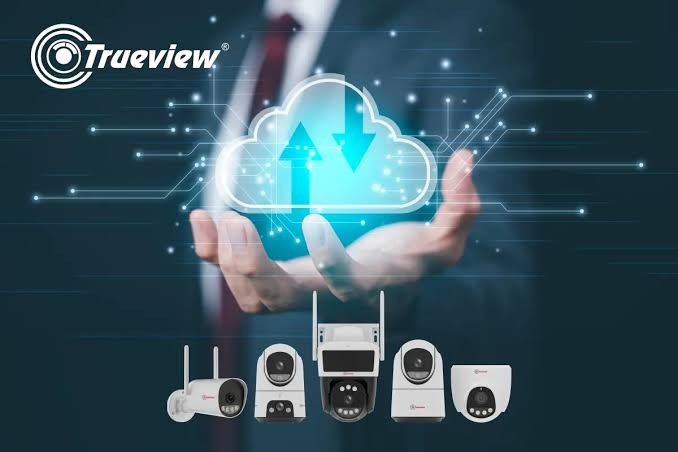
Security surveillance is becoming increasingly important for homes, offices, commercial buildings, warehouses, hotels, schools and industrial facilities. As businesses look for more flexible ways to monitor their properties, cloud-based CCTV systems are gaining attention as an alternative or addition to traditional video recording equipment.
Unlike conventional CCTV systems that depend primarily on recording devices and hard drives installed at the property, cloud-based CCTV systems can transfer surveillance footage to remote servers for storage, management and authorised access. This allows property owners and security teams to view supported camera feeds, retrieve recordings and manage surveillance systems from different locations.
For businesses operating in Kampala, Wakiso, Entebbe and other parts of Uganda, cloud-based CCTV can offer useful advantages, particularly when managing multiple properties or requiring access to recordings away from the premises. However, it also introduces considerations involving internet connectivity, subscription charges, data protection, cybersecurity and storage capacity.
Choosing the right solution requires understanding how cloud CCTV works, what equipment is needed, how much it costs and whether cloud recording is appropriate for the property’s security requirements.
This guide explores the benefits, costs, applications, installation requirements and security considerations of cloud-based CCTV systems in Uganda. It also explains the differences between cloud, local and hybrid CCTV storage to help property owners make informed decisions.
What Are Cloud-Based CCTV Systems?
Cloud-based CCTV systems are surveillance systems that use internet connectivity to transfer, store, manage or access video recordings through a remote cloud platform.
Traditional CCTV systems commonly store footage on a Digital Video Recorder (DVR) or Network Video Recorder (NVR) installed at the property. Cloud-based systems extend this arrangement by allowing supported video data to be transferred to remote storage infrastructure.
Depending on the system, cameras may upload footage directly to a cloud platform, or a compatible gateway, NVR or recording server may transmit the recordings.
Authorised users can then access supported features through a web browser, desktop application or smartphone application.
A cloud-based CCTV solution may provide:
- Live camera viewing.
- Remote video playback.
- Cloud video recording.
- Remote system management.
- Motion or event notifications.
- Centralised camera management.
- User permissions and access controls.
- Off-site storage of selected or continuous recordings.
- Management of cameras across multiple properties.
Not every cloud CCTV system provides all these functions. Features depend on the camera, recording platform, subscription plan, internet connection and system configuration.
How Do Cloud-Based CCTV Systems Work?
Cloud-based CCTV systems connect cameras or compatible recording equipment to an online surveillance platform.
The basic process involves capturing video, transmitting supported footage through an internet connection, storing it remotely and making it available to authorised users.
1. CCTV Cameras Capture Video
IP cameras capture video from selected areas such as entrances, reception areas, parking facilities, warehouses, offices and perimeter access points.
Depending on the camera model, footage may be recorded in different resolutions, frame rates and compression formats.
2. Video Is Transmitted Through a Network
The camera sends video through a wired or wireless network connection.
In many installations, Ethernet cabling provides the connection between IP cameras and network equipment. Wi-Fi may be used where supported and appropriate.
The network must provide sufficient bandwidth for the number of cameras and their configured video bitrates.
3. Footage Is Transferred to the Cloud
The video is uploaded to a remote storage platform through the property’s internet connection.
Depending on the system, footage may be uploaded continuously, when motion is detected or according to a configured recording schedule.
Some systems use a cloud-connected NVR or gateway to manage the transfer.
4. Recordings Are Stored Remotely
The cloud provider stores recordings according to the selected service plan and configuration.
Available retention periods may range from short periods to longer periods, depending on the provider, storage capacity and subscription.
5. Authorised Users Access the System Remotely
Property owners and security personnel can access supported camera feeds and recordings using compatible devices.
For example, a business owner in Kampala may view a camera installed at a warehouse in another location, provided the system and internet connections are available.
This remote access is one of the major attractions of cloud-based surveillance.
Main Components of a Cloud-Based CCTV System
A complete cloud CCTV installation requires more than cameras and an internet connection. Several components work together to capture, transmit, store and protect surveillance footage.
1. IP Security Cameras
IP cameras capture video and transmit digital streams over a network.
Depending on the application, a system may use:
- Indoor CCTV cameras.
- Outdoor weather-resistant cameras.
- Dome cameras.
- Bullet cameras.
- PTZ cameras.
- Turret cameras.
- Infrared night-vision cameras.
- Cameras with supported motion detection or video analytics.
Camera selection should reflect the surveillance area, lighting conditions, required image detail and network capacity.
2. Network Infrastructure
The network connects cameras, recording equipment and cloud services.
It may include:
- Network switches.
- Routers.
- Ethernet cabling.
- Wireless access points.
- Power over Ethernet (PoE) switches.
- Network security equipment.
For larger commercial installations, network design is particularly important because multiple cameras may transmit video simultaneously.
3. Internet Connection
Cloud CCTV requires internet connectivity to transfer footage to remote storage and provide internet-based remote access.
The required upload bandwidth depends on the number of cameras, their configured bitrates, recording schedules and the cloud platform’s operating requirements.
An unreliable connection can interrupt cloud uploads even when the cameras continue capturing video locally.
4. Cloud Storage Platform
The cloud platform stores and manages uploaded surveillance footage.
It may provide:
- Recording storage.
- Video search and playback.
- Camera management.
- User permissions.
- Event notifications.
- Remote access.
- Storage retention settings.
- System health information.
The provider’s storage limits, availability, security controls and subscription conditions should be reviewed before choosing a platform.
5. Cloud-Compatible Recording Equipment
Some systems connect cameras directly to a cloud platform, while others use a compatible NVR, gateway or recording server.
The equipment manages video streams and ensures that footage is transmitted according to the system’s configuration.
6. Mobile and Desktop Applications
Cloud CCTV platforms commonly provide applications for viewing live footage, reviewing recordings and managing cameras.
The available features depend on the platform and user permissions.
7. Backup Power Equipment
Cloud CCTV still depends on equipment installed at the property.
Cameras, switches, routers, gateways and recording devices may stop operating during a power interruption unless suitable backup power is available.
A UPS or appropriately designed backup power system can help maintain surveillance for a limited period.
Benefits of Cloud-Based CCTV Systems
Cloud surveillance offers several advantages for property owners and organisations. The value of these benefits depends on the selected platform and how the system is configured.
1. Remote CCTV Monitoring from Anywhere
One of the main benefits of cloud-based CCTV is the ability to access supported camera feeds and recordings remotely.
Property owners and authorised security personnel can monitor premises without being physically present at the site.
For example, a company managing several commercial properties can use a compatible cloud platform to view cameras across different locations.
Remote monitoring can be useful for:
- Business owners.
- Property managers.
- Security supervisors.
- Hotel operators.
- Warehouse managers.
- Facility management teams.
- Organisations with multiple branches.
2. Off-Site Video Storage
Traditional CCTV systems often store recordings on equipment located inside the property.
If a recorder is stolen, damaged or destroyed, locally stored footage may become inaccessible.
Cloud storage can provide an additional layer of protection because uploaded recordings are held away from the premises.
This is particularly useful for locations where physical access to the recording equipment may be a security concern.
However, cloud storage only protects footage that has been successfully uploaded. Internet interruptions, upload failures and storage configuration problems can still affect recording availability.
3. Centralised Management of Multiple Properties
Businesses operating multiple branches may find it difficult to manage separate CCTV systems independently.
A cloud platform with multi-site management features can bring compatible cameras into one central interface.
This may allow authorised users to:
- View cameras at different locations.
- Manage user permissions.
- Review recordings.
- Receive supported alerts.
- Check camera status.
- Organise cameras by property or department.
Centralised management can simplify surveillance operations for organisations with distributed facilities.
4. Flexible Storage Options
Cloud CCTV platforms may offer different storage plans and retention periods.
A business can select a plan based on the number of cameras, recording quality, recording schedule and required retention.
Some providers allow storage plans to be adjusted as requirements change.
However, additional cameras, higher bitrates and longer retention periods can increase subscription charges.
5. Easier Remote Video Retrieval
With a compatible cloud platform, authorised users may search for and retrieve recordings without physically accessing the CCTV recorder.
This can be helpful when investigating:
- Unauthorised entry.
- Theft.
- Workplace incidents.
- Property damage.
- Delivery disputes.
- Suspicious activity.
- Security breaches.
The ability to retrieve footage depends on the platform’s search, export and retention features.
6. Reduced Dependence on Local Storage Capacity
Cloud-based recording can reduce the need to rely exclusively on large hard drives installed at the property.
This may be useful for installations where expanding local storage is difficult or where centralised remote storage is preferred.
However, cloud systems still require adequate bandwidth, and some solutions retain local storage for continuity or backup.
7. Flexible System Expansion
Some cloud platforms make it easier to add compatible cameras or manage additional properties without replacing the entire surveillance platform.
The available expansion options depend on the provider’s camera limits, subscription plans, licensing and network infrastructure.
8. Event Notifications and Video Analytics
Certain cloud CCTV platforms support event notifications and video analytics.
Depending on the system, features may include:
- Motion detection alerts.
- Person detection.
- Vehicle detection.
- Line-crossing alerts.
- Intrusion detection.
- Camera tampering notifications.
- Unusual activity alerts.
These features can help security teams identify events requiring attention.
However, analytics are not infallible. Their performance depends on camera placement, image quality, lighting, environmental conditions and software configuration.
Applications of Cloud-Based CCTV Systems in Uganda
Cloud CCTV can support different types of properties, particularly those requiring remote access or centralised management.
Cloud CCTV for Offices and Commercial Buildings
Office buildings may use cloud-connected cameras to monitor entrances, reception areas, corridors, parking facilities and selected restricted areas.
Management teams can review recordings remotely and oversee surveillance across different departments or buildings.
Cloud CCTV for Warehouses and Storage Facilities
Warehouses often contain valuable stock, equipment and delivery operations.
Cloud CCTV can provide remote visibility into:
- Loading and unloading areas.
- Warehouse entrances.
- Stock handling zones.
- Vehicle access points.
- Storage sections.
- Selected perimeter areas.
Off-site storage may be especially useful where footage needs protection from loss of local recording equipment.
Cloud CCTV for Retail Shops and Supermarkets
Retail premises may use cloud surveillance to monitor entrances, cashier areas, stockrooms, customer service areas and parking facilities.
Businesses with several branches may benefit from a platform that supports centralised monitoring.
Cloud CCTV for Hotels and Hospitality Facilities
Hotels and hospitality businesses may use CCTV in public and operational areas, including entrances, reception areas, corridors and parking facilities.
Cloud access can help authorised managers review recordings remotely.
Surveillance must be designed responsibly. Cameras should not be installed in bedrooms, bathrooms or other private areas where individuals reasonably expect privacy.
Cloud CCTV for Schools and Educational Institutions
Schools, universities and training institutions may use cloud-connected cameras to monitor entrances, walkways, administrative buildings and selected common areas.
Access to footage should be restricted, particularly where recordings may contain images of children or other vulnerable individuals.
Cloud CCTV for Factories and Industrial Facilities
Factories and industrial properties may have several surveillance zones spread across large premises.
Cloud platforms can support remote monitoring of compatible cameras and provide centralised access to recordings.
Network reliability, storage costs and backup power should be carefully assessed in these environments.
Cloud CCTV for Construction Sites
Construction projects may operate in locations where management is not permanently present.
Cloud-connected cameras can provide remote visibility of site entrances, equipment areas, material storage zones and selected operational sections.
The installation must consider temporary power, internet availability, weather exposure and equipment security.
Cloud CCTV for Residential Properties and Estates
Homeowners and residential estate managers may use cloud CCTV to monitor gates, entrances, parking areas, common walkways and perimeter zones.
Remote access can help authorised users check activity while away from the property.
Cloud-Based CCTV vs Traditional DVR and NVR Systems
One of the most important decisions when choosing CCTV is whether to use cloud storage or traditional local recording.
The two approaches serve different needs and are not necessarily mutually exclusive.
| Feature | Traditional local CCTV | Cloud-based CCTV |
|---|---|---|
| Main recording location | DVR or NVR at the property | Remote cloud platform |
| Internet requirement for local recording | Usually not required | Required for cloud uploading |
| Remote access | Depends on recorder and configuration | Usually provided through the cloud platform |
| Storage capacity | Limited by supported local storage | Determined by the cloud service plan |
| Recurring storage fees | Not necessarily required | Often applicable |
| Off-site recording protection | Requires separate backup | Available for successfully uploaded footage |
| Dependence on internet | Mainly for remote features | Important for cloud recording and remote services |
| Multi-site management | Depends on recorder software | Often available on supported platforms |
When Traditional Local CCTV Is Suitable
Local DVR and NVR systems may be suitable for properties that require on-site recording and do not need extensive cloud storage.
They can also be useful where internet connectivity is limited or unreliable.
When Cloud-Based CCTV Is Suitable
Cloud CCTV may be suitable for businesses requiring off-site video storage, remote access, centralised management or surveillance across multiple properties.
It is especially worth considering where the risks associated with losing local recordings are significant.
When Hybrid CCTV Is the Better Option
Hybrid CCTV combines local recording with cloud storage or remote backup.
For example, a business may use an NVR to record continuously while transferring selected recordings to cloud storage.
This arrangement can help maintain local recording during internet interruptions while providing additional off-site protection for uploaded footage.
For many properties, hybrid storage offers a practical balance between recording continuity, remote access and footage protection.
Internet Requirements for Cloud-Based CCTV Systems
Internet connectivity is one of the most important considerations when planning a cloud CCTV installation.
A cloud CCTV system must transfer video data from the property to a remote platform.
The amount of bandwidth required depends on the number of cameras and the bitrate of each video stream.
Why Upload Bandwidth Matters
Many internet users focus on download speed, but cloud CCTV recording depends heavily on upload speed.
For example, if a property has eight cameras, each uploading at an average bitrate of 2 Mbps, the combined video upload requirement is approximately 16 Mbps before allowing for network overhead and other traffic.
A connection with insufficient upload capacity may struggle to transmit all streams reliably.
Factors That Affect Bandwidth Requirements
Number of cameras: More cameras generally produce more combined video data.
Resolution: Higher-resolution cameras may require higher bitrates.
Frame rate: Higher frame rates can increase video data consumption.
Compression: Efficient compression can reduce bandwidth requirements.
Recording schedule: Continuous uploading generally requires more sustained bandwidth than event-based uploading.
Other internet users: Office computers, phones, cloud applications and other devices share the available connection.
Internet Reliability in Uganda
When planning cloud CCTV for a property in Kampala, Wakiso, Entebbe or another location, evaluate the reliability and upload capacity of the available internet service.
A suitable connection should support the required camera streams while allowing for other business activities.
For critical installations, consider:
- A reliable primary internet connection.
- A secondary connection where justified.
- Automatic reconnection where supported.
- Local recording during internet interruptions.
- Network monitoring.
- Suitable router and switch equipment.
- Backup power for essential network devices.
A cloud system that cannot upload reliably may fail to preserve the recordings that the property expects to have available.
What Happens to Cloud CCTV When the Internet Goes Down?
This is an important question for businesses considering cloud surveillance.
The answer depends on the system architecture.
Cloud-Only Recording
A cloud-only system may stop uploading recordings when the internet connection is interrupted.
The cameras may continue capturing video, but footage may not reach the remote storage platform.
Whether the system temporarily buffers footage and uploads it after reconnection depends on the equipment and service.
Cloud CCTV with Local Recording
Some systems support local recording through an SD card, gateway or NVR.
In this arrangement, cameras may continue recording locally during an internet outage.
When connectivity returns, the system may upload buffered footage if that feature is supported.
Hybrid CCTV Systems
Hybrid systems can provide local recording while also transferring footage to the cloud.
This can help maintain local recording continuity during internet interruptions.
For businesses that depend on continuous surveillance, it is important to confirm exactly what happens during internet outages before selecting a cloud platform.
How Much Do Cloud-Based CCTV Systems Cost in Uganda?
The cost of cloud-based CCTV systems in Uganda depends on the cameras, storage plan, number of recording channels, internet requirements and installation complexity.
Unlike a traditional CCTV system that may rely mainly on a one-time hardware purchase, cloud CCTV can involve both initial installation costs and recurring service charges.
Understanding the full cost structure is important before choosing a solution.
1. CCTV Camera Costs
The type and number of cameras affect the initial investment.
Costs may vary according to:
- Camera resolution.
- Indoor or outdoor design.
- Night vision capabilities.
- PTZ functionality.
- Weather resistance.
- Video analytics.
- Cloud platform compatibility.
2. Cloud Storage Subscription Fees
Many cloud CCTV providers charge recurring fees for storing and managing recordings.
Subscription costs may depend on:
- Number of cameras.
- Recording resolution.
- Storage retention period.
- Continuous or event-based recording.
- Available cloud features.
- Video analytics.
- User accounts and management features.
A business should compare the total subscription cost over several years rather than considering only the initial installation price.
3. Internet Connectivity Costs
Cloud CCTV requires internet connectivity for uploading footage.
A property may need a suitable business internet package or a network upgrade to support the camera streams.
The internet cost should be considered part of the overall CCTV operating budget.
4. Network Equipment
Larger installations may require additional network equipment, including:
- PoE switches.
- Routers.
- Network cabling.
- Wireless access points.
- Network security equipment.
- Backup connectivity devices.
5. Recording and Local Backup Equipment
Some cloud CCTV systems require compatible gateways, NVRs or local storage devices.
Hybrid installations may also need surveillance hard drives or additional recording equipment.
6. Installation and Configuration
Installation costs depend on the number of cameras, cable routes, building layout, mounting requirements, network infrastructure and system configuration.
7. Backup Power
UPS equipment or another suitable backup power arrangement may be required to keep cameras, routers, switches and recording equipment operating during power interruptions.
Understanding the Long-Term Cost
When comparing cloud and traditional CCTV systems, calculate the total cost of ownership.
For example, a business should consider:
- Initial camera and equipment costs.
- Installation and configuration.
- Monthly or annual cloud subscriptions.
- Internet service charges.
- Additional storage charges.
- Maintenance and replacement costs.
- Backup connectivity and power.
A cloud subscription may appear affordable initially but become more expensive over several years as the number of cameras and storage requirements increase.
There is no single price for all cloud CCTV installations. A site assessment and storage calculation are necessary to determine the appropriate solution.
Security Risks and Considerations for Cloud-Based CCTV
Cloud CCTV provides remote access and off-site storage, but it also introduces cybersecurity and data protection responsibilities.
Video recordings can contain sensitive information about employees, customers, visitors, business operations and property layouts.
A secure installation should protect both the cameras and the cloud platform.
1. Unauthorised Account Access
If an attacker gains access to a cloud CCTV account, they may be able to view live feeds, retrieve recordings or change system settings.
Recommended measures:
- Use strong and unique passwords.
- Enable multi-factor authentication where available.
- Avoid sharing administrator accounts.
- Remove access for former employees.
- Review authorised users regularly.
2. Insecure Camera and Network Connections
Poorly secured cameras, routers and recording devices may expose a CCTV network to unauthorised access.
Recommended measures:
- Change default device passwords.
- Update camera and recorder firmware.
- Secure wireless networks.
- Use appropriate network segmentation.
- Restrict unnecessary remote access.
- Avoid exposing recorder interfaces directly to the public internet.
3. Cloud Provider Security
Cloud storage providers manage infrastructure outside the property owner’s direct control.
Before selecting a provider, review:
- Account security controls.
- Data encryption arrangements.
- Access permissions.
- Backup policies.
- Data centre and hosting arrangements.
- Service availability.
- Incident notification procedures.
- Data deletion procedures.
- Data export and account termination processes.
4. Data Privacy and Confidentiality
CCTV recordings may contain personal data.
Organisations in Uganda should consider the Data Protection and Privacy Act, 2019, and applicable regulations when collecting, storing, accessing, transferring and sharing video footage.
Businesses should establish clear procedures for:
- Informing individuals about CCTV surveillance where required.
- Restricting access to recordings.
- Determining appropriate retention periods.
- Handling requests for footage.
- Sharing recordings with authorised parties.
- Securely deleting footage when no longer required.
Where cloud storage involves transferring personal data outside Uganda, organisations should assess applicable legal requirements and the provider’s data handling arrangements.
5. Cloud Service Outages
Cloud platforms may occasionally experience service interruptions.
A temporary outage can affect remote viewing, recording uploads or access to stored footage, depending on the system.
For important surveillance applications, consider local recording or a hybrid architecture that reduces dependence on uninterrupted cloud availability.
6. Account and Subscription Expiry
Cloud CCTV features may depend on an active subscription.
If a subscription expires, certain services may be restricted, including cloud recording, playback or extended retention.
Before committing to a platform, understand what happens when a subscription is cancelled, payment fails or the service is discontinued.
Best Practices for Securing a Cloud CCTV System
A cloud-based surveillance system should be configured with security in mind from the beginning.
Recommended practices include:
- Use strong, unique passwords for every administrator account.
- Enable multi-factor authentication where supported.
- Keep cameras, gateways and recording devices updated.
- Restrict access according to each user’s responsibilities.
- Use secure network connections.
- Avoid unnecessary public exposure of CCTV equipment.
- Monitor account activity and system alerts.
- Review and remove inactive user accounts.
- Establish footage retention and deletion policies.
- Back up important recordings independently.
- Protect routers, switches and recording devices physically.
- Review the cloud provider’s privacy and security documentation.
These measures reduce common security risks but cannot eliminate every possible threat.
Cloud CCTV vs Hybrid CCTV: Which Should Your Business Choose?
The decision between cloud-only and hybrid CCTV depends on the property’s need for recording continuity, internet reliability, storage capacity and remote access.
| Requirement | Cloud-only CCTV | Hybrid CCTV |
|---|---|---|
| Remote access | Supported by compatible platform | Supported by compatible platform |
| Local recording | Not always available | Included in the system design |
| Internet interruption | Cloud uploads may stop | Local recording can continue if configured and powered |
| Off-site storage | Yes, for successfully uploaded footage | Yes, for footage uploaded to cloud |
| Local hard drive | Not always required | Usually included where local NVR recording is used |
| Recurring cloud costs | Usually applicable | Applicable if cloud services are used |
| Recording continuity | Depends on cloud and connectivity | Can be supported through local recording |
Choose Cloud-Only CCTV When:
- Remote cloud recording is a major requirement.
- Internet connectivity is sufficiently reliable.
- The cloud platform meets the required retention needs.
- Subscription costs are acceptable.
- Local recording is not essential or an alternative recording arrangement is available.
Choose Hybrid CCTV When:
- Continuous local recording is important.
- Internet connectivity may occasionally be interrupted.
- Off-site backup is required.
- The property has important security areas.
- The business wants both local and remote recording capabilities.
For many commercial and industrial properties, hybrid CCTV deserves serious consideration because it can combine local recording with the additional protection of off-site storage.
How to Choose the Best Cloud-Based CCTV System in Uganda
Before investing in cloud surveillance, evaluate the following requirements.
1. Determine Your Surveillance Objectives
Identify what the CCTV system needs to monitor and whether cloud access is necessary.
A small office may only need remote viewing, while a company with multiple branches may need centralised recording management.
2. Choose Compatible Cameras
Ensure that the cameras support the selected cloud platform or are compatible with the required gateway or recording device.
Do not assume that every IP camera supports every cloud CCTV service.
3. Evaluate Internet Requirements
Calculate the combined upload bandwidth required by all cameras.
Allow additional capacity for normal business internet activities and potential increases in camera count.
4. Compare Storage Retention Plans
Determine how long recordings need to remain available.
Check whether the provider offers continuous recording, event recording or a combination of both.
5. Review Cloud Security Features
Evaluate account protection, encryption, access controls, updates, audit information and provider security practices.
6. Consider Local Recording
Decide whether the property requires local recording during internet interruptions.
If continuity is important, select a platform that supports local storage or hybrid recording.
7. Calculate the Total Cost
Include installation, equipment, internet connectivity, subscriptions, maintenance and additional storage.
8. Check Scalability
If the business may add more cameras or locations, confirm that the selected platform can accommodate future expansion.
9. Evaluate Technical Support
Check the availability of support, maintenance arrangements, software updates and procedures for handling service interruptions.
10. Test the Complete System
Before relying on the installation, test live viewing, cloud uploads, playback, notifications, user permissions and recovery after internet interruptions.
Professional Cloud-Based CCTV Installation in Uganda
Installing cloud CCTV requires proper coordination between camera placement, network infrastructure, internet connectivity, cloud storage and system security.
For properties in Kampala, Wakiso, Entebbe and other parts of Uganda, a successful installation should begin with a clear assessment of the surveillance requirements.
A typical installation process involves the following stages.
Step 1: Property and Security Assessment
Identify the areas requiring surveillance and determine the number and type of cameras needed.
Step 2: Camera Selection and Positioning
Choose suitable indoor or outdoor cameras according to lighting, coverage, mounting locations and required image detail.
Step 3: Network Infrastructure Planning
Plan cabling, PoE switches, routers and other network equipment needed to connect the cameras.
Step 4: Internet and Bandwidth Assessment
Evaluate upload capacity and connection reliability to ensure that the network can support the required video streams.
Step 5: Cloud Platform Configuration
Configure the compatible cloud platform, camera connections, storage plans and user accounts.
Step 6: Security Configuration
Set strong passwords, access permissions, authentication controls and appropriate network security settings.
Step 7: Recording and Remote Access Testing
Confirm that footage uploads successfully, recordings can be retrieved and authorised users can access the system remotely.
Step 8: Maintenance and Monitoring
Establish procedures for reviewing camera status, storage retention, connectivity, software updates and user access.
Daltrevco can be contacted to discuss suitable CCTV and security system requirements for residential, commercial and industrial properties.
Why Choose Daltrevco for CCTV and Security System Solutions?
A cloud-based CCTV system must be planned as a complete security solution. Selecting cameras without considering internet capacity, storage requirements and cybersecurity can result in a system that does not meet the property’s actual needs.
Daltrevco provides a point of contact for property owners and organisations exploring CCTV and security technology solutions in Uganda.
Whether you are considering cloud surveillance for a home, office, hotel, school, warehouse, factory or commercial building, it is important to assess the following before selecting equipment:
- The number and location of cameras.
- The required video quality.
- Internet upload capacity.
- Cloud storage and retention requirements.
- Whether local recording is necessary.
- Remote monitoring requirements.
- Cybersecurity and data protection needs.
- Future system expansion.
Contact Daltrevco to discuss suitable CCTV and security system requirements for your property in Uganda.
A properly planned cloud CCTV solution can help improve remote visibility, recording accessibility and surveillance management while supporting the security needs of your organisation.
Frequently Asked Questions About Cloud-Based CCTV Systems
1. What is a cloud-based CCTV system?
A cloud-based CCTV system uses internet connectivity to transfer, store, manage or access surveillance footage through a remote online platform.
2. How does cloud CCTV work?
Cameras capture video and transmit it through a network to a cloud platform, either directly or through compatible recording equipment. Authorised users can then access supported live feeds and recordings remotely.
3. Do cloud CCTV cameras require internet?
Yes, internet connectivity is generally required for cloud recording and internet-based remote access. Some systems also support local recording during internet interruptions.
4. Can cloud CCTV work without internet?
Cloud uploading and remote access may stop when internet connectivity is unavailable. However, compatible systems with local SD card, NVR or gateway recording may continue recording on-site.
5. What is the difference between cloud CCTV and traditional CCTV?
Traditional CCTV usually stores footage on a local DVR or NVR. Cloud CCTV transfers footage to remote storage, allowing supported recordings to be accessed through an online platform.
6. Is cloud CCTV better than DVR or NVR systems?
Neither is universally better. Cloud CCTV provides remote storage and centralised access, while DVR and NVR systems provide local recording. Hybrid systems can combine both approaches.
7. Can I view cloud CCTV cameras on my phone?
Yes. Many cloud CCTV platforms provide smartphone applications for live viewing, playback and supported alerts. The available functions depend on the camera and service provider.
8. Is cloud CCTV storage secure?
It can be secure when the platform and installation use appropriate authentication, encryption, access controls, network protection and software updates. Security depends on the complete system.
9. Can cloud CCTV be hacked?
Like other internet-connected systems, cloud CCTV can be exposed to cybersecurity risks. Weak passwords, compromised accounts, insecure devices and poor network configuration can increase the risk.
10. How long does cloud CCTV store footage?
Retention depends on the provider, subscription plan, number of cameras, video quality and recording schedule. Check the storage plan before purchasing.
11. Does cloud CCTV require a hard drive?
Not always. Some systems store recordings directly in the cloud, while others use local hard drives, SD cards or compatible NVR equipment as part of a hybrid arrangement.
12. How much internet bandwidth does cloud CCTV need?
The requirement depends on the combined bitrate of all cameras uploading footage. For example, eight cameras uploading at 2 Mbps each require approximately 16 Mbps of sustained upload bandwidth before additional overhead and other network traffic.
13. Can cloud CCTV record continuously?
Yes, where the selected camera, platform and subscription support continuous cloud recording and sufficient upload bandwidth is available.
14. What happens if the cloud CCTV subscription expires?
Depending on the provider, cloud recording, playback, storage retention or other features may be restricted. Review the service terms and data export arrangements before subscribing.
15. Is cloud CCTV suitable for businesses in Uganda?
It can be suitable for businesses with reliable internet connectivity and a need for remote monitoring, off-site storage or multi-location management. The system should be designed around local connectivity and operating requirements.
16. Can cloud CCTV monitor multiple business locations?
Yes, some platforms support centralised management of multiple sites. The number of supported locations and cameras depends on the provider and subscription.
17. Is cloud CCTV expensive?
The cost depends on camera equipment, installation, cloud subscriptions, internet connectivity, storage retention and maintenance. Recurring charges should be included in the long-term budget.
18. What is hybrid CCTV storage?
Hybrid CCTV combines local recording with cloud storage or remote backup. It can help maintain on-site recording while providing additional off-site protection for uploaded footage.
19. Does cloud CCTV support motion detection?
Many platforms support motion detection and event recording. Some also provide advanced analytics, depending on the camera and software.
20. How do I choose the best cloud CCTV system?
Consider camera compatibility, internet upload capacity, recording retention, cloud subscription costs, local recording options, cybersecurity, privacy and future expansion requirements.
21. Is cloud CCTV suitable for warehouses and factories?
Yes, cloud CCTV can support remote monitoring of warehouses and industrial facilities. However, network bandwidth, power protection, camera placement and recording continuity should be carefully planned.
22. How much does cloud CCTV installation cost in Uganda?
The cost depends on the number of cameras, camera specifications, cloud subscription, internet requirements, network equipment, installation complexity and backup arrangements. A site assessment is needed for an accurate quotation.
Conclusion: Is Cloud-Based CCTV Worth It for Your Property?
Cloud-based CCTV systems provide an alternative to traditional local recording by allowing surveillance footage to be stored and accessed through remote platforms.
For businesses, institutions and property owners in Uganda, the main advantages include remote monitoring, off-site footage storage, centralised management and flexible access to recordings.
However, successful implementation requires more than purchasing internet-connected cameras. Upload bandwidth, cloud subscription costs, storage retention, cybersecurity, privacy and recording continuity must all be considered.
Traditional local recording remains useful, particularly where internet reliability is a concern. For properties that need both local recording and off-site protection, a hybrid CCTV solution may provide a more balanced approach.
The right solution depends on your property’s security requirements, operating environment and long-term budget.
Contact Daltrevco to discuss CCTV and security system solutions for your home, business or industrial facility in Uganda.

