
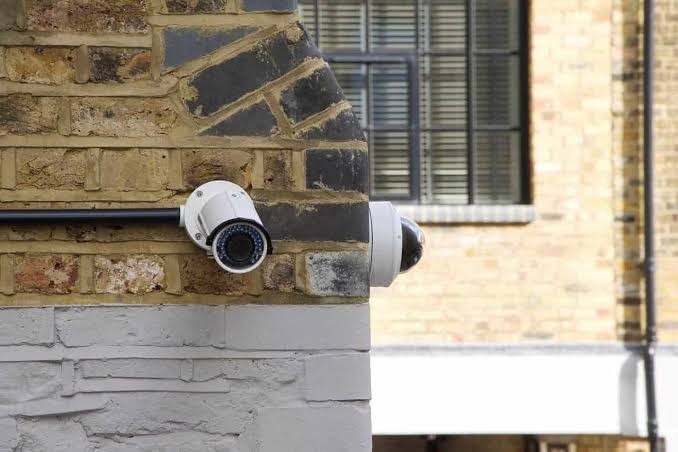
CCTV cameras play an important role in protecting homes, offices, shops, warehouses, factories, hotels and other commercial properties. They help property owners monitor activities, review recorded footage and maintain visibility over important areas. However, like other electronic security equipment, CCTV systems can develop technical problems that affect their performance.
A security camera may suddenly stop displaying images, produce blurry footage, disconnect from the network, fail to record video or stop working properly at night. In some cases, the camera appears to be functioning normally while the recording system silently fails to save footage.
These problems can create security gaps, especially when they affect entrances, parking areas, storage facilities or restricted sections of a property.
Understanding common CCTV camera problems and how to fix them helps property owners identify basic faults, take appropriate troubleshooting steps and know when professional technical support is necessary.
For businesses and property owners in Uganda, where CCTV installations may operate continuously in environments exposed to dust, rain, power interruptions and network connectivity challenges, regular inspection and proper maintenance are particularly important.
This guide explains the most common CCTV camera problems, their possible causes, practical troubleshooting steps, preventive measures and when to seek professional CCTV repair services.
1. CCTV Camera Showing No Picture
One of the most common CCTV problems is a camera displaying a black screen, no signal or a completely blank image.
This can happen with both analogue and IP camera systems. The cause may be related to power, cabling, network connectivity, camera hardware or the recording device.
Possible causes
- Disconnected power supply.
- Faulty camera power adapter.
- Damaged Ethernet or coaxial cable.
- Loose connectors.
- Failed PoE switch port.
- Incorrect camera configuration.
- Camera hardware failure.
- DVR or NVR connection problems.
How to fix a CCTV camera showing no picture
- Check whether the camera has power and whether its indicator lights show normal operation.
- Inspect accessible power connections and cables for visible damage or disconnection.
- Check whether other cameras connected to the same recorder are displaying images.
- Restart the camera or recorder using the manufacturer’s recommended procedure.
- For IP cameras, check network connectivity and the camera’s connection status.
- For analogue cameras, inspect the video cable and compatible recorder input.
- If the problem continues, arrange technical testing of the power supply, cabling, camera and recorder.
Important: Do not open electrical equipment or handle exposed wiring while it is energised. Electrical troubleshooting should be performed by appropriately qualified personnel.
2. CCTV Camera Offline or Not Connecting
IP CCTV cameras communicate with recorders and monitoring devices through a network. When communication fails, the camera may appear offline or become unavailable in the monitoring application.
This problem is common in systems using network switches, routers, NVRs and Power over Ethernet (PoE).
Possible causes
- Network cable damage.
- Loose Ethernet connection.
- Faulty network switch.
- Insufficient or interrupted PoE power.
- Incorrect IP address settings.
- IP address conflict.
- Router or switch configuration changes.
- Network congestion.
- Camera firmware or software problems.
How to fix an offline CCTV camera
- Check whether the camera has power.
- Inspect the Ethernet connection for looseness or visible damage.
- Check the network switch to confirm that the relevant port is active.
- Confirm that the camera and recorder are using compatible network settings.
- Check for IP address conflicts.
- Restart the affected network equipment only when appropriate and with awareness of other connected devices.
- Review the recorder’s camera connection status.
- If the camera remains offline, have a technician test the network cable, switch port, PoE supply and camera.
For larger commercial CCTV installations, repeated camera disconnections may indicate a wider network infrastructure problem rather than an individual camera fault.
3. Blurry or Unclear CCTV Footage
Blurry CCTV footage reduces the usefulness of surveillance recordings. It may make it difficult to recognise people, identify vehicles or understand activities around a property.
Image quality problems can affect indoor and outdoor cameras.
Possible causes
- Dirty camera lenses.
- Dust or cobwebs on protective covers.
- Incorrect focus.
- Scratched lens covers.
- Condensation or moisture.
- Poor lighting.
- Incorrect resolution settings.
- Camera positioned too far from the target area.
- Excessive digital zoom.
How to fix blurry CCTV footage
- Inspect the camera lens and protective cover.
- Clean accessible surfaces using a suitable method recommended by the manufacturer.
- Check whether the camera is correctly focused.
- Review image resolution and quality settings.
- Inspect the camera for moisture or condensation.
- Check whether objects, vegetation or other obstructions affect the view.
- Review camera positioning and lighting conditions.
If the lens or protective cover is scratched or damaged, replacement may be necessary.
It is also important to understand that increasing resolution does not automatically solve every image-quality problem. Lens selection, viewing distance, lighting, camera positioning and image compression all influence the final footage.
4. CCTV Camera Not Recording
A CCTV camera may display live video while failing to save recordings. This is a particularly serious problem because property owners may only discover it when they attempt to review footage after an incident.
Recording problems may originate from the camera, DVR, NVR, storage drive or recording configuration.
Possible causes
- Failed or unhealthy hard drive.
- Incorrect recording schedule.
- Recording function disabled.
- Storage capacity limitations.
- Camera disconnected from the recorder.
- Incorrect recording settings.
- Recorder software errors.
- Faulty storage connection.
How to fix a CCTV system that is not recording
- Open the DVR or NVR recording status menu.
- Confirm that recording is enabled for the affected cameras.
- Check the recording schedule.
- Review the hard drive status and any storage warnings.
- Check whether the recorder recognises the installed storage drive.
- Test playback from different dates and cameras.
- Check whether the storage capacity and retention settings match the property’s requirements.
- Arrange technical inspection if the recorder reports drive errors or recording remains unavailable.
Do not format a hard drive or initialise a storage device without understanding the consequences. These actions may erase existing recordings.
For important footage, avoid unnecessary system changes and seek professional assistance if data recovery may be required.
5. CCTV Night Vision Not Working
Many CCTV cameras use infrared illumination or other low-light technologies to provide images after dark.
When night vision fails, the camera may produce dark footage, unclear images or no useful visibility in poorly lit areas.
Possible causes
- Failed infrared illuminators.
- Incorrect day/night settings.
- Insufficient power supply.
- Dirty lens or protective cover.
- Reflections from nearby surfaces.
- Camera positioning problems.
- Damaged night-vision components.
- Inadequate lighting for the camera’s specifications.
How to fix CCTV night-vision problems
- Test the camera in low-light conditions.
- Check whether infrared illumination activates where the camera uses it.
- Inspect the lens and protective cover for dirt or obstruction.
- Review day/night and infrared settings.
- Check whether nearby walls, windows or reflective surfaces cause infrared glare.
- Confirm that the camera receives the required power.
- If the infrared illuminator or camera hardware has failed, arrange repair or replacement.
Some cameras use visible-light illumination rather than infrared. The troubleshooting procedure should match the camera’s actual night-vision technology.
6. CCTV Camera Keeps Restarting
A camera that repeatedly switches off and on can cause interrupted surveillance and missing recordings.
The problem may be caused by unstable power, faulty cabling, overheating or hardware defects.
Possible causes
- Unstable electrical supply.
- Faulty power adapter.
- Damaged power cable.
- Overloaded PoE switch.
- Excessive operating temperature.
- Firmware problems.
- Internal camera hardware failure.
How to fix a CCTV camera that keeps restarting
- Check whether the power supply matches the camera’s specifications.
- Inspect accessible power and network connections.
- Check whether other cameras connected to the same power source are affected.
- Review PoE switch capacity and power allocation where applicable.
- Check the camera’s ventilation and operating environment.
- Review system logs for restart or power-related warnings.
- Arrange testing of the power source and camera if the problem continues.
For systems with several cameras restarting simultaneously, investigate the shared power supply, UPS, PoE switch or electrical circuit.
7. CCTV Footage Showing the Wrong Date and Time
Accurate timestamps are important when reviewing recordings and investigating security incidents.
If the camera or recorder displays the wrong date or time, footage may be difficult to match with access records, reports or other events.
Possible causes
- Incorrect time-zone settings.
- Incorrect date and time configuration.
- Failed time synchronisation.
- Power interruption.
- Incorrect daylight-saving configuration where applicable.
- Recorder clock or firmware problems.
How to fix incorrect CCTV timestamps
- Open the camera or recorder settings.
- Confirm that the date and time are correct.
- Check that the selected time zone is appropriate for Uganda.
- Configure supported automatic time synchronisation.
- Confirm that the recorder and cameras display consistent timestamps.
- Review whether the settings remain correct after a restart.
For installations in Uganda, the relevant time zone is East Africa Time (UTC+3).
Correct timestamps should be maintained across connected cameras, recorders and access control systems where event correlation is required.
8. CCTV Camera Showing a Black-and-White Image During the Day
Some infrared cameras automatically switch between colour and black-and-white modes depending on lighting conditions.
If a camera remains in black-and-white mode during the day, it may have a configuration issue or may be receiving insufficient light.
Possible causes
- Faulty day/night switching.
- Stuck infrared cut filter.
- Incorrect camera settings.
- Dirty lens.
- Insufficient lighting.
- Hardware malfunction.
How to fix the problem
- Check the camera’s day/night settings.
- Confirm that the camera is not configured for permanent infrared mode.
- Inspect the lens and surrounding lighting conditions.
- Restart the camera through the approved procedure.
- Test automatic day/night switching.
- Arrange professional inspection if the infrared cut filter or other internal components appear faulty.
9. CCTV Camera Producing a Flickering Image
Flickering footage can make surveillance difficult and may indicate a lighting, power or equipment problem.
Possible causes
- Unstable power supply.
- Electrical interference.
- Poor cable connections.
- Incompatible lighting frequencies.
- Faulty camera components.
- Incorrect exposure settings.
- Damaged video cable.
How to fix flickering CCTV footage
- Check whether the flickering occurs during the day, at night or under specific lighting.
- Inspect accessible power and video connections.
- Check whether other cameras experience the same problem.
- Review camera exposure and anti-flicker settings where available.
- Check whether nearby electrical equipment is causing interference.
- Arrange technical testing if the fault continues.
The cause should be identified before replacing the camera, since flickering may originate from the power or lighting environment.
10. CCTV Camera Showing a Pink, Purple or Unusual Colour Tint
A camera may sometimes display unusual colour tones instead of natural colours.
This can happen when the camera’s day/night filter does not operate correctly or when the image sensor or settings are affected.
Possible causes
- Stuck infrared cut filter.
- Incorrect colour settings.
- Firmware problems.
- Damaged image sensor.
- Incorrect lighting conditions.
- Hardware failure.
How to fix unusual CCTV colour problems
- Check the camera’s colour and day/night settings.
- Restart the camera using the manufacturer’s procedure.
- Test the camera under different lighting conditions.
- Review whether the problem occurs in live viewing and recorded footage.
- Arrange technical inspection if the colour problem persists.
A camera with a failed internal filter or image sensor may require repair or replacement.
11. CCTV Remote Viewing Not Working
Many businesses use smartphone applications and computer software to view their cameras remotely.
When remote access fails, users may be unable to monitor their property while away from the premises.
Possible causes
- Internet connection failure.
- Router configuration changes.
- Incorrect login credentials.
- Recorder disconnected from the network.
- Remote-access service interruption.
- Application compatibility issues.
- Incorrect network settings.
- Expired subscription or unsupported service, where applicable.
How to fix CCTV remote viewing problems
- Confirm that the CCTV system is operating locally.
- Check the internet connection at the property.
- Confirm that the DVR or NVR is connected to the network.
- Check the application’s login details.
- Update the official application where supported.
- Review the recorder’s remote-access settings.
- Check whether the manufacturer’s remote-access service is available.
- Arrange technical support if the system remains inaccessible.
Avoid exposing CCTV recorder management ports directly to the public internet as a quick fix. Remote access should be configured securely, with strong authentication and appropriate network controls.
12. CCTV Camera Recording but Not Displaying on the Monitor
In some installations, recordings may be available even though the monitor displays no live camera image.
This can indicate a display, output or configuration problem rather than a complete camera failure.
Possible causes
- Faulty HDMI or VGA cable.
- Incorrect monitor input selection.
- Display resolution incompatibility.
- Recorder video output problem.
- Monitor failure.
- Incorrect display configuration.
How to fix the problem
- Confirm that the monitor is powered on.
- Check the selected input source.
- Inspect the display cable.
- Test with another compatible monitor where available.
- Review the recorder’s display resolution settings.
- Check whether camera footage can be accessed through another authorised device.
If recordings remain available, preserve them while investigating the display fault.
13. CCTV System Producing Delayed or Lagging Video
Delayed video can make it difficult for security personnel to monitor activities in real time.
This is particularly problematic in commercial buildings with many IP cameras.
Possible causes
- Network congestion.
- Insufficient bandwidth.
- Overloaded recorder.
- High camera bitrate.
- Wireless signal interference.
- Poor network configuration.
- Insufficient processing resources.
How to fix delayed CCTV footage
- Check whether the problem affects one camera or all cameras.
- Review network traffic and available bandwidth.
- Check camera resolution, frame rate and bitrate settings.
- Inspect network switch performance.
- Check whether the recorder has sufficient processing capacity.
- Review wireless signal strength where wireless cameras are used.
- Have a technician assess the network and recording configuration.
Reducing video quality may improve performance in some circumstances, but changes should not compromise the surveillance requirements of important areas.
14. CCTV Hard Drive Error or Storage Failure
DVR and NVR systems use storage devices to save recorded footage.
A storage failure can result in recording interruptions, missing footage or an inability to retrieve important video.
Possible causes
- Hard drive wear or failure.
- Loose storage connections.
- Overheating.
- Power interruptions.
- Incompatible storage equipment.
- Recorder hardware problems.
- Incorrect drive configuration.
How to fix CCTV hard drive problems
- Check the recorder’s storage status.
- Review any hard drive error notifications.
- Confirm that the drive is recognised.
- Check the recorder’s ventilation and temperature.
- Have the storage drive tested using supported diagnostic tools.
- Replace a defective drive with a compatible surveillance-rated model where appropriate.
- Confirm that recording and playback work after replacement.
If important recordings may still be recoverable, avoid formatting, initialising or repeatedly restarting a failing drive before obtaining appropriate technical advice.
15. CCTV Camera Losing Focus or Moving Out of Position
A camera may gradually become misaligned because of vibration, loose mounting brackets, accidental impact or environmental conditions.
This can leave important areas outside the intended field of view.
Possible causes
- Loose mounting hardware.
- Wind or vibration.
- Accidental physical contact.
- Building maintenance activities.
- Damaged camera brackets.
- Incorrect PTZ configuration.
How to fix the problem
- Compare the current camera view with the original installation coverage.
- Inspect the camera mounting position from a safe location.
- Check for visible damage or loose brackets.
- Adjust the camera position where this can be done safely and correctly.
- Confirm that the camera still covers the intended area.
- Secure the mounting hardware using suitable methods.
Cameras mounted at height should be inspected by appropriately equipped personnel rather than climbed or adjusted unsafely.
16. Outdoor CCTV Camera Affected by Rain or Moisture
Outdoor cameras are exposed to environmental conditions that can affect their operation.
Water entering a camera housing or junction box may cause blurred footage, corrosion, electrical faults and equipment failure.
Possible causes
- Damaged weather seals.
- Incorrectly installed cable entries.
- Cracked protective housing.
- Poorly sealed junction boxes.
- Unsuitable camera protection.
- Condensation inside the housing.
How to fix moisture-related CCTV problems
- Check for visible water or condensation.
- Avoid touching exposed electrical components.
- Have the equipment safely isolated where moisture may have reached electrical connections.
- Inspect the housing, seals and cable entry points.
- Replace damaged protective components.
- Check whether the camera is suitable for its installation environment.
- Arrange professional inspection before returning affected equipment to service.
A camera’s weather-resistance rating should be appropriate for the conditions in which it is installed.
17. Multiple CCTV Cameras Failing at the Same Time
When several cameras stop working simultaneously, the cause may be a shared system component rather than separate camera faults.
Possible causes
- Main power supply failure.
- UPS or backup battery problem.
- PoE switch failure.
- Network switch failure.
- Recorder fault.
- Damaged central cable route.
- Electrical surge.
- Network configuration changes.
How to fix multiple camera failures
- Establish whether all affected cameras share the same recorder, switch or power source.
- Check the status of the central network and power equipment.
- Review UPS and power supply indicators.
- Inspect the recorder for system errors.
- Check whether unaffected cameras use different network or power equipment.
- Arrange professional testing of the shared infrastructure.
This type of fault should be investigated carefully because replacing individual cameras may not solve the underlying problem.
CCTV Troubleshooting Table: Problems, Causes and Solutions
The following table provides a quick reference for common CCTV faults.
| CCTV problem | Possible cause | Recommended action |
|---|---|---|
| No picture | Power or cable fault | Check connections and power |
| Camera offline | Network disconnection | Test network and PoE |
| Blurry footage | Dirty lens or focus problem | Clean and inspect camera |
| Not recording | Storage or configuration fault | Check recorder and hard drive |
| Night vision failure | Infrared or lighting problem | Test low-light operation |
| Frequent restarts | Unstable power or overheating | Inspect power and ventilation |
| Wrong timestamp | Incorrect time settings | Correct time zone and synchronisation |
| Black-and-white daytime image | Day/night filter problem | Review settings and filter operation |
| Flickering footage | Power or lighting interference | Inspect connections and settings |
| Remote viewing failure | Internet or configuration issue | Check local system and network |
| Pink or purple image | Filter or sensor fault | Inspect camera settings and hardware |
| Lagging footage | Network congestion | Assess bandwidth and recorder capacity |
| Hard drive error | Storage failure | Diagnose and replace if necessary |
| Camera misalignment | Loose mounting | Inspect and reposition safely |
| Moisture in camera | Failed weather protection | Isolate safely and inspect housing |
| Several cameras offline | Shared power or network failure | Check central infrastructure |
How to Troubleshoot a CCTV System Step by Step
When a CCTV system develops a fault, it is important to follow a logical troubleshooting process rather than randomly changing settings or replacing equipment.
The following procedure can help property owners and authorised administrators identify the nature of a problem.
Step 1: Identify the Affected Equipment
Determine whether the problem affects one camera, several cameras, the recorder, the monitoring screen or remote access.
This helps narrow down the possible causes.
Step 2: Check Power Supply
Confirm that the relevant equipment is receiving power.
For IP cameras, inspect the PoE switch or injector where applicable. For other systems, check the specified camera power supply.
Step 3: Inspect Visible Connections
Check accessible cables, connectors and network equipment for visible damage or disconnection.
Do not handle exposed wiring or open electrical equipment while energised.
Step 4: Check the Recorder
Review the DVR or NVR for camera status, storage warnings, recording schedules and error messages.
Step 5: Test Live Viewing and Playback
Establish whether the problem affects live video, recorded footage or both.
This distinction can help identify whether the fault relates to the camera, display, recorder or storage system.
Step 6: Check Network Connectivity
For IP systems, review network connections, camera status and relevant switch or router indicators.
Step 7: Review Camera Settings
Check image quality, resolution, date and time, recording schedules and supported night-vision settings.
Avoid changing advanced configuration settings unless their function is understood.
Step 8: Restart Equipment When Appropriate
A controlled restart may resolve some temporary software or communication problems.
Follow the manufacturer’s instructions and avoid repeatedly restarting equipment that shows signs of hardware or storage failure.
Step 9: Document the Problem
Record the affected camera, location, symptoms, date and any error messages.
This information can help a technician diagnose the problem more efficiently.
Step 10: Arrange Professional Repair When Necessary
If the fault continues or involves electrical components, storage recovery, network infrastructure or equipment replacement, arrange professional technical assistance.
When Should You Call a Professional CCTV Technician?
Some CCTV problems can be addressed through basic checks, such as confirming that a cable is connected or cleaning an accessible camera lens.
However, other faults require technical knowledge and appropriate diagnostic equipment.
You should seek professional CCTV assistance when:
- Cameras repeatedly go offline.
- Multiple cameras stop working.
- The DVR or NVR reports hard drive errors.
- Recordings are missing or cannot be played back.
- Network faults affect several cameras.
- Cameras require electrical or internal hardware repairs.
- Water has entered camera housings or electrical connections.
- Remote access cannot be restored securely.
- The system requires configuration changes or integration work.
- A camera covering a critical security area has failed.
Professional diagnosis helps identify the actual cause of a fault and reduces the risk of unnecessary equipment replacement.
How to Prevent Common CCTV Camera Problems
Preventive maintenance is one of the most effective ways to reduce avoidable CCTV problems.
Instead of waiting until a camera stops working, property owners should establish a maintenance routine based on the equipment, installation environment and security requirements.
1. Clean Cameras Regularly
Dust, insects and dirt can affect camera visibility.
Inspect and clean accessible camera lenses and protective surfaces using appropriate materials and manufacturer-approved methods.
2. Inspect Cables and Connections
Check accessible cables, junction boxes and connectors for damage, corrosion, loose connections and moisture.
3. Check Recording Performance
Do not rely only on live camera views.
Regularly test recorded footage to confirm that the recorder is saving and retaining video as expected.
4. Monitor Storage Health
Review hard drive status and storage capacity.
Replace defective drives with compatible equipment when necessary.
5. Protect CCTV Equipment from Power Problems
Use appropriately selected power protection and backup equipment.
Ensure that backup capacity matches the requirements of the cameras, recorders and network devices that must remain operational.
6. Keep Software Updated
Review manufacturer updates for cameras, recorders and management applications.
Updates should be applied carefully after checking compatibility and maintaining suitable configuration backups.
7. Secure Remote Access
Use strong passwords, individual user accounts, restricted permissions and multi-factor authentication where supported.
Avoid exposing camera and recorder interfaces directly to the public internet.
8. Review Camera Positioning
Check whether new structures, vehicles, vegetation or other obstructions have affected camera coverage.
9. Maintain Proper Ventilation
Ensure that recorders, network switches and other equipment have adequate ventilation and are installed in suitable environments.
10. Schedule Professional CCTV Servicing
Arrange regular inspections to identify faults that may not be obvious during normal daily use.
For commercial installations, a documented maintenance schedule can help ensure that all cameras and supporting equipment are checked.
Common CCTV Problems in Uganda: Environmental and Installation Considerations
CCTV systems installed in Uganda may experience challenges related to environmental conditions, electrical infrastructure and building design.
Understanding these conditions can help property owners plan suitable installations and maintenance procedures.
Dust and Dirt Accumulation
Dust can collect on camera lenses, housings, junction boxes and equipment ventilation openings.
This can reduce image quality and contribute to overheating if equipment ventilation is obstructed.
Regular cleaning and appropriate equipment placement help address these problems.
Rain and Moisture
Outdoor cameras, cable entry points and junction boxes should be suitable for the installation environment.
Poor sealing can allow moisture to enter equipment and cause corrosion or electrical faults.
Power Interruptions
Power interruptions may affect cameras, recorders, network switches and remote monitoring equipment.
Suitable UPS systems and backup power arrangements can help maintain selected functions during outages.
Network Connectivity Challenges
IP CCTV systems rely on communication between connected devices.
Network congestion, damaged cables, poorly configured switches and internet interruptions can affect monitoring performance.
Local recording should be configured where required so that it can continue during internet outages if the equipment supports this function.
Building Extensions and Renovations
Construction work, new partitions, shelving and changes to building layouts can obstruct camera views or damage cabling.
CCTV coverage should be reviewed whenever significant property modifications take place.
CCTV Repair vs CCTV Maintenance: What Is the Difference?
CCTV maintenance and CCTV repair are related but serve different purposes.
CCTV maintenance involves scheduled inspections and servicing to help keep the system in good working condition.
Typical activities include:
- Camera cleaning.
- Image quality checks.
- Cable inspection.
- Recorder testing.
- Storage monitoring.
- Network diagnostics.
- Power supply inspection.
- Configuration reviews.
CCTV repair involves correcting an existing fault.
Examples include:
- Replacing damaged cameras.
- Repairing broken cables.
- Replacing failed power supplies.
- Fixing recorder problems.
- Replacing defective hard drives.
- Restoring network connectivity.
- Correcting hardware and configuration faults.
Maintenance helps identify potential problems, while repair restores equipment or functions that have already failed.
Businesses should consider both as part of an effective CCTV management plan.
How Much Does CCTV Camera Repair Cost in Uganda?
The cost of CCTV camera repair in Uganda depends on the nature of the fault, the equipment involved and the work required.
A simple connector replacement may require less work than diagnosing a complex network failure affecting an entire commercial CCTV installation.
The main factors influencing repair costs include:
1. Type of CCTV Fault
The cost depends on whether the issue involves power, cabling, camera hardware, network connectivity, recording equipment or software configuration.
2. Camera Type
Analogue cameras, IP cameras, PTZ cameras and specialised surveillance devices have different components and repair requirements.
3. Availability of Replacement Parts
The cost of compatible replacement cameras, power supplies, connectors, storage drives and network equipment affects the overall repair budget.
4. Number of Affected Cameras
A fault involving one camera may be simpler to diagnose than a problem affecting several devices across a building.
5. Installation Complexity
Cameras mounted at height, installed outdoors or connected through complex cable routes may require additional labour and equipment.
6. Recorder and Network Problems
Repairs involving DVRs, NVRs, switches, routers and structured cabling may require additional diagnostic work.
7. Emergency and After-Hours Requirements
Commercial properties may require urgent technical attention when a fault affects critical surveillance areas. The required response arrangements can influence the service cost.
For an accurate quotation, the CCTV installation should be assessed to determine the source of the problem, required repairs and compatible replacement components.
Why Choose Daltrevco for CCTV Security System Requirements?
A reliable CCTV system requires more than cameras and recording equipment. It also depends on correct installation, suitable configuration, network connectivity, regular inspection and timely fault resolution.
Daltrevco understands the importance of dependable electronic security infrastructure for homes, offices, warehouses, factories, institutions and commercial properties in Uganda.
Whether you are experiencing camera connection problems, poor image quality, recording failures or other CCTV system faults, it is important to identify the underlying cause before making equipment replacement decisions.
For property owners planning a new CCTV installation or reviewing an existing surveillance system, Daltrevco can be contacted to discuss suitable security system requirements.
Visit www.daltrevco.com to discuss your CCTV and security system needs.
Frequently Asked Questions About Common CCTV Camera Problems
1. What are the most common CCTV camera problems?
Common CCTV problems include cameras showing no picture, offline cameras, blurry footage, recording failures, night-vision problems, incorrect timestamps, frequent restarts, network disconnections and hard drive errors.
2. Why is my CCTV camera not working?
A CCTV camera may stop working because of power failure, damaged cabling, loose connections, network problems, incorrect settings or internal hardware faults. The affected equipment should be checked to identify the cause.
3. How do I fix a CCTV camera with no signal?
Check the camera’s power supply, accessible cable connections and recorder status. For IP cameras, check network connectivity. For analogue cameras, inspect the video connection and compatible recorder input.
4. Why is my CCTV camera showing a black screen?
A black screen may indicate power loss, a disconnected camera, faulty cabling, a failed camera or a recorder connection problem.
5. Why is my CCTV camera offline?
An IP camera may go offline because of network disconnection, faulty cabling, insufficient PoE power, an IP address conflict, switch problems or incorrect configuration.
6. How do I fix blurry CCTV footage?
Inspect and clean the lens, check focus and camera positioning, review lighting conditions and confirm the image settings. A damaged lens or protective cover may need replacement.
7. Why is my CCTV system not recording?
Recording failures may be caused by a faulty hard drive, disabled recording schedule, insufficient storage, incorrect configuration or a camera connection problem.
8. Why is my CCTV night vision not working?
Night vision may fail because of damaged infrared components, incorrect settings, inadequate power, dirt on the lens or reflections from nearby surfaces.
9. Why does my CCTV camera keep restarting?
Repeated restarts may indicate unstable power, faulty adapters, overloaded PoE switches, overheating, firmware problems or internal hardware failure.
10. Why is my CCTV camera showing the wrong time?
Incorrect timestamps may result from wrong time-zone settings, disabled time synchronisation, power interruptions or recorder configuration problems. Set the appropriate Uganda time zone and verify that connected devices are synchronised.
11. Why is my CCTV footage flickering?
Flickering may be caused by unstable power, poor connections, electrical interference, lighting conditions or incorrect camera settings.
12. Why is my CCTV camera showing pink or purple images?
A pink or purple tint can indicate a day/night filter problem, incorrect colour settings or image sensor damage. Persistent faults may require technical inspection.
13. Why is my CCTV mobile app not working?
Possible causes include internet connection problems, incorrect credentials, recorder network faults, application issues or manufacturer remote-access service interruptions.
14. Can CCTV cameras work without internet?
Many CCTV systems can continue recording locally without internet if they are correctly configured and have power. However, remote viewing and cloud-based functions generally require internet or another communication link.
15. Why does my CCTV camera have a delayed picture?
Delayed video may result from network congestion, insufficient bandwidth, excessive camera bitrate, overloaded recording equipment or wireless interference.
16. How do I fix a CCTV hard drive error?
Check the recorder’s storage status and diagnostic warnings. A technician can test the drive and replace it with a compatible surveillance-rated model if necessary. Avoid formatting a drive containing important footage.
17. Why are all my CCTV cameras not working?
When multiple cameras fail simultaneously, the problem may involve a shared power supply, UPS, PoE switch, network switch, recorder or central cable route.
18. Can rain damage outdoor CCTV cameras?
Yes. Water can damage cameras when protective housings, seals or cable entry points are unsuitable or damaged. Outdoor equipment should be appropriately rated and installed.
19. How often should CCTV systems be checked?
Basic operational checks can be performed weekly, with more detailed inspections periodically. Commercial properties may benefit from quarterly inspections and comprehensive servicing every six to twelve months, adjusted to the environment and manufacturer recommendations.
20. Can CCTV camera problems be repaired without replacing the camera?
Yes. Some faults can be resolved through cleaning, cable repairs, connector replacement, power supply repairs or configuration changes. Replacement may be necessary when internal camera components are damaged or the equipment is no longer suitable.
21. What is the difference between CCTV repair and maintenance?
CCTV repair involves correcting an existing fault, while maintenance involves scheduled inspection, cleaning, testing and servicing to help prevent or identify problems before they become serious.
22. How much does CCTV repair cost in Uganda?
Repair costs depend on the fault, camera type, replacement parts, number of affected devices, installation complexity and required technical work. An assessment is recommended before a quotation is prepared.
23. Can power interruptions damage CCTV equipment?
Power interruptions and electrical surges can disrupt equipment and may contribute to hardware problems. Appropriate power protection, backup systems and correctly configured electrical infrastructure help reduce these risks.
24. When should I call a professional CCTV technician?
Seek professional help when cameras repeatedly disconnect, recording fails, multiple cameras stop working, storage drives report errors, electrical faults occur or remote access cannot be restored securely.
25. Where can I get CCTV maintenance and repair services in Uganda?
Property owners can contact Daltrevco through its website to discuss their CCTV installation requirements, technical problems and suitable security system maintenance solutions.
Conclusion
CCTV cameras are an important part of modern property security, but their effectiveness depends on proper installation, reliable recording, suitable configuration and regular maintenance.
Problems such as offline cameras, blurry images, recording failures, night-vision faults, network interruptions and damaged storage equipment can reduce surveillance coverage and create security gaps.
Understanding the common causes of these problems allows property owners to perform basic checks, identify warning signs and seek professional assistance when necessary.
For homes, offices, warehouses, factories, hotels and commercial buildings in Uganda, regular CCTV inspection and timely repair help maintain the performance of security camera systems.
If your cameras are not displaying clear footage, recording correctly or connecting reliably, do not ignore the problem. Identify the cause and arrange appropriate technical attention.
Contact Daltrevco through www.daltrevco.com to discuss suitable CCTV installation, maintenance and security system requirements for your property.

